
Compare model results (Preview)
Run the same coding task with multiple models or agent harnesses in the Agents window, then compare their implementations side by side. You can choose the strongest attempt or synthesize a new implementation from the best parts of several attempts.
Model comparison is available in Preview and only in the Agents window. It isn't available in the editor Chat view.
Prerequisites
Before you start, make sure you have:
- Met the Agents window prerequisites.
- Selected a Git repository that has a branch, at least one commit, and a configured remote.
- Access to an eligible Agent Host harness that supports worktree isolation for the selected repository.
The models and harnesses available for comparison depend on your setup, credentials, and enterprise policies. Learn how to configure and choose an agent harness.
Configure a comparison
-
In the Agents window, open Settings and enable sessions.chat.compareAgents.enabled .
This setting is off by default. An active experiment might enable the feature automatically.
-
Select New, and then select the Git repository for the task.
-
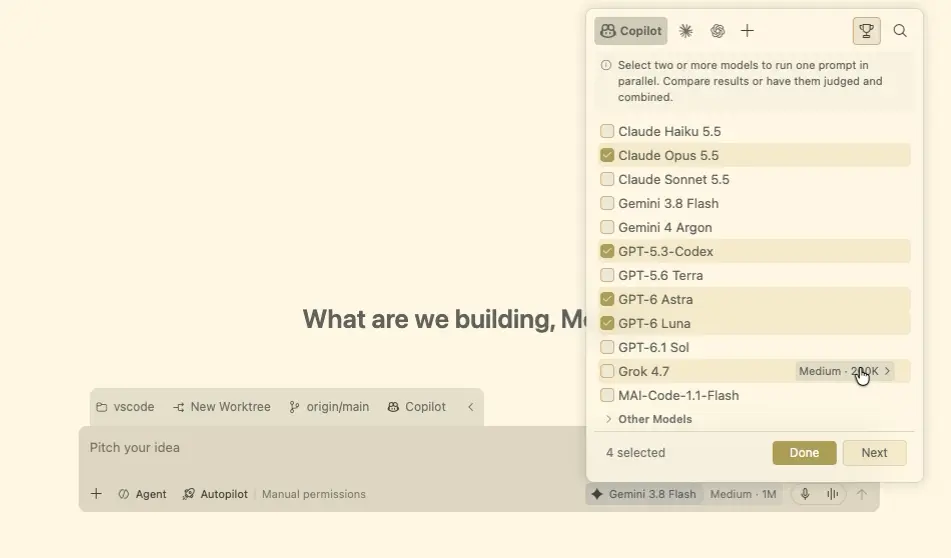
Open the model picker and select Compare Models.
-
Add between two and 10 attempts.
Choose from the models available to your agent harnesses. When available, you can mix Copilot, Anthropic Claude, and OpenAI Codex attempts. Auto and other routing choices aren't available for comparisons.
For models that support thinking effort, add the same model more than once and select a different effort for each attempt.
-
To evaluate the attempts automatically, select Judge, and then choose a judge model.
-
To create a combined implementation later, also select Synthesizer and choose a synthesizer model.
Configure the judge and synthesizer before you run the comparison. Without a judge, compare the attempts manually. Synthesis requires both a judge and a synthesizer.
-
Select Done.
Run the same task across attempts
Enter one bounded prompt that gives every attempt the same goal and success criteria. For example:
Add validation to the profile form so the display name is required and no longer
than 50 characters. Show an inline error, preserve the existing form styles, and
add focused tests for valid, empty, and overlong names. Don't change other forms.
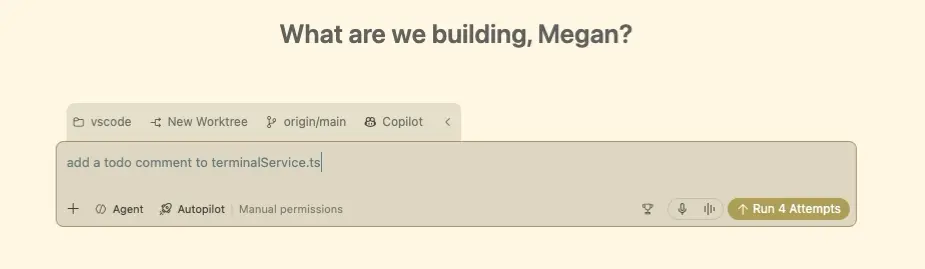
Select Run N Attempts, where N is the number of attempts you configured. All attempts start concurrently as independent sessions. The results appear in a tiled grid by default, where you can monitor each attempt and open its session.
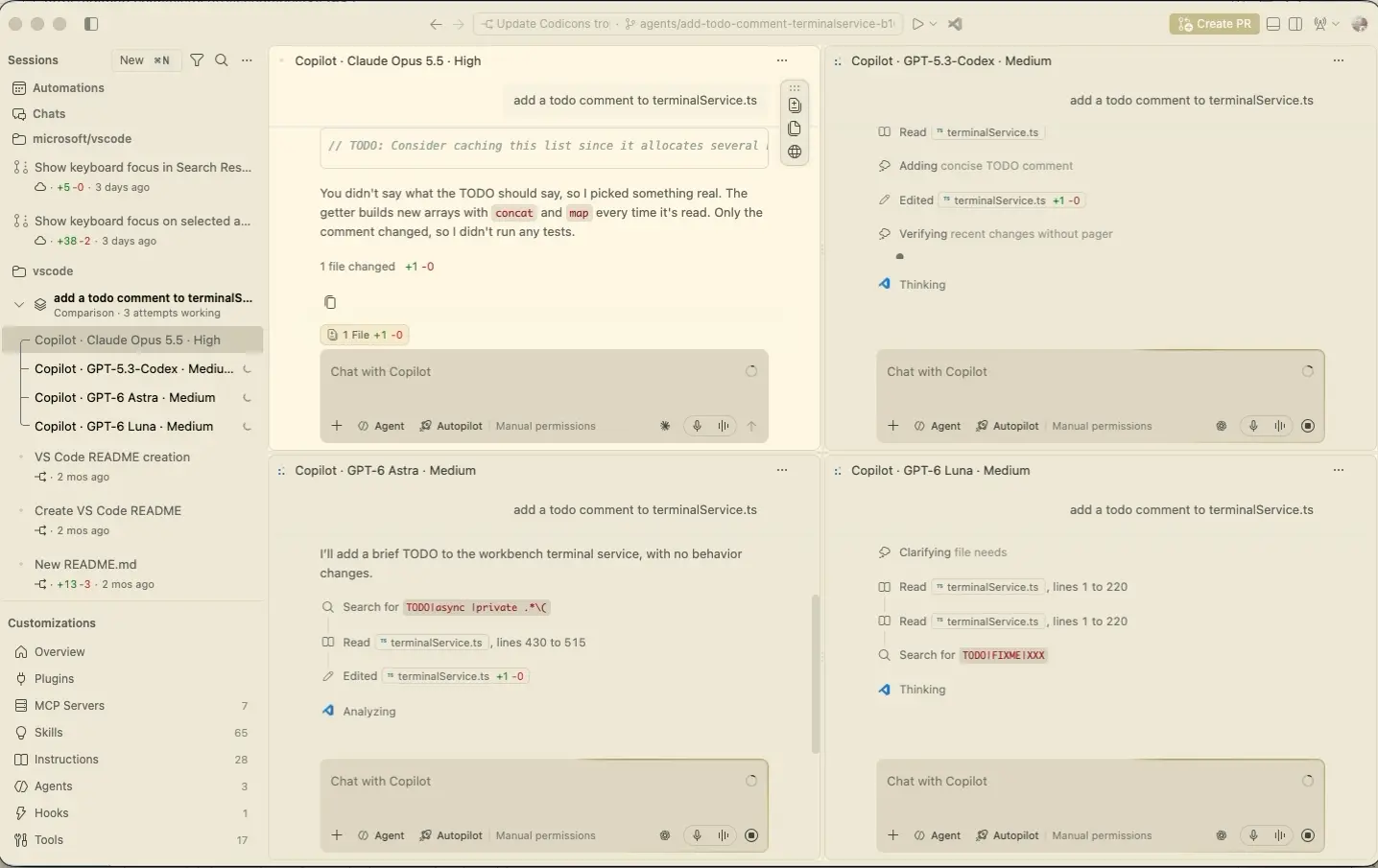
Each attempt works in its own Git worktree based on the repository's committed state. It doesn't include changes that are uncommitted in your original working tree. Git-ignored files and dependencies might also be absent. For worktree requirements, ignored files, and Allow all permission behavior, see Choose where an agent makes changes.
Worktree sessions use Allow all, which skips tool approval prompts. Worktrees separate edits, not the agent's access to your machine or network. Review approvals and permissions and agent sandboxing before you run a comparison.
Compare the results
After the attempts finish, compare them manually or use the judge scorecard:
- Review the changed files and agent responses for each attempt.
- Check whether each implementation meets the prompt's constraints and follows the repository's conventions.
- Run the relevant tests and checks in promising attempts.
If you configured a judge, evaluation starts automatically after the attempts finish. The scorecard includes a recommendation, time and token usage for each attempt, and expandable rationale with validation evidence. Select Open Attempt N to inspect an attempt's full session and changes.
Token values can be lower bounds rather than complete totals. The scorecard doesn't measure credit or currency costs.
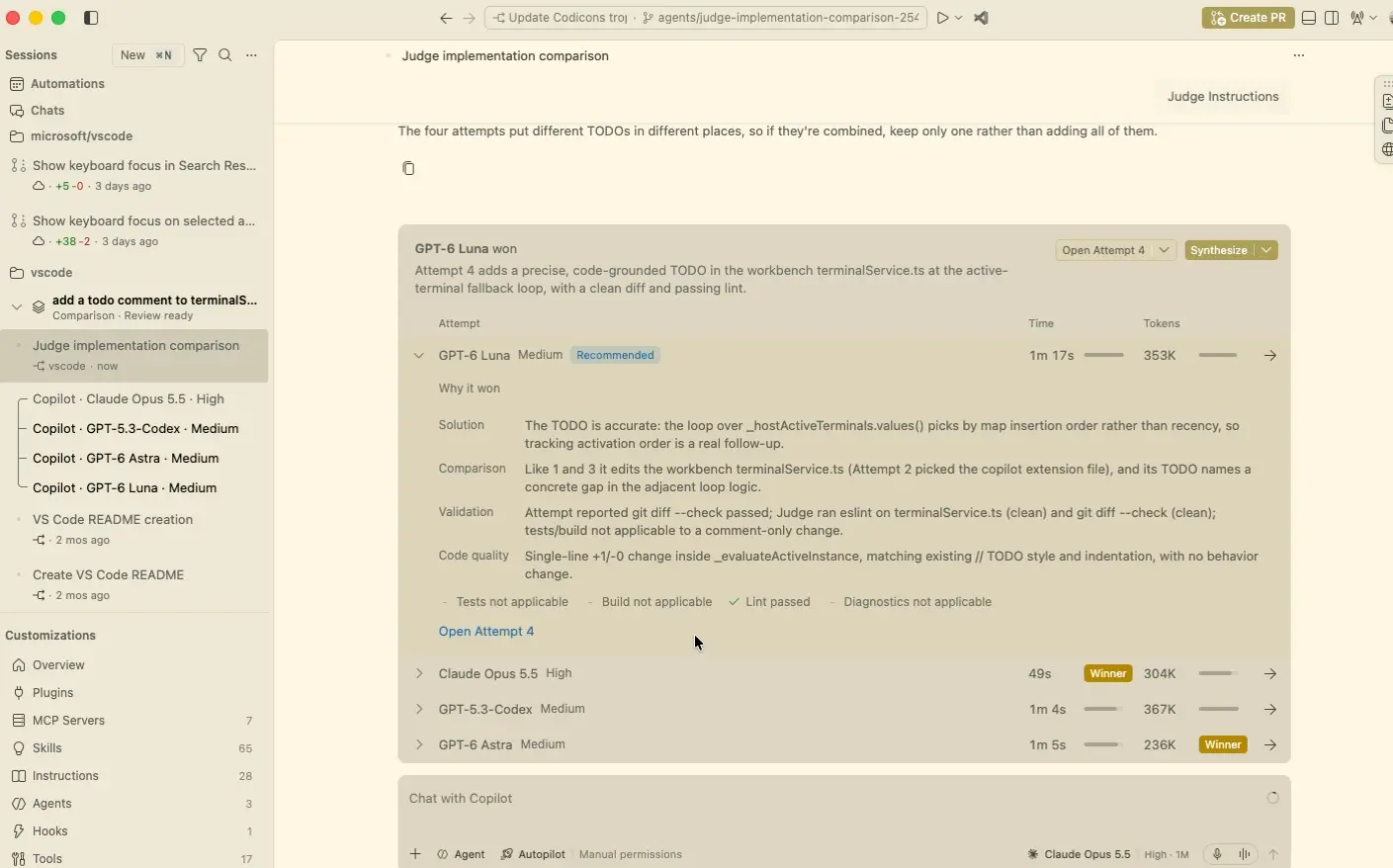
A judge's assessment isn't proof that an implementation is correct. Review the code, verify the evidence, and run the project's tests before you integrate a result.
Synthesize a new implementation
If you configured both a judge and a synthesizer, select Synthesize after reviewing the verdict. Add optional instructions to focus the synthesis on specific strengths, constraints, or corrections.
The synthesizer creates a new grouped session in another isolated worktree. It uses the judge verdict and strengths from the attempts as context for a new implementation. It doesn't modify the recommended attempt or your original working tree.
Synthesis doesn't automatically merge changes from the attempts or the synthesized result. Review and validate the new implementation as a separate result.
Continue with a result
Open the attempt or synthesized session that you want to continue. Review all changed and untracked files, run the relevant tests, and make any needed revisions.
When the result is ready, follow the agent change review and worktree integration workflow. Comparison doesn't automatically merge, push, or create a pull request for the selected result.
Each attempt, judge evaluation, and synthesis is separate model work. Consider the additional model usage when you choose the number of attempts and whether to enable evaluation or synthesis.