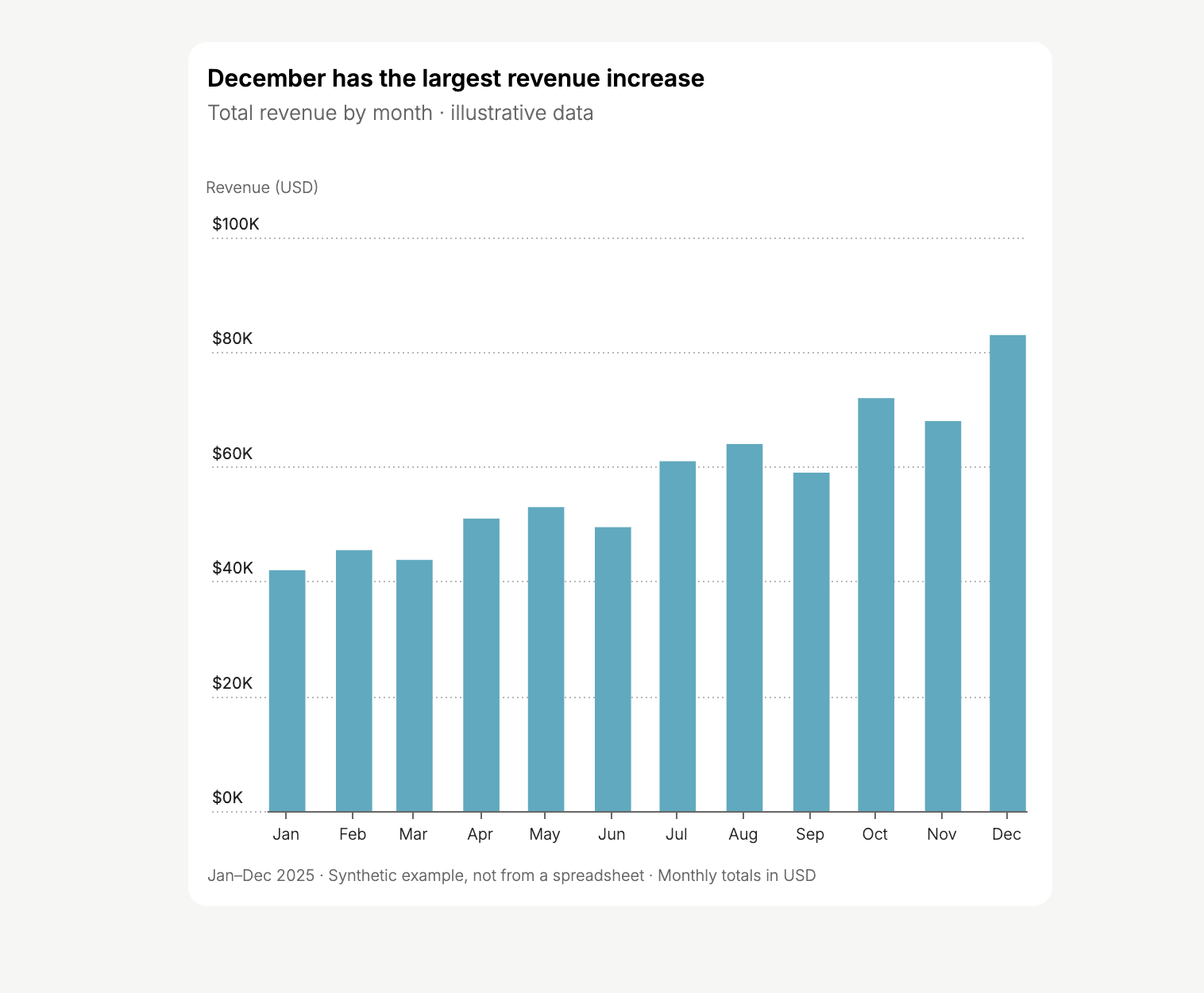
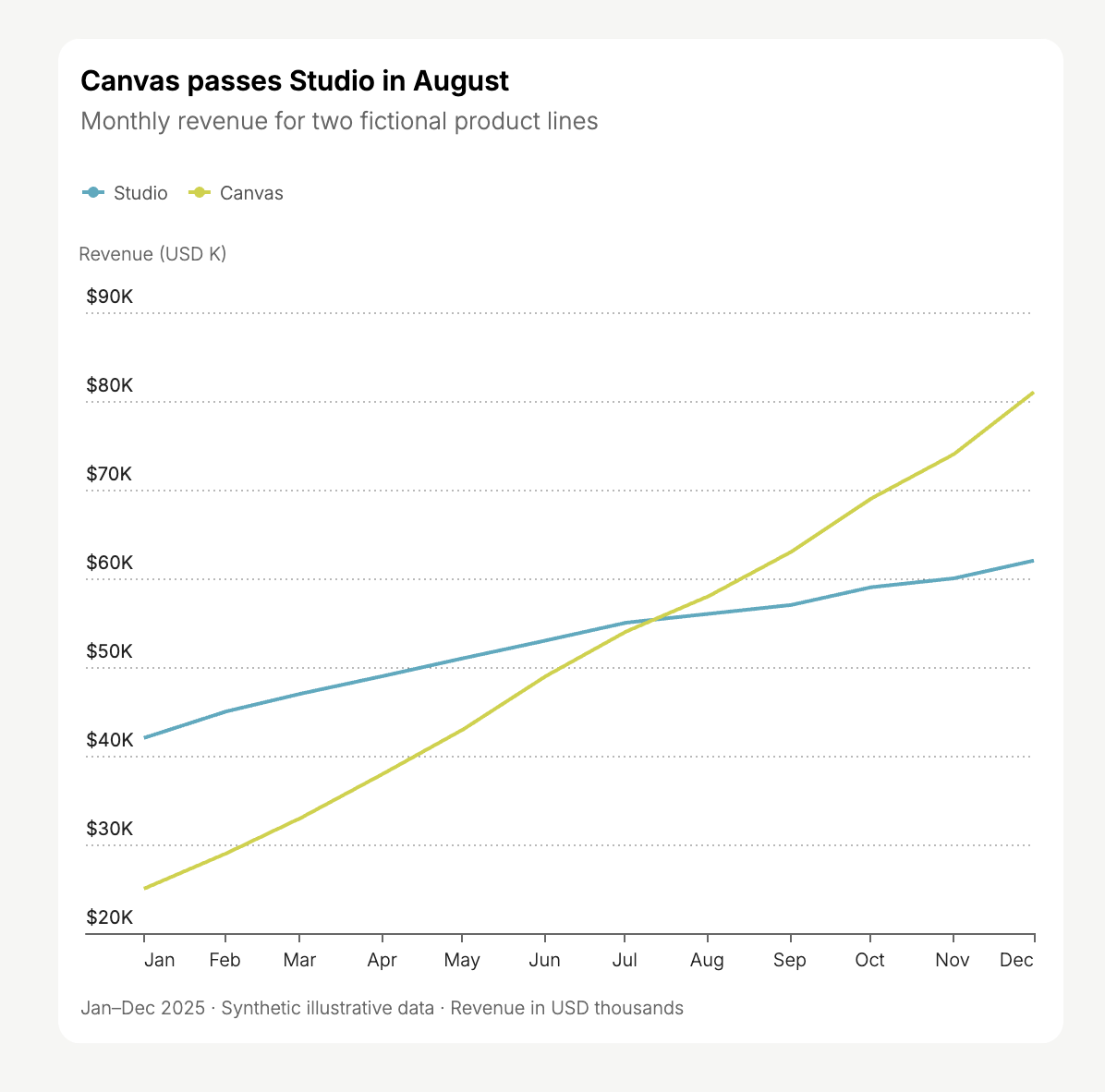
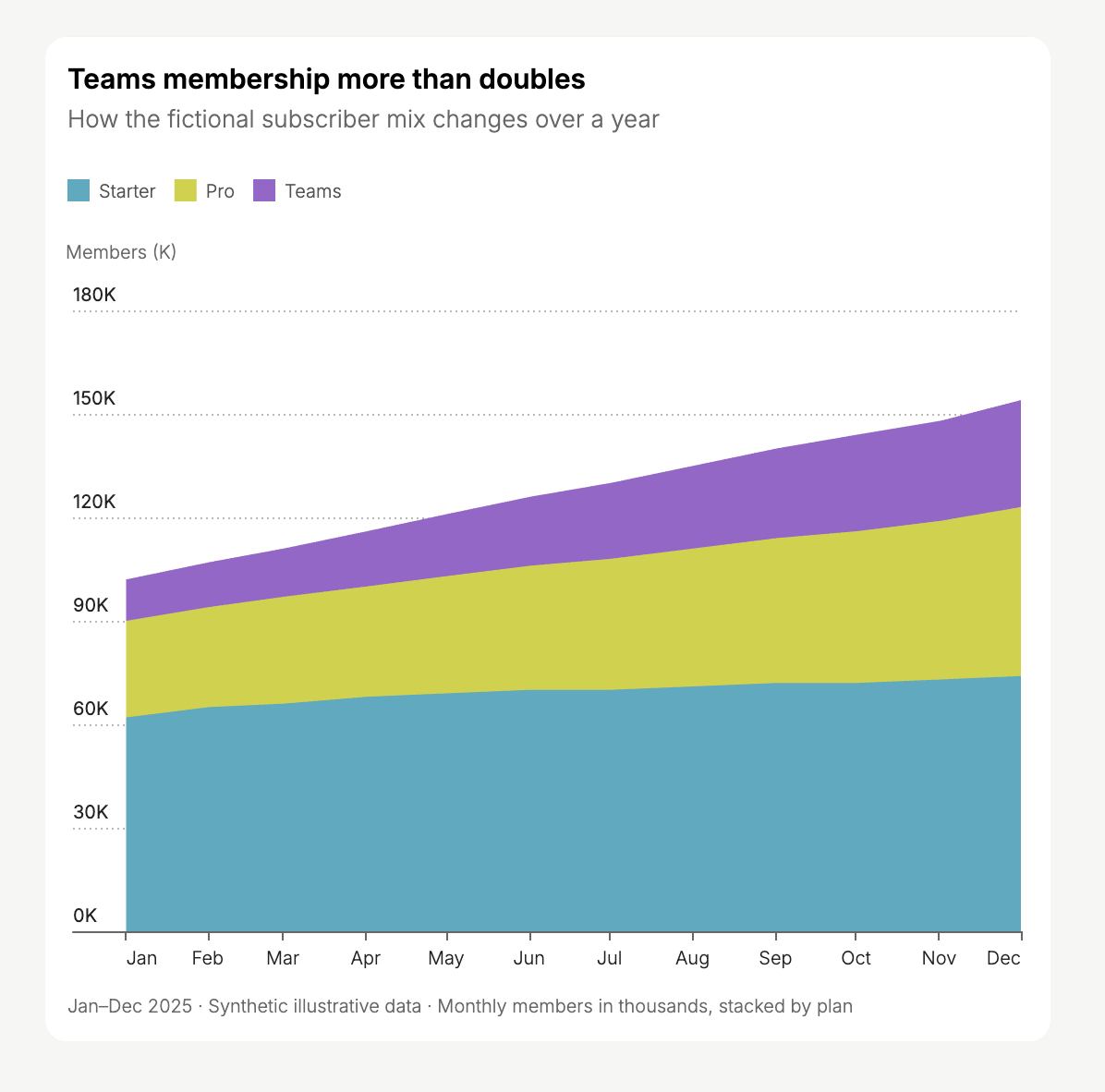
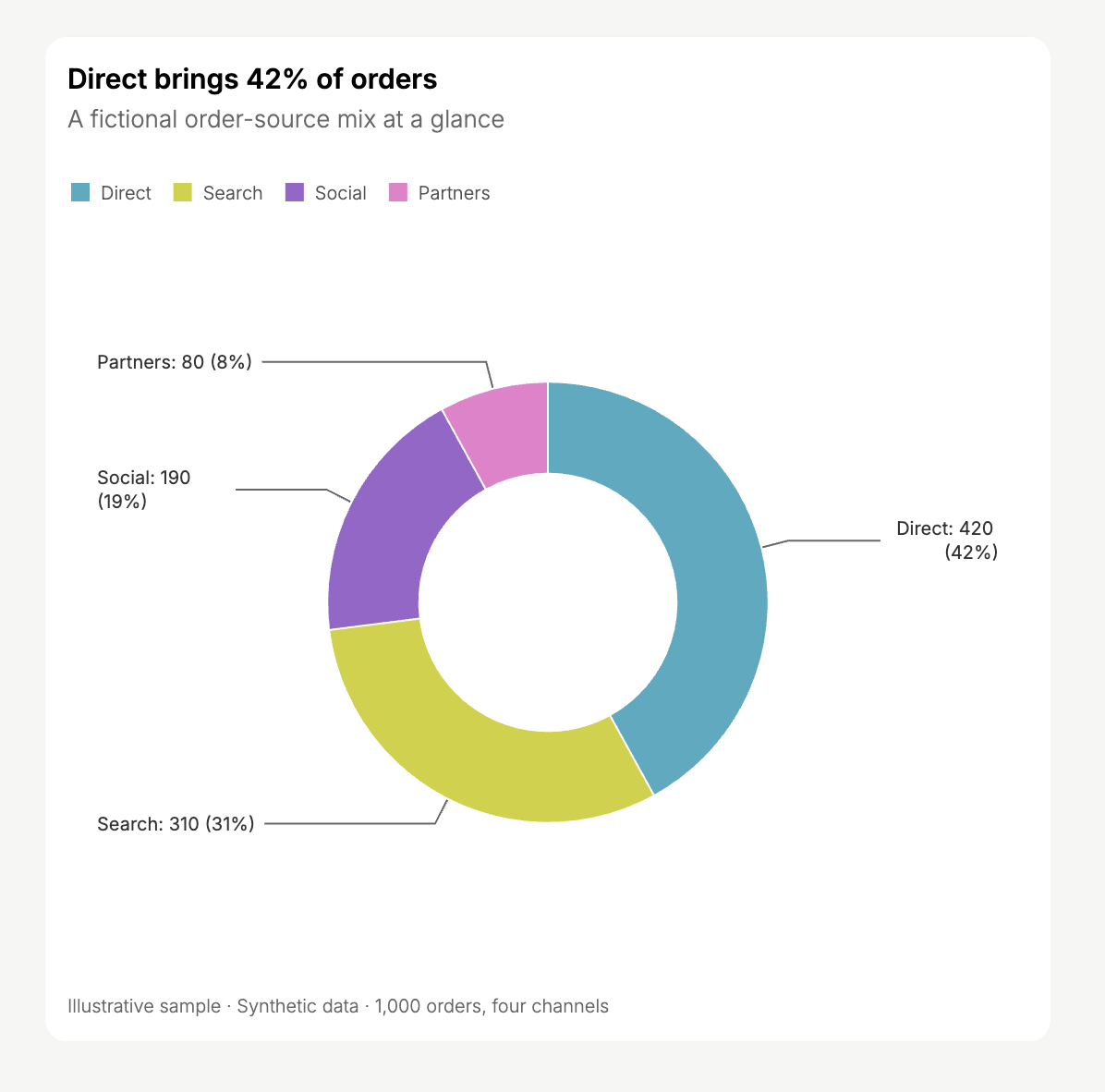
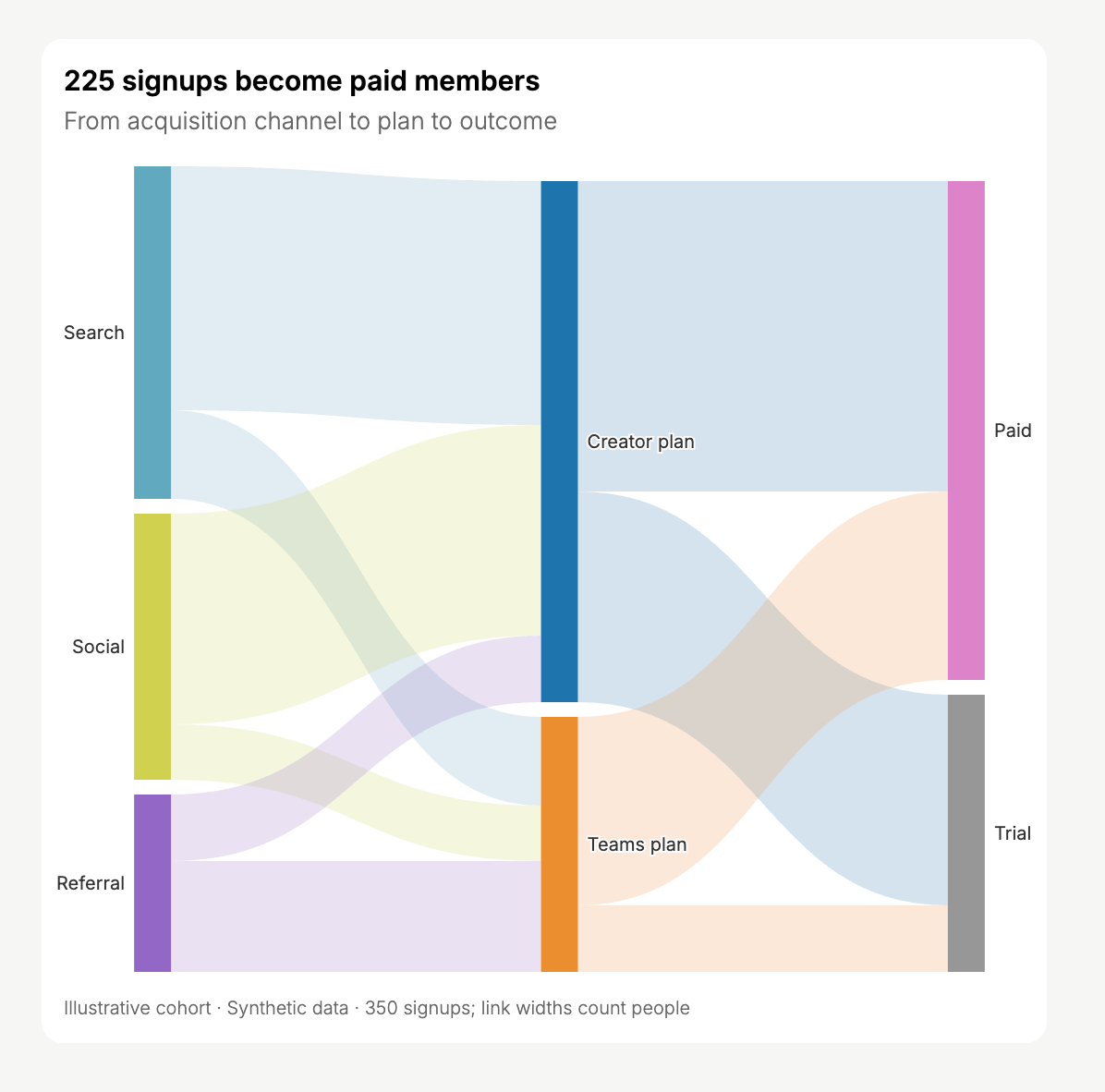
Create bar, line, stacked area, donut, Sankey, and heatmap charts in Chat to explore uploaded or connected data.
Create interactive charts directly in Chat from uploaded datasets or connected data sources. Describe what you want to understand, or ask for a specific chart type.Charts in Chat are powered by Atta. For a step-by-step example, follow Create charts and explore data.
The screenshots below use synthetic, illustrative data. They are examples of chart output, not actual business results or Replit plan metrics. Suggested prompts assume you provide the corresponding data.
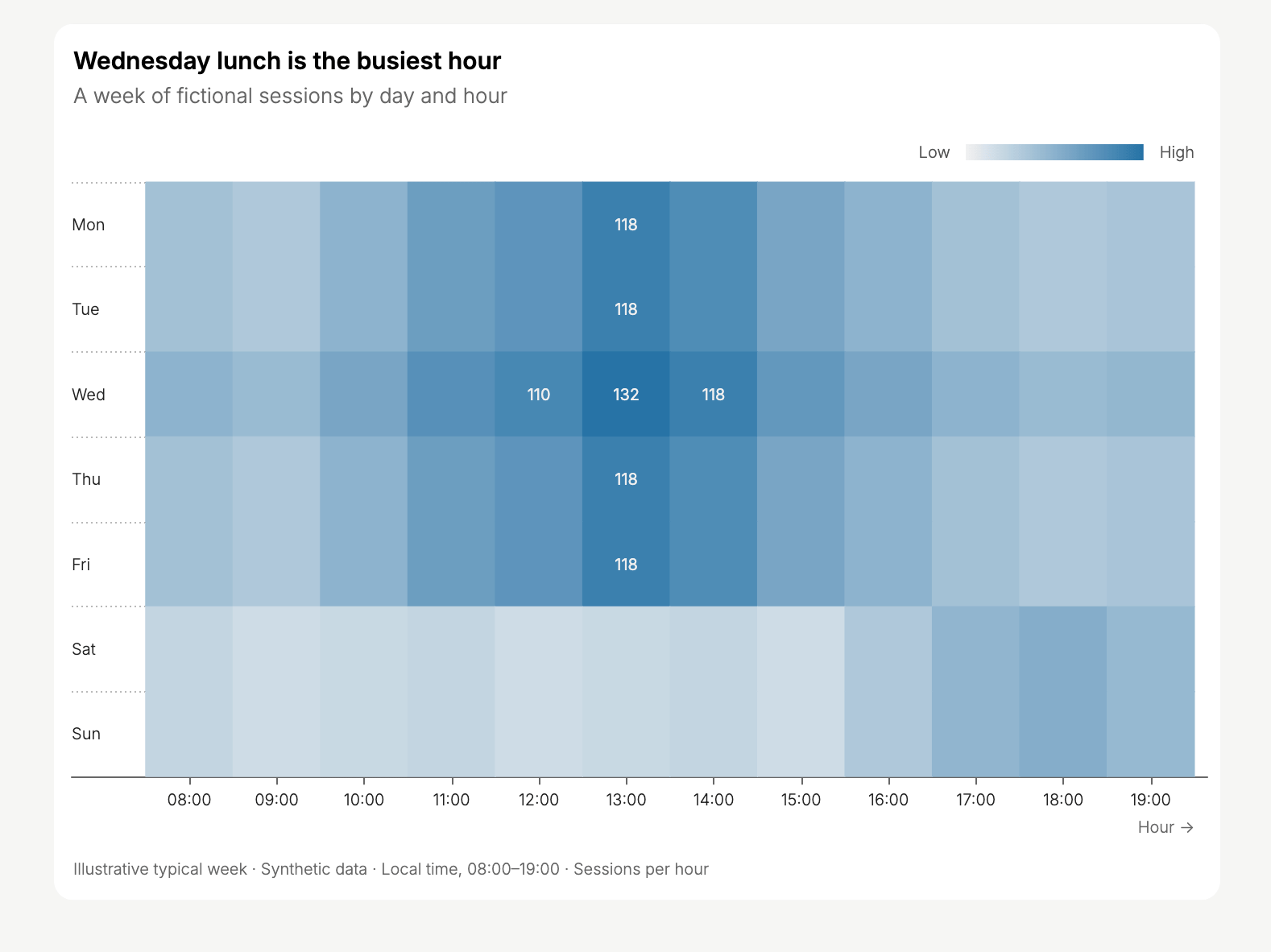
Use a heatmap to find patterns across two dimensions. Color intensity represents a measure, such as the number of sessions in each day-and-hour combination.
Create a heatmap of sessions by day of week and hour. State the timezone and highlight the busiest periods.
Heatmap of synthetic sessions during an illustrative week.
Upload a dataset or connect a data source, then identify the records and date range to use.To avoid confusing sample data with your own records, include this instruction:
Use only the data I provided. If no dataset is attached or accessible, ask me for it instead of generating sample data.
You can continue in the same chat to change the chart type, grouping, labels, or comparison. For example:
“Show a separate line for each region.”
“Use weekly totals instead of daily totals.”
“Replace the donut chart with a bar chart so I can compare similar values.”
Check the chart’s units, aggregation, missing values, and date range against the source before relying on the result.