
Working with Checks
Checks are tests and assertions created and run after every successful deployment. Checks API defines your application's quality metrics, runs end-to-end tests, investigates APIs' reliability, and checks your deployment.
Most testing and CI/CD flows occur in synthetic environments. This leads to false results, overlooked performance degradation, and missed broken connections.
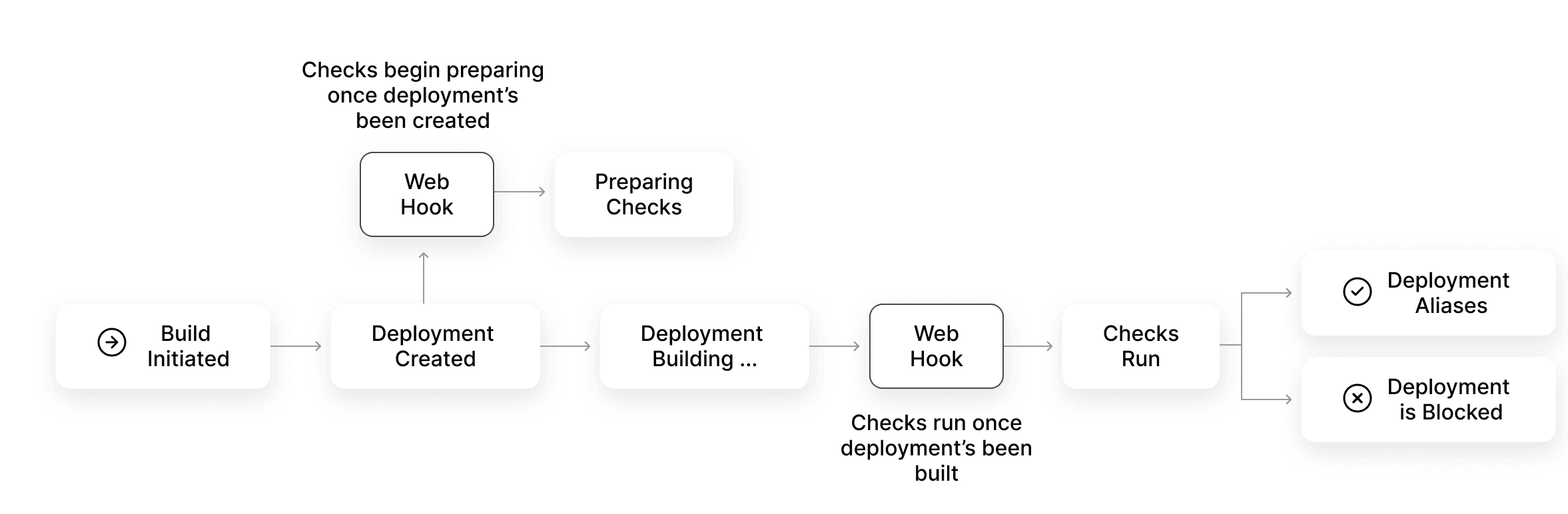
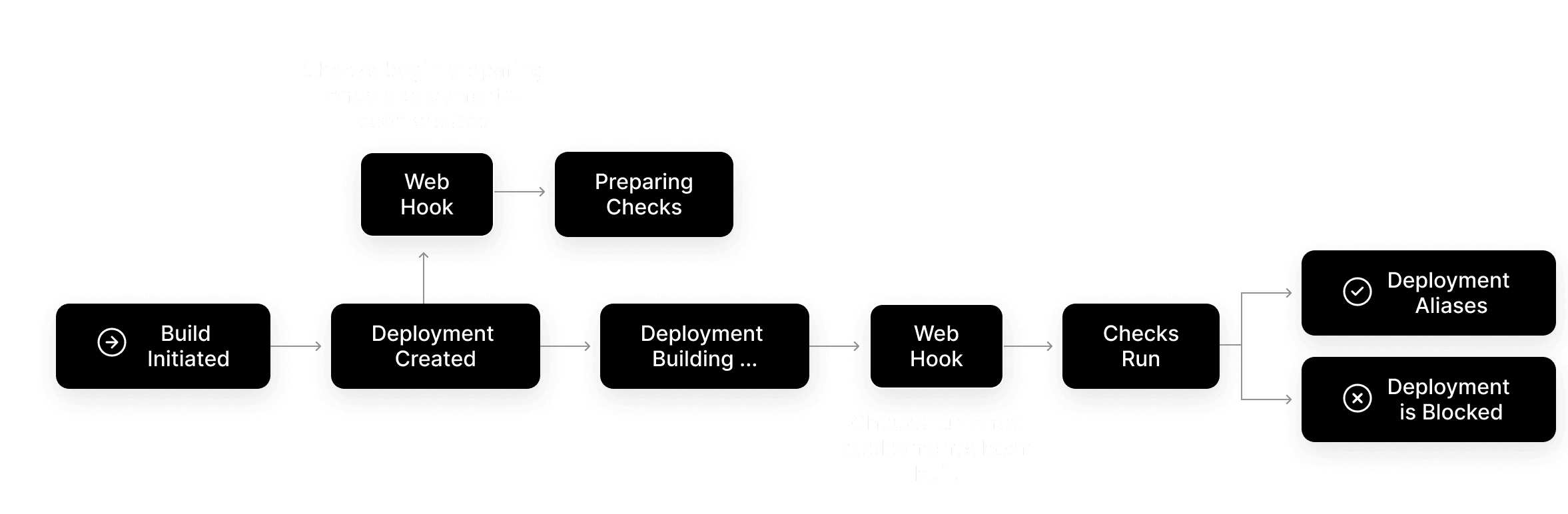
The diagram shows the complete lifecycle of how a check works:
- When a deployment is created, Vercel triggers the
deployment.createdwebhook. This tells integrators that checks can now be registered - Next, an integrator uses the Checks API to create checks defined in the integration configuration
- When the deployment is built, Vercel triggers the
deployment.readywebhook. This notifies integrators to begin checks on the deployment - Vercel waits until all the created checks receive an update
- Once all checks receive a
conclusion, aliases will apply, and the deployment will go live
Learn more about this process in the Anatomy of Checks API
You can create a native or connectable account integration that works with the checks API to facilitate testing of deployments for Vercel users. The Checks API reference lists the endpoints your integration calls to create and update checks.
Vercel users can find and install your integration from the Marketplace under testing, monitoring or observability.
Once you have created your integration, publish it to the marketplace by following these guidelines:
- Provide low or no configuration solutions for developers to run checks
- A guided onboarding process for developers from the installation to the end result
- Provide relevant information about the outcome of the test on the Vercel dashboard
- Document how to go beyond the default behavior to build custom tests for advanced users
Was this helpful?
Cross-link map: Working with Checks (/docs/checks)
From the Vercel docs graph (built 2026-09-06T06:25:16.735Z), spanning vercel.com docs + KB, nextjs.org, ai-sdk.dev, and other Vercel documentation sites. Full graph as JSON: https://vercel.com/docs/graph.json
Semantically closest pages
- Checks API Reference — The Vercel Checks API let you create tests and assertions that run after each deployment has been built, and are powered
- Anatomy of the Checks API — Learn how to create your own Checks with Vercel Integrations. You can build your own Integration in order to register an
- Checks API support added for Marketplace integration providers
- Deployment Checks — Set conditions that must be met before proceeding to the next phase of the deployment lifecycle.
- Checkly Integration and Checks API now generally available
This page links to (7)
- Checks API Reference — The Vercel Checks API let you create tests and assertions that run after each deployment has been built, and are powered
- Anatomy of the Checks API — Learn how to create your own Checks with Vercel Integrations. You can build your own Integration in order to register an
- Deploying to Vercel — Create, verify, and manage preview and production deployments on Vercel from Git, Vercel CLI, or the REST API.
- Vercel Integrations — Learn how to extend Vercel's capabilities by integrating with your preferred providers for AI, databases, headless conte
- Create a Native Integration — Learn how to create a product for your Vercel native integration
- Requirements for listing an Integration — Learn about all the requirements and guidelines needed when creating your Integration.
- Speed Insights Overview — This page lists out and explains all the performance metrics provided by Vercel's Speed Insights feature.
Pages that link here (7)
By site: vercel-changelog (1) · vercel-docs (6)
From vercel-changelog
From vercel-docs
- Anatomy of the Checks API — Learn how to create your own Checks with Vercel Integrations. You can build your own Integration in order to register an
- Glossary — Learn about the terms and concepts used in Vercel's products and documentation.
- Deployment integration actions — These actions allow integration providers to set up automated tasks with Vercel deployments.
- Requirements for listing an Integration — Learn about all the requirements and guidelines needed when creating your Integration.
- Vercel Documentation Sitemap — Browse Vercel documentation pages with summaries, prerequisites, and topics.
- Webhooks API Reference — Vercel Integrations allow you to subscribe to certain trigger-based events through webhooks. Learn about the supported w