
How to make Lightsaber special effects!
Get started on your movie now!
Open RebaslightOther impressive special effects:
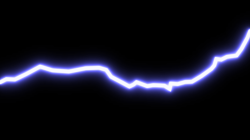
Lightning
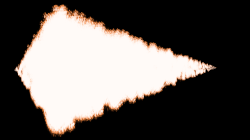
Muzzle Flash
Using Rebaslight
- Runs in your web browser, no download required!
- Privacy respecting, your files stay on your device. There is no cloud upload.
- Built for desktop and laptops, not phones/tablets.
How to add a lightsaber to your video
- Open the vido or picture you want to edit.
- From the menu select Effects > Laser Glow.
- Click on the picture to add points. Right click (or ctrl+click) to remove them.
- After clicking on a point, you can hold down the ctrl key use arrow keys to move it 1 pixel at a time.
- To preview your work, click the star button on the right.
- You can change the color or size using the controlls on the left.
- When you are done, select Project > Export.
FAQ
How do I add sound effects? Cut scenes? Add titles and text?
Rebaslight is optimized for special effects that are not possible nor easy to do in standard video editors. We recommend using a standard editor to add sound effects, splice/join scenes, overlay titles etc. Use Rebaslight for editing clips that need special effects like lasers and muzzle flash.
How much does it cost?
Rebaslight is free (no cost) to use as long as the "Made with Rebaslight" watermark appears on the output video/image. However, if you make a one-time payment of $25 you may remove this watermark forever. Pay here.
How do I save my changes?
From the menu select Project > Save. You will then be given a button to download your project file.
What should I do if my video format is not supported?
Rebaslight works best with video that is intended for the web (HTML5 video, either .webm or .mp4 with H.264 video and AAC or MP3 audio). If your file is not supported, you should try using a video convertion program to convert it to .webm then open that file to Rebaslight. Also, be sure your web browser is fully up to date. Chrome typically has the widest support for video formats.
What's with the name?
Hint: Rebas | sabeR