
Who wins the World Cup?Research, stream, and trade on Hyperliquid
Learn moreManage Your Blockchain
Infrastructure with Code, Not Clicks
One REST API for everything in your Quicknode dashboard. Create endpoints, configure security, monitor spending, and manage teams — all from your terminal or CI pipeline.
Blockchain networks supported
API uptime backed by SLAs
Endpoints for full dashboard control
One API for All Your
Account Operations
Programmatically manage endpoints, track spending, and control security from your terminal.
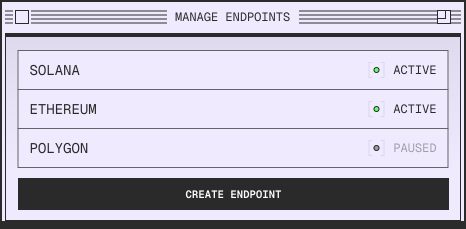
Manage Endpoints
Create, configure, pause, and archive endpoints across any blockchain. Set rate limits, update security settings, and organize with tags through REST API calls.
Monitor Usage & Spending
Track credit consumption in real-time by endpoint, method, or chain. Set up alerts before hitting limits and pull billing history on demand.
Manage Teams
From Key to First
Call in Seconds
A simple REST API built to integrate naturally into your workflows.
Authentication
Generate an API key from your dashboard and include it in your request headers. No OAuth flows or token management.
Standard HTTP Methods
Make requests with GET, POST, PATCH, and DELETE. Familiar REST conventions with predictable endpoints.
Built for Teams Managing
Production Infrastructure
Advanced monitoring, team management, and enterprise-grade
security for mission-critical operations.
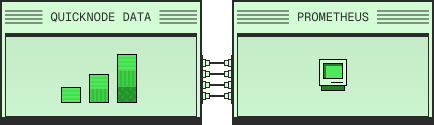
Prometheus Exporter
Export real-time metrics to your existing monitoring stack. Track usage across all endpoints, set custom alert thresholds, and build Grafana dashboards that integrate Quicknode data with your infrastructure.
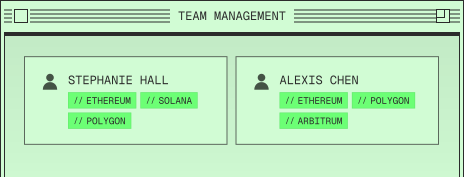
Team Management & Security
Control access with role-based permissions and team-based endpoint visibility. Enterprise adds advanced authentication controls, comprehensive audit logs, and dedicated support with SLA guarantees.
Start Where You Are
One API that scales with your needs.
Developers
Integrate Quicknode into your existing workflows. Script repetitive tasks, build custom tooling, or let AI agents handle infrastructure management.
Enterprise Teams
Centralize operations across projects and environments. Track spending by team, enforce policies organization-wide, and maintain compliance with audit logs.
Frequently Asked Questions
With our easy-to-use platform and robust documentation, you will have all the answers you need. Our support team is available for you.Still have unanswered questions?
Please reach out to support and we can help you find answers.
What is the Quicknode Admin API?
What can I manage with the Admin API?
When should I use the Admin API?
What does the Admin API not do?
Add members, assign roles, and control endpoint access at scale. Built for organizations with multiple developers or environments.
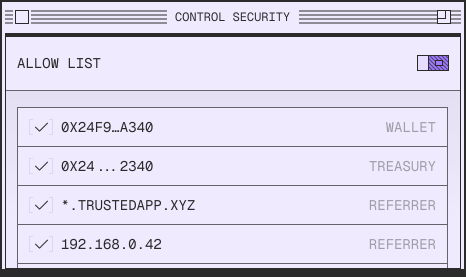
Control Security
Configure JWT authentication, IP allowlists, referrer restrictions, and token-based access controls.
// Use it in scripts, CI/CD pipelines, monitoring tools, or AI agents.
-H 'accept: application/json' \
-H 'x-api-key: YOUR_API_KEY_HERE'
-H 'accept: application/json' \
-H 'x-api-key: YOUR_API_KEY_HERE' \
-H 'Content-Type: application/json' \
-d '{"chain":"solana","network":"solana-mainnet"}'
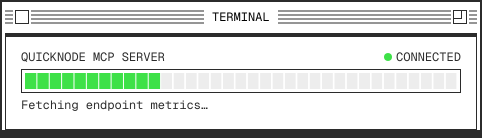
Building with AI agents?
Use our Quicknode MCP for instant Admin API context in Claude Desktop and agentic workflows.
We run a lot of service dependencies. Quicknode's Admin API was one of the first we could plug directly into our burn rate dashboards. The MCP slots right into our cross-service incident triage stack alongside our other providers. Solid tooling that respects your time.
Liam Harris, Head of Operations @ Defi App
Quicknode's Admin API has been a game changer for how we manage infrastructure at Circle. It gives us full programmatic control over our endpoints, making automation seamless and saving our team significant time.
James Fong, VP of Engineering @ Circle
Enterprise-Grade Security
Enterprise-Grade Security
Comprehensive, multi-layered security controls audited against SOC 1, SOC 2, and ISO 27001 to meet the highest enterprise standards.
SOC I
SOC II
ISO
Who is the Admin API designed for?
Is the Admin API available on all plans?
How do I authenticate with the Admin API?