
Website · Docs · Install · Demo


ZAP is a terminal-first, local AI coding agent built in Rust. It uses AST-powered codebase indexing and lazy-loaded skills to completely eliminate prompt bloat and minimize context token costs — single binary, no runtime.
  ╭────────────────────────────────────────────────────────────────────╮
  │                                                                    │
  │   _____     _     ___                                              │
  │    ___/    /_\   | _ \   fast AI coding agent  v0.15.19           │
  │   /       / _ \  |  _/                                            │
  │  /_____  /_/ \_\ |_|                                              │
  │                                                                    │
  ├──────────────────────────────────────┬─────────────────────────────┤
  │  model     claude-sonnet-4-6         │  Tips for getting started   │
  │  backend   Anthropic API             │    Tab  ↑↓  autocomplete    │
  │  mode      ask                       │    /          commands      │
  │                                      │    /provider  switch LLM    │
  │  ~/my-project                        │    /help      all commands  │
  ╰──────────────────────────────────────┴─────────────────────────────╯
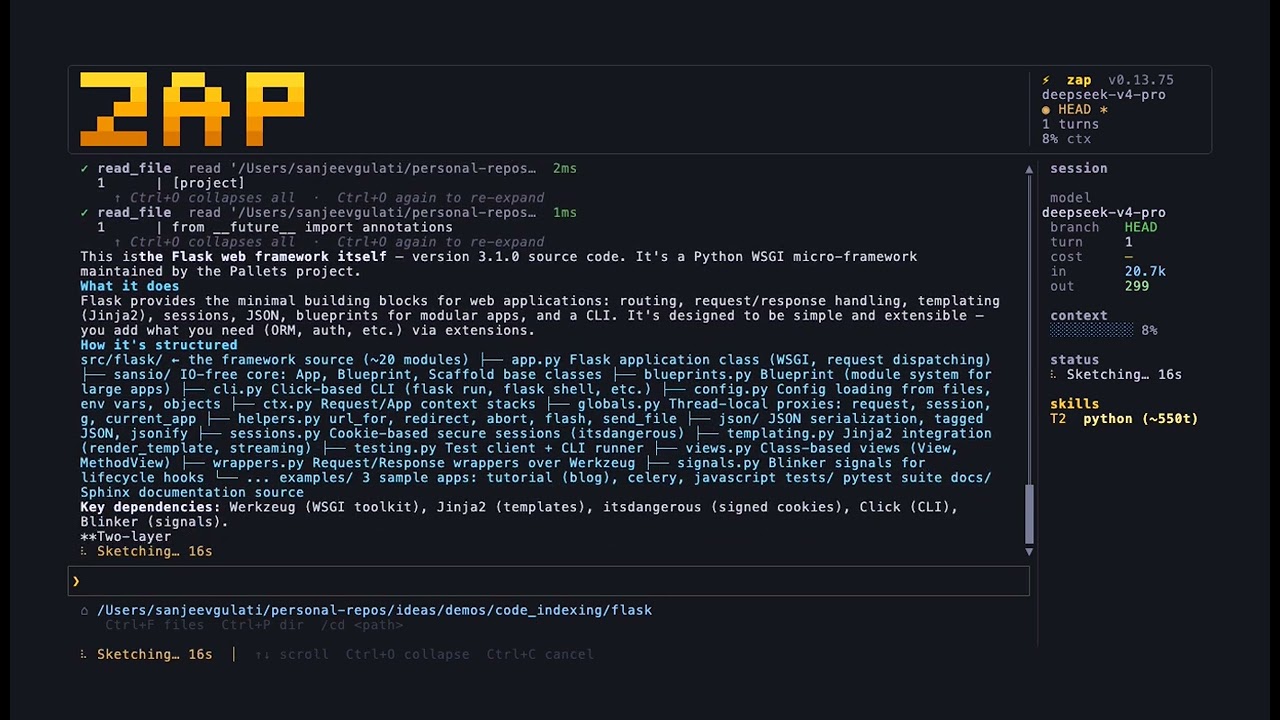
Open any popular AI coding agent and inspect the raw request it sends to the LLM. You'll find hundreds — sometimes thousands — of lines of system prompt sent on every single turn, regardless of what you're actually doing.
We measured this. Here's what Gemini CLI and OpenCode send when you ask them to write a Spring Boot service vs. a React component — two completely different languages, frameworks, and conventions:
| AI Coding Agent | Spring Boot Request | React Request | Identical Base Prompt? | Language Context Injected? |
|---|---|---|---|---|
| Gemini CLI | 4,096 tokens | 4,096 tokens | ✅ Yes | ❌ None (0 mentions of Java/React) |
| OpenCode | 2,003 tokens | 2,003 tokens | ✅ Yes | ❌ None (baseAnthropicCoderPrompt) |
| ZAP (Rust) | 1,889 tokens | 1,661 tokens | ❌ No | ✅ Yes (+650 Java / +422 React tokens) |
Gemini CLI sends the same 4,096-token prompt for both. The word "java" does not appear anywhere in its 68,410-character prompt file. Neither does "react", "kotlin", or any other language. The LLM writing your Spring Boot service and the LLM writing your React component receive identical instructions. (source)
OpenCode uses a single static string constant — baseAnthropicCoderPrompt — sent verbatim on every turn, every task type. Zero mentions of Java, TypeScript, Rust, Python, React, or any specific language. (source)
This isn't just waste. It's why these agents give inconsistent output — the model has no language-specific guidance, so it invents its own conventions turn by turn.
zap sends a different prompt for different tasks — the Java skill fires for Spring Boot, the React skill fires for components — and a greeting costs 12 tokens, not 2,000–4,000.
Full methodology, raw token counts, and source links:
content/evidence/system-prompt-comparison.mdMedium series: Introducing ZAP — The Open-Source AI Coding Agent That Doesn't Bloat Your LLM Context
Every design decision in zap follows one principle: every token in the LLM's context window must earn its place. Context that doesn't improve output quality is waste — it dilutes attention, burns budget, and produces inconsistent results.
This principle drives everything:
| Mechanism | What it ensures |
|---|---|
| Skill injection | Only language- and task-specific guidance is sent, not a one-size-fits-all monolith |
| AST code index | The agent knows what exists before it decides what to create — no blind writes |
/init command |
Auto-generates project-specific context files so every session starts informed |
| Context files | ZAP.md, .zap/understanding.md, .zap/context.md, .zap/session_log.md — maintained automatically, loaded on demand |
| Casual-turn detection | Greetings cost ~31 tokens, not 2,000–4,000 |
| Lazy MCP | Server tool schemas stay out of context until the model explicitly connects them |
| Token-cost display | Every turn shows exactly what went into context — skills, message, system, and estimated $ |
zap maintains four project context files, each updated at a specific time to keep the agent current without polluting the context window:
| File | Updated when | What it contains | Loaded when |
|---|---|---|---|
ZAP.md |
/init (manual, once) |
Project overview, build commands, architecture, do-not-touch list | Every session (on-demand) |
.zap/understanding.md |
/init + /understand |
Navigation map + business-domain map | Every session (on-demand) |
.zap/context.md |
End of every session (auto) | Last session: goal, files touched, what's next | Session start (on-demand) |
.zap/session_log.md |
Every session (auto) | History of all past sessions, indexed by date | On request (on-demand) |
These files are never pre-loaded into the context window — the model reads them only when relevant, using read_file. This means a session about fixing a typo doesn't pay the cost of loading the entire project architecture.
- First session:
/initanalyses your repo and bootstraps all project knowledge in ~30 seconds - Run
/understand: One LLM call maps every business domain to the files that own it — the agent navigates straight to the right module with no guessing - Returning sessions: The agent already knows what you were working on, which files changed, and what was left unfinished
- Every turn: Skills inject only what's relevant, the index tells the agent what exists, and casual messages skip the overhead entirely
You: /understand
zap: ⚡ Extracting business domain map (one LLM call)…

  ↳ code_map '.'     → 2000 symbols  (6ms)
  ↳ code_map 'src'   → 1356 symbols  (3ms)
  ↳ edit_file '.zap/understanding.md'  ← domain map written
What it wrote into .zap/understanding.md:
## Domain Map

### Business Domains

| Domain                   | Owns                                     | Key entry points                    |
|--------------------------|------------------------------------------|-------------------------------------|
| Agent runtime            | agent_core, cli, main, lib               | authenticate, Session::new          |
| LLM provider integration | llm_client/*, http                       | send, stream                        |
| Tool execution + safety  | tools/*, permission_manager, shell_runner| ToolRegistry::execute               |
| Project context + prompt | context_manager, project, plan_execution | build_system_prompt, handle_user_turn|
| Code intelligence        | code_index/*                             | index_dir, global_callers_of        |
| MCP integration          | mcp                                      | mcp_connect, list_tools             |
| Persistence + memory     | persistence, project                     | init, save_session_context          |
| Skills + workflow        | skill_manager, default_skills/*          | detect_domain_scope                 |
| Remote session sharing   | remote, remote_channel                   | spawn_tunnel, broadcast             |

### Cross-Cutting Concerns
- Error handling: `anyhow::Result` everywhere; tool errors surfaced as text responses
- Logging: `crate::log::write` (file-only, never stdout)
- Config: `Config` struct in src/config.rs, loaded once at startup
- Security: `permission_manager`, `secret_scanner`, `audit` enforce approval and logging

### Dependency Direction
tools → session → agent_core; llm_client ← session only; nothing imports session from tools
Two code_map calls, zero source file reads, one edit_file. The domain map is injected into every future session automatically.

Most AI coding agents front-load a massive system prompt every request — language conventions, architecture notes, team rules, API patterns, all of it, whether it's relevant or not. zap replaces that wall with a skill system: markdown files that are injected surgically, only when your message triggers them.
Two kinds of skills:
| Kind | When injected | Example |
|---|---|---|
| Always-on | Every turn, baked into the base system prompt | karpathy-guidelines — Andrej Karpathy's 4 coding principles |
| Triggered | Only when your message matches keywords | rust fires on "cargo", "fn ", "trait "; git fires on "commit", "push" |
Built-in skills (compiled into the binary, zero config):
| Skill | Type | Triggers on |
|---|---|---|
karpathy-guidelines |
always-on | every turn |
rust |
triggered | rust, cargo, crate, async fn, clippy… |
python |
triggered | python, pip, pytest, dataclass… |
typescript |
triggered | typescript, tsx, interface, npm… |
react |
triggered | react, component, jsx, hook, useState… |
go |
triggered | go, goroutine, chan, go.mod… |
git |
triggered | commit, branch, merge, pull request… |
code-review |
triggered | review, pr review, lgtm, critique… |
debugging |
triggered | debug, error, crash, panic, stacktrace… |
security |
triggered | auth, password, token, jwt, xss, sql injection… |
Stack auto-detection fires the right language skill on startup — Rust project with Cargo.toml gets the rust skill loaded automatically.
Example — a Rust project, custom api-conventions skill also loaded:
| You type | Skills injected | Base + skills |
|---|---|---|
"refactor this async fn to use channels" |
karpathy + rust | ~2.4k tokens |
"commit these changes" |
karpathy + git | ~2.0k tokens |
"add a new REST endpoint" |
karpathy + api-conventions | ~2.2k tokens |
"explain what this function does" |
karpathy only | ~1.8k tokens |
Honest baseline: the always-on karpathy-guidelines skill and the base system prompt together run ~1.8k tokens — much leaner than Claude Code (~10k) or Gemini CLI (~8k), but not the "200 token" figure you might see in older docs.
Custom skills override built-in ones of the same name. Write a skill once and zap injects it exactly when needed:
---
name: api-conventions
description: REST endpoint conventions for this project.
trigger: ["endpoint", "route", "handler", "REST"]
tokens: ~400
---
All endpoints must validate input with ValidateRequest(), return structured
errors as {"error": "...", "code": N}, and use snake_case JSON keys.
Always-on skill (no trigger: field — injected every turn):
---
name: our-principles
description: Team engineering principles.
---
We ship small, reversible changes. Every PR needs a test. No console.log in prod.
Where to put them:
| Path | Scope | Priority |
|---|---|---|
.zap/skills/ |
project — check into git, team-shared | highest |
~/.zap/skills/ |
personal — all projects | middle |
| binary | built-in defaults | lowest |
On first launch zap writes all built-in skills to ~/.zap/skills/ automatically — open any file there to read or edit it. Same-name files you create override the built-in version on the next run.
/skill list              # see all skills with source and always-on/triggered label
/skill show <name>       # preview content + description + license
/skill export <name>     # re-export a built-in to ~/.zap/skills/ (if you deleted it)
/skill export --all      # re-export every built-in skill
/skill create <name>     # scaffold a new skill in .zap/skills/
/skill capture <name>    # extract instructions from this session into a reusable skill
Most agents navigate code the same way a shell script does — grep for a string, hope the result is what you meant. zap builds a real AST symbol index at startup using tree-sitter + SQLite, giving the model genuine structural understanding of your codebase.
Ask most coding agents to "add all the API layers for user management" in an existing project and you'll see a predictable set of mistakes:
- Duplicate files created —
src/user_repository.rsalready exists, but the agent createssrc/repositories/user_repo.rsalongside it because it never checked - Existing patterns ignored — the project uses a
Repository<T>trait with a specific error type; the agent invents its own DB access style from scratch - Scaffolding over existing code —
src/routes/,src/models/,src/db/already exist with boilerplate; the agent recreates them - Missed abstractions — a
BaseRepositoryor sharedAppErrortype already exists; the agent writes a duplicate
These aren't model failures — they're context failures. The agent is writing blind because its context window never contained the files it needed to check.
When you ask zap the same question, before writing a single line it queries the index:
-- Does a user repository already exist?
SELECT path, line, kind FROM symbols WHERE name LIKE '%UserRepo%' OR name LIKE '%UserStore%';

-- What repository pattern does this project use?
SELECT name, path, line, signature FROM symbols WHERE kind = 'trait' AND name LIKE '%Repository%';

-- What's already in the db/ directory?
SELECT name, kind, line FROM symbols WHERE path LIKE '%/db/%' ORDER BY path, line;
This runs in milliseconds against the local SQLite index — no file reads, no grep, no context stuffing. The model knows what exists before it decides what to create. It adds to src/user_repository.rs instead of creating a new one. It implements the existing Repository<T> trait instead of inventing a new pattern.
When you ask zap to "refactor the UserStore struct", it doesn't search for the string "UserStore" — it looks up the symbol in the index, finds the exact file and line number, reads only that section, and makes a precise edit. No false matches, no reading entire files to find one function.
The index is incremental — on subsequent runs, only files that changed since the last session are re-parsed. A background indexer runs every 120s during interactive sessions so the index stays fresh as you edit. Cold-indexing a 50k-line repo takes a few seconds; warm starts are near-instant.
Always current during edits — every time zap writes a file, it immediately reindexes that file before the next LLM turn. The model never queries a stale index for files it just changed.
Index usage is logged per turn — every time a tool call is answered by the index (rather than falling back to grep), zap logs it to ~/.zap/zap.log and ~/.zap/audit.jsonl:
[INDEX] hit · find_definition · 'UserRepository' · 3 result(s)
[INDEX] hit · code_map · 'src/db/' · 42 symbol(s)
[INDEX] miss · find_definition · 'legacy_fn' · grep fallback
This makes it auditable — you can see exactly when the index was used vs. when the agent had to fall back to text search.
Supported languages: Rust, Python, TypeScript, JavaScript, Go, Java
Powered tools:
| Tool | What it does |
|---|---|
code_map |
Structural outline of any file or directory — functions, structs, classes, enums, with line numbers |
find_definition |
Jump directly to where a symbol is defined — AST index first, ripgrep fallback |
find_references |
Every call site of a symbol across the entire codebase |
who_calls |
All callers of a function, optionally filtered by qualifier |
file_imports |
Everything a file imports |
where_imported |
Every file that imports a given name — blast radius for renames |
find_subtypes / find_supertypes |
Type hierarchy traversal |
pack_context |
Auto-selects the most load-bearing files for a task and returns them in a token budget |
ripple_analysis |
BFS blast radius: who calls a symbol, who calls those callers, and so on — instant, no compiler |
get_diagnostics |
Compiler errors/warnings via language server — same as cargo check without running it |
lsp_definition |
Type-resolved go-to-definition for cross-crate symbols (std, deps, generics) |
lsp_type_at |
Exact inferred type of any expression — the tooltip your editor shows, in the agent |
The model is instructed to always use code_map or find_definition before reaching for read_file — so it reads only the lines it actually needs, not whole files.
How the index powers every LLM turn:
You: "refactor the UserStore struct"

  zap (tool call)  →  find_definition("UserStore")
  SQLite index     →  src/db/user_store.rs:42  ← instant, no file scan
  zap (tool call)  →  read_file("src/db/user_store.rs", offset=40, limit=60)
  zap (tool call)  →  edit_file(...)            ← precise edit, right lines

Without index: grep entire repo → read 3 wrong files → hallucinate location
With index:    SQLite lookup → read 20 lines → done
Blast radius before you touch anything:
You: "what breaks if I change the signature of parse_config?"

  zap (tool call)  →  ripple_analysis("parse_config", depth=3)
  call graph BFS   →  Depth 1 — 4 direct callers across 3 files
                       Depth 2 — 11 callers of callers across 6 files
                       Depth 3 — 2 more files indirectly affected
  zap              →  "Here's what's at risk — want me to check each caller?"
Compiler errors without running cargo check:
You: "check if my edit to src/lsp/client.rs is correct"

  zap (tool call)  →  get_diagnostics("src/lsp/client.rs")
  rust-analyzer    →  src/lsp/client.rs:47 error[E0308]: mismatched types
  zap              →  "Line 47 has a type mismatch — here's the fix..."
Code quality report — the same SQLite index powers /index quality, a human-readable health report run directly in the TUI:
Code Health  ·  27 files  ·  1043 symbols  ·  ⚡ 74/100
────────────────────────────────────────────────────────────

File sizes  (lines)
────────────────────────────────────────────────────────────
  ⚠ 2382  src/session/commands.rs    ████████████████████  37 sym
  ⚠ 2266  src/tui/render.rs          ████████████████████  48 sym
  ⚠ 1789  src/session/mod.rs         █████████████         45 sym
  ⚡ 1177  src/tui/mod.rs             ████████
  ·   527  src/tui/app.rs             ███
  ·   312  src/code_index.rs          ██

  ⚠ >1000 lines   ⚡ 500–1000   · healthy

God objects  (>15 methods — split candidates)
────────────────────────────────────────────────────────────
  Session                        45 methods  (mod.rs)
  ToolRegistry                   18 methods  (tool_registry.rs)

Dead code candidates  (pub fn, ≤1 reference)
────────────────────────────────────────────────────────────
  export_skill                   (skill_manager.rs:599)
The index is a plain SQLite database at .zap/code.db — you can query it directly at any time, no zap session required.
macOS / Linux — interactive explorer script:
./scripts/explore-db.shLaunches an interactive menu with 10 ready-made queries (overview, top files by symbol count, search by name, raw SQL, and more). Requires only sqlite3, which ships with macOS. On Linux: sudo apt install sqlite3.
Claude Code (Anthropic's own CLI) has no built-in code indexing. No tree-sitter, no SQLite, no ctags. It uses pure agentic search — grep + glob + read, chosen at runtime by the model. This was a deliberate, tested decision.
Boris Cherny (Claude Code's creator) confirmed publicly that Anthropic built and benchmarked a RAG/vector-index approach early on and dropped it because agentic search won "by a lot." The reasons:
- Grep finds exact matches; embeddings introduce false positives
- No index to build or maintain
- Index drift — code changes constantly during editing sessions
- Simpler architecture with fewer failure modes
Sources: Claude Code Doesn't Index Your Codebase — vadim.blog · Building Claude Code with Boris Cherny — Pragmatic Engineer · Official Claude Code docs
The community has noticed the gap — multiple open-source MCP servers exist to bolt indexing onto Claude Code:
- colbymchenry/codegraph — tree-sitter + SQLite FTS5
- cocoindex-io/cocoindex-code — AST-based search
- zilliztech/claude-context — vector search MCP
And open feature requests asking Anthropic to add this natively: #4556 · #9277
zap makes the opposite bet. Agentic search solves semantic questions well ("find code related to payment processing"). A persistent AST index solves structural questions better — "what already exists in this module?", "which files implement this pattern?", "is there already a UserRepository?" These are exactly the questions that matter when an agent is about to write new code. Without an index, the agent can only search for what it knows to look for. With an index, it knows what exists before it decides what to create.
The two approaches solve different failure modes. Agentic search avoids index drift. AST indexing avoids blind writes into a codebase the agent hasn't fully read.
No — it trades one search strategy for a better one, with a full fallback for the cases the index doesn't own.
The concern usually raised: "agentic search won by a lot" — Boris Cherny said this when Anthropic dropped their RAG/vector approach early on. That's true, and the reasoning is sound: vector embeddings introduce false positives (semantically similar but wrong matches), require a build step, and drift as the codebase changes. But zap doesn't use vectors or RAG. It uses an AST symbol index — fundamentally different. A symbol lookup either returns the exact definition or it doesn't. No hallucinated matches, no similarity threshold to tune, no embedding model to maintain.
The index owns structural questions — where agentic search pays full price:
Every time Claude Code answers "where is UserRepository defined?", the model spends tokens deciding which files to read, issues multiple grep calls, reads partial file content, and synthesizes the answer. The index answers the same question in a single SQLite lookup. On a 50k-line repo, that's the difference between 1 tool call and 5.
Grep handles what the index doesn't:
The index knows symbol names, kinds, and locations. It doesn't do open-ended semantic search — "find everything related to the checkout flow" is a grep question, not a symbol question. zap's model uses search_code (ripgrep) for those. The index and grep are complementary layers, not competing ones. Every find_definition miss automatically falls back to ripgrep — so zap never does worse than pure agentic search, only better when a symbol is indexed.
| Question | zap | Pure agentic search |
|---|---|---|
"Does UserRepository already exist?" |
instant SQL lookup | grep scan + file reads |
| "What pattern do existing implementations follow?" | schema query across all types | read multiple files |
| "Find all code related to the checkout flow" | ripgrep (same as agentic) | ripgrep |
| Large codebase, cold start | index pre-built, no file reads | cold grep every turn |
The index doesn't reduce quality — it reduces the number of file reads required to answer structural questions, which directly reduces token cost and the chance of the model writing over something that already exists.
zap is written entirely in Rust and ships as a single statically-linked binary.
- No Python venv. No Node.js. No Docker. No dependency hell.
- Instant startup — cold start in milliseconds, not seconds.
- Low memory footprint — the process sits at ~20 MB idle.
- Memory-safe by construction — no buffer overflows, no use-after-free, no data races.
- Compile once, run anywhere — drop the binary on your PATH and it works.
cargo build --release
cp target/release/zap ~/.local/bin/zap
# that's itMCP (Model Context Protocol) is an open standard. Any MCP server you configure in zap also works in Claude Code, Cursor, Kiro, and other agents — the config format is shared. zap adds two optional fields (description, toolsHint) that other agents silently ignore, so your config file is fully portable.
| File | Scope |
|---|---|
~/.zap/mcp.json |
Global — applies to every session |
.mcp.json (project root) |
Project-local — checked into git, takes precedence |
Most agents connect to every configured server at startup and dump all tool schemas into the LLM's context on every turn. Ten servers × five tools each = 10 000+ wasted tokens per request, whether you use them or not.
zap keeps every server in a pending state at startup. Instead of their tool schemas, the LLM gets one lightweight stub:
mcp_connect(server)
  - filesystem: Read/write files in /tmp and the project  [tools: read_file, write_file, list_directory…]
  - fetch: Fetch web pages as markdown                    [tools: fetch]
  - memory: Persistent knowledge graph                    [tools: create_entities, search_nodes…]
When the LLM decides it needs a server, it calls mcp_connect("filesystem"). zap spawns the process, runs the handshake, fetches the real tools/list, and registers those tools — all within the same agentic turn. The very next LLM call sees the full tool schema and can invoke the tools directly.
| Stage | Other agents | zap |
|---|---|---|
| Startup | Spawns all server processes | Reads config only — zero processes |
| LLM tool list per turn | All tool schemas, always | One mcp_connect stub until needed |
| First use of a server | Already connected | Spawns process on demand, ~200 ms |
| After first use | — | Real schemas in context, mcp_connect gone |
/mcp list              list all servers — connected, pending, or failed
/mcp edit              open ~/.zap/mcp.json in $EDITOR
/mcp edit project      open .mcp.json (project-level config)
/mcp path              print both config file paths
zap handles your source code, credentials, and shell — so it treats security as a core feature, not an afterthought.
In the default ask mode, every write operation and shell command is blocked until you approve it. Read-only tools run freely. Only the tools that can cause damage require your sign-off:
| Tool class | Ask mode | Auto mode | Deny mode |
|---|---|---|---|
read_file, search_code, code_map, git_status |
✓ always allowed | ✓ | ✗ blocked |
edit_file, write_file, batch_edit |
prompt | ✓ | ✗ |
shell |
prompt | ✓ | ✗ |
spawn_agent |
prompt | ✓ | ✗ |
Three modes, your choice:
| Mode | When to use |
|---|---|
ask (default) |
Any interactive session — you stay in control |
auto |
Sandboxed CI, scripts, or headless runs where you control the environment |
deny |
Completely read-only — the agent can read and reason but cannot write a single byte or run any command |
Switch at any time: /permissions ask, /permissions auto, /permissions deny.
Shell sandbox — workdir mode confines shell commands to the project root; container mode wraps commands via Docker/Podman with --network none for full isolation.
Before any content is sent to a cloud LLM, zap scans it for secrets:
- API keys: Anthropic (
sk-ant-), OpenAI (sk-proj-), Stripe live and test keys - VCS tokens: GitHub (
ghp_,ghs_,github_pat_), GitLab (glpat-) - Cloud credentials: AWS access keys (
AKIA), AWS secret key fields, GCP service account JSON - Cryptographic material: PEM private key blocks (
-----BEGIN), JWT tokens - Generic credential fields:
password=,api_key=,secret=,access_token=in config files
Matches are blocked and you're warned with the line number and a redacted preview — content is never silently forwarded.
Every tool call is appended to ~/.zap/audit.jsonl as a structured JSON record with a timestamp, tool name, and outcome.
/audit 20 # show last 20 audit entries in the TUIBefore modifying any file, zap snapshots the previous content in memory.
/undo src/main.rs # restore file to its pre-edit state
Most agents start every session blind. They don't know your project structure, your build commands, your architecture, or what you worked on last time.
/init fixes this once, permanently.
/init
- Auto-detects your stack — identifies the language/framework from your repo
- Indexes the codebase — builds the AST symbol index so the agent can navigate structurally from turn one
- Creates
ZAP.md— project overview, build/test commands, architecture layout, key files, and a do-not-touch list - Creates
.zap/understanding.md— a deeper technical summary: module map, data flows, non-obvious patterns, constraints - Writes
.zap/project.json— persisted project config (language, index state)
Total time: ~30 seconds. From that point forward, every session starts informed — the agent knows your project.
Claude Code and most other agents have no persistent memory of what you worked on last time. Every session you start over, re-explaining the goal, pasting in the error you were debugging, and reloading context you already established.
zap automates the handoff between sessions completely — you pick up exactly where you left off, without doing anything.
When you close zap (/exit, Ctrl+C, or closing the terminal), it automatically:
- Summarizes what's next — makes a small LLM call over the last 10 messages, generating 1-3 bullet points with concrete next steps: file names, function names, features still in progress
- Writes
.zap/context.md— a structured handoff file: goal, files touched, and the LLM-generated "What's next" summary - Appends
.zap/session_log.md— a dated history of every session: goal + files changed
When you open zap again:
- The "What was being worked on" line appears in the startup banner — you see it before you type anything
- The full
context.mdis injected into the system prompt as## Last Session Handoff— the agent already knows the context before your first message
  ◌ Last: Refactoring session/mod.rs into submodules
  ◌ Files: src/session/commands/code.rs, src/session/turn.rs
/memory set key value persists facts (API patterns, team conventions, preferred approaches) that are injected into every session, across every project:
/memory set error-style  always use anyhow::Context for wrapping errors
/memory set test-db      never mock the database — always use a test container
/memory list             show all saved facts
/memory del error-style  remove a fact
zap is the only coding agent that runs local small language models as first-class executors for the mechanical bulk of coding work — while frontier models handle the thinking.
- Run local models via LM Studio, Ollama, or any OpenAI-compatible endpoint — no API key, no data leaving your machine
- Structured plan execution — a frontier model designs the plan, your local SLM executes it step-by-step (100% success rate on pre-written plans in research)
- Pre-indexing —
zap --index-onlybuilds an AST index so SLMs navigate code withcode_map/find_definitioninstead of slow manual reads - Streaming watchdog — tolerates long local-model prefills (minutes) with progress notices and idle detection
- Core tool profile —
AGENT_TOOL_PROFILE=coresends only 6 tool schemas, making tool-calling tractable for small models
Full SLM support docs → · Research results →
| TUI | Ratatui terminal UI — streaming output, sidebar with token counts, diff viewer (Ctrl+G), file browser (Ctrl+F), syntax highlighting |
| Providers | LM Studio, Ollama, Anthropic, OpenAI, Gemini, DeepSeek, Groq, Mistral, xAI, Together AI, Perplexity, Cohere, OpenRouter + any OpenAI-compatible endpoint; per-provider settings persisted in ~/.agent.toml |
| Tools | 15 built-in — read, edit, write, batch-edit, undo, shell, search, glob, code-map, find-def, find-refs, web-fetch, web-search, spawn-agent |
| Languages | AST index: Rust, Python, TypeScript, JavaScript, Go, Java |
| Code quality | /index quality — god objects, coupling, dead code candidates, quality score (0–100); reference counts computed in one O(source-size) pass |
| Index usage logging | Every tool call answered by the AST index is logged to ~/.zap/zap.log and audit.jsonl — hit/miss per turn, auditable |
| Permission modes | ask (grouped prompt per destructive op), auto (approve all), deny (fully read-only); "always" grant auto-approves a tool class for the session |
| Skills | 23 built-in; always-on + keyword-triggered; user skills in ~/.zap/skills/ or .zap/skills/; SKILL.md standard compatible with Claude Code and Cursor |
| Skill trace | /skill log — see which skills fired (or why they didn't) for every turn this session |
| Skill capture | /skill capture <name> — extract session rules into a reusable skill file |
| Skill scope | /skill scope — pin or restrict which domain skills are active for a session without editing files |
| Deploy | /deploy — builds and installs zap with live streamed output; no shell timeout |
| Context mgmt | Skill injection, casual-turn optimization (~20 tokens for greetings), sliding history window, tool-result pruning, /compact in-place summarisation, Anthropic prompt caching |
| Project init | /init — auto-detects stack, indexes codebase, and generates ZAP.md + .zap/understanding.md filled with project-specific architecture, build commands, and constraints; ~30 seconds to full context awareness |
| Project intelligence | .zap/context.md session handoff (last goal, files touched, what's next); .zap/understanding.md LLM-maintained project knowledge; .zap/session_log.md session history — read on demand, not pre-loaded |
| Sessions | Every conversation persisted; /sessions fuzzy picker to resume any |
| Branching | /branch forks a conversation like a git branch; /switch to move between them |
| Sub-agents | spawn_agent runs parallel sub-agents with their own tool loop; multiple spawns in one turn run in parallel |
| Autonomous loop | /goal <condition> runs turns automatically until the model signals done or a turn limit is reached |
| Extended thinking | /think [on|off|N] — Anthropic extended thinking with configurable token budget |
| MCP (lazy-loaded) | Standard .mcp.json format — works in Claude Code, Cursor, Kiro; servers connect on demand, zero cost until first use |
| Workflows | Declarative YAML multi-step pipelines in .zap/workflows/ — versioned with your repo |
| Hooks | PreToolUse / PostToolUse / SessionStart / SessionEnd / UserPromptSubmit — shell commands that run on agent events |
| Images | /attach <path> or /paste clipboard — multimodal on supported models |
| Audit log | Every tool call written to ~/.zap/audit.jsonl |
| Secret scanner | 25+ patterns — Anthropic/OpenAI/Stripe keys, GitHub/GitLab tokens, AWS/GCP credentials, private keys, JWTs, generic password/api_key/secret fields — blocked before sending to any cloud LLM |
| Cost display | Token breakdown per turn — skills, message, context, estimated $ |
Pure greetings and social messages use a minimal 31-token prompt with no tools, even mid-conversation. Everything else gets the full context injection:
| Message | After model asks a question? | Result |
|---|---|---|
| "hi", "hello", "hey" | yes | ~31 tokens (casual) |
| "thanks", "thank you", "ty" | yes | ~31 tokens (casual) |
| "good morning", "how are you" | yes | ~31 tokens (casual) |
| "yes" | yes | full context |
| "go ahead" | yes | full context |
| "ok", "cool", "sounds good" | yes | full context |
| any technical question | — | full context |
After the model asks a clarifying question, short replies like "yes", "ok", "go ahead" are treated as answers and receive the full context. Pure social messages always stay casual.
curl -fsSL https://raw.githubusercontent.com/zap-coding-agent/zap-coding-agent/main/install.sh | bashThe script detects your OS and architecture, downloads the latest release, installs to ~/.local/bin, and patches your shell config if needed. On macOS it also runs codesign --sign - automatically (required on macOS 26 Tahoe).
| Platform | Binary |
|---|---|
| macOS Apple Silicon (ARM64) | zap-macos-arm64.tar.gz |
| macOS Intel (x86_64) | zap-macos-x86_64.tar.gz |
| Linux x86_64 | zap-linux-x86_64.tar.gz |
Download zap-windows-x86_64.zip from the latest release, extract, and move zap.exe somewhere on your PATH:
Expand-Archive zap-windows-x86_64.zip .
Move-Item pkg\zap.exe "$env:USERPROFILE\.local\bin\zap.exe"Requires Rust 1.75+.
git clone https://github.com/zap-coding-agent/zap-coding-agent
cd zap-coding-agent
cargo build --release
cp target/release/zap ~/.local/bin/zapzap # interactive TUI
zap --goal "add tests for src/lib.rs" # single-shot
zap --goal "..." --output-format json # JSON output (for piping)
zap --auto --goal "..." # skip all permission prompts (CI)
zap --sdk # JSON-lines remote control (stdin/stdout)First run will prompt for an API key and model. Use /provider to switch later.
| Provider | Model examples | Auth |
|---|---|---|
| Anthropic | claude-sonnet-4-6, claude-opus-4-8 | API key |
| OpenAI | gpt-4o, gpt-4-turbo | API key |
| Google Gemini | gemini-2.0-flash, gemini-2.5-pro | API key or gcloud ADC (keyless) |
| LM Studio | gemma-4-e4b-it, qwen3-coder-30b | None (local) |
| Ollama | llama3, deepseek-coder | None (local) |
| Groq | llama-3.3-70b-versatile | API key |
| OpenRouter | (various) | API key |
| DeepSeek | deepseek-chat | API key |
| xAI | grok-beta | API key |
| Any OpenAI-compatible | — | API key or none |
All settings live in ~/.agent.toml. Environment variables always take precedence.
Use /provider inside zap to switch interactively — settings are saved automatically per provider, so switching back restores your previous key and model.
# ~/.agent.toml — managed by zap /provider

provider        = "anthropic"   # active provider slug
permission_mode = "ask"         # ask | auto | deny

# Optional: import skills from other tools or shared libraries.
# Loaded after ~/.zap/skills/ but before .zap/skills/ — higher entry wins on name collision.
skill_paths = [
    ".kiro/skills",       # Amazon Kiro skills
    ".claude/skills",     # Claude Code skills
]

# Optional: always-on context from steering docs, project wikis, etc.
# All .md files in these dirs are appended to the system prompt every turn.
context_paths = [
    ".kiro/steering",
]

[providers.anthropic]
kind     = "anthropic"
model    = "claude-sonnet-4-6"
api_key  = "sk-ant-..."

[providers.lm_studio]
kind     = "openai"
model    = "gemma-4-e4b-it"
base_url = "http://localhost:1234/v1/chat/completions"

[providers.groq]
kind     = "openai"
model    = "llama-3.3-70b-versatile"
base_url = "https://api.groq.com/openai/v1/chat/completions"
api_key  = "gsk_..."
Each [providers.<slug>] block stores settings independently — switching providers never overwrites another provider's key.
AGENT_PROVIDER=anthropic \
AGENT_API_KEY=sk-ant-... \
AGENT_MODEL=claude-sonnet-4-6 \
zap
ANTHROPIC_API_KEY and OPENAI_API_KEY are also read automatically.
zap supports keyless authentication for Google Gemini using gcloud Application Default Credentials. No API key needed — zap fetches short-lived OAuth2 tokens from gcloud automatically.
gcloud auth login
gcloud auth application-default login
zap
# /provider  →  select "Google Gemini"
# Auto-detected credentials show a "✓ ready" badge — no API key prompt.
Or configure manually in ~/.agent.toml:
provider = "gemini"

[providers.gemini]
kind = "openai"
model = "gemini-2.0-flash"
base_url = "https://generativelanguage.googleapis.com/v1beta/openai/chat/completions"
credential_method = "gcloud_adc"
Set GOOGLE_API_KEY in your environment to use an API key instead.
| Command | Description |
|---|---|
/help |
Show all commands |
/config |
Show active provider, model, URL, sub-agent depth |
/cost |
Token usage and estimated cost for this session |
/history |
Show message count |
/clear |
Clear conversation history |
/compact |
Model summarises history in-place to free context |
/sessions [N] |
Browse and resume old sessions (fuzzy picker) |
/model <id> |
Switch model mid-session |
/models |
List models on your LM Studio / Ollama server |
/provider |
Switch provider interactively |
/permissions ask|auto|deny |
Change permission mode for this session |
/index [path|stats] |
Reindex AST code symbols |
/index quality |
Code quality report: god objects, coupling, dead code, quality score |
/deploy [--check] |
Build and install zap with live streaming output, no timeout |
/undo [file] |
Undo the last file edit |
/init |
Analyze project and create ZAP.md + .zap/understanding.md (auto-filled by the agent) |
/run <workflow> |
Run a .zap/workflows/<name>.yaml pipeline |
/workflow new <name> |
Scaffold a new workflow file |
/tasks |
Browse and execute structured task sessions from .zap/tasks/ |
/attach <path> |
Stage an image for the next message |
/paste |
Paste an image from the clipboard |
/memory list|get|set|del |
Manage persistent key-value memory |
/skill list|show|create|log |
Manage skills; log shows which skills fired per turn |
/skill scope |
Show or change which domain skills are active for this session |
/hooks |
List all configured hooks and their trigger events |
/branch <name> |
Fork the current conversation |
/branches |
List all conversation branches |
/switch <name> |
Switch to a different branch |
/audit [N] |
Show last N audit log lines |
/exit |
Quit |
| Tool | What it does |
|---|---|
read_file |
Read with optional offset/limit, output prefixed with line numbers |
edit_file |
Surgical find-and-replace (rejects ambiguous matches) |
batch_edit |
Multiple edits to one file in a single validated call |
write_file |
Write or overwrite a file |
undo_edit |
Restore a file to its pre-edit snapshot |
shell |
Run a shell command (approval required in ask mode) |
git_status |
Git status + recent log |
search_code |
Ripgrep (falls back to grep) with file-type filter and context lines |
list_directory |
ls -la |
glob_read |
List/preview files matching a glob pattern |
code_map |
AST-backed structural outline — functions, structs, classes, line numbers |
find_definition |
Jump to where a symbol is defined (AST index → ripgrep fallback) |
find_references |
All call sites of a symbol across the codebase |
who_calls |
All callers of a function, with optional qualifier filter |
file_imports |
All imports in a file |
where_imported |
Every file that imports a given name |
find_subtypes |
All types that extend or implement a given type |
find_supertypes |
All types a given type extends or implements |
pack_context |
Auto-selects the most relevant files for a task within a token budget |
ripple_analysis |
BFS call-graph walk — who calls a symbol transitively (blast radius) |
get_diagnostics |
Live compiler errors/warnings via language server (rust-analyzer, pylsp, gopls…) |
lsp_definition |
Type-resolved go-to-definition — resolves cross-crate, generic, and trait symbols |
lsp_type_at |
Inferred type or signature of any expression at a given position |
web_fetch |
Fetch a URL, strip HTML, return readable text |
web_search |
DuckDuckGo search — no API key required |
spawn_agent |
Spawn a parallel sub-agent with its own tool loop |
zap runs fully non-interactively. Add --auto (or AGENT_PERMISSION_MODE=auto) to skip all permission prompts:
# single-shot — clean for scripts
zap --auto --goal "review staged changes and write a summary to REVIEW.md"

# environment variable alternative
AGENT_PERMISSION_MODE=auto zap --goal "run cargo test and fix any failures"# .gitlab-ci.yml
ai-review:
image: ubuntu:24.04
variables:
ANTHROPIC_API_KEY: $ANTHROPIC_API_KEY # set in CI/CD → Variables
before_script:
- curl -L https://github.com/zap-coding-agent/zap-coding-agent/releases/download/latest/zap-linux-x86_64
-o /usr/local/bin/zap && chmod +x /usr/local/bin/zap
script:
- zap --auto --goal "review the diff since origin/main, identify bugs or missing tests,
and write a report to ai-review.md"
artifacts:
paths: [ai-review.md]
expire_in: 1 week- name: AI code review
env:
ANTHROPIC_API_KEY: ${{ secrets.ANTHROPIC_API_KEY }}
run: |
zap --auto --goal "read the changed files, add docstrings where missing, and commit"--sdk turns zap into a JSON-lines server — stdin carries prompts, stdout carries responses. It keeps session state across turns, so context accumulates.
zap --sdk # stdin → stdout, --auto implied, no bannerstdin (one JSON object per line):
{"type":"user","text":"refactor the auth module to use JWT"}
{"type":"user","text":"now write tests for the new auth module"}
{"type":"quit"}
stdout (one JSON object per line):
{"type":"assistant","text":"I've refactored the auth module...","turn":1,"ctx_pct":12,"usage":{"input_tokens":1842,"output_tokens":487}}
{"type":"assistant","text":"I've written tests for...","turn":2,"ctx_pct":24,"usage":{"input_tokens":3210,"output_tokens":612}}
All terminal noise (tool call boxes, spinners) goes to stderr — stdout is clean JSON for machine consumption.
import subprocess, json, os

proc = subprocess.Popen(
    ["zap", "--sdk"],
    stdin=subprocess.PIPE,
    stdout=subprocess.PIPE,
    env={**os.environ, "ANTHROPIC_API_KEY": "sk-ant-..."},
)

def ask(prompt: str) -> dict:
    proc.stdin.write(json.dumps({"type": "user", "text": prompt}).encode() + b"\n")
    proc.stdin.flush()
    return json.loads(proc.stdout.readline())

reply = ask("add input validation to src/api.rs")
print(reply["text"])

proc.stdin.write(b'{"type":"quit"}\n')
proc.stdin.flush()
proc.wait()Place a CLAUDE.md in your project root — or any parent directory up to $HOME — for persistent project context. A global ~/.claude/CLAUDE.md is also loaded. All matching files are stacked; innermost directory wins.
Run /init to create a template the agent fills in automatically by reading your repo.
Skills are markdown files (.md) with YAML frontmatter. They follow the SKILL.md standard — compatible with Claude Code, Cursor, and other agents.
Triggered skill — injected only when keywords match:
---
name: conventional-commits
description: Enforce Conventional Commits format on all git operations.
trigger: ["commit", "git log", "stage", "push"]
tokens: ~400
---
Always use Conventional Commits format: <type>(<scope>): <description>
Types: feat, fix, docs, style, refactor, perf, test, chore
Always-on skill — no trigger: field, injected every session:
---
name: team-principles
description: Engineering principles applied to every task.
---
Ship small. Write tests first. No magic numbers. Document the why, not the what.
Where to place skills:
~/.zap/skills/          personal, applies to all projects  ← written here on first launch
.zap/skills/            project-local, check into git for team sharing
On first launch zap writes all built-in skills to ~/.zap/skills/. Open any file there, edit it, and your version takes effect on the next run. Files are never overwritten — only new ones are added when you update zap.
/skill list                      list all skills (grouped: always-on / triggered)
/skill show <name>               preview content, description, license
/skill log                       show which skills fired (or why they didn't) per turn this session
/skill scope                     show which domain skills are active this session
/skill export <name>             re-export a built-in to ~/.zap/skills/
/skill export --all              re-export every built-in skill
/skill create <name>             scaffold a new skill in .zap/skills/
/skill create <name> --global    scaffold in ~/.zap/skills/
/skill capture <name>            extract rules from this session into a skill file
If your project already has skills written for Amazon Kiro (.kiro/skills/) or Claude Code (.claude/skills/), you can pull them into zap without copying files. Add skill_paths to ~/.agent.toml:
# ~/.agent.toml
skill_paths = [
    ".kiro/skills",          # Amazon Kiro skills (per-project)
    ".claude/skills",        # Claude Code skills (per-project)
    "~/shared-skills",       # your own cross-project library
]
Full precedence (lowest → highest, later wins on name collision):
| Source | Location | Glyph in /skill list |
|---|---|---|
| Built-in | compiled into binary | ◆ |
| Global | ~/.zap/skills/ |
● |
| External | skill_paths entries, left → right |
◉ |
| Project | .zap/skills/ |
▶ |
Steering documents (.kiro/steering/) and Claude project context files aren't skills — they have no trigger and no frontmatter. Use context_paths to load them as always-on system context:
# ~/.agent.toml
context_paths = [
    ".kiro/steering",     # Kiro steering docs — loaded every session
    ".claude/context",    # Claude context docs
]
All .md files found in context_paths directories are appended to the system prompt every turn. Frontmatter (--- blocks) is stripped automatically.
Tip:
skill_pathsandcontext_pathsare complementary. Useskill_pathsfor keyword-triggered guidance andcontext_pathsfor always-on context that applies regardless of what you're asking.
Declarative multi-step pipelines in .zap/workflows/<name>.yaml. Run with /run <name>.
name: ship-feature
description: Review → test → commit → changelog
steps:
  - prompt: "Review all staged changes and flag anything blocking"
    requires_approval: true
  - skill: test-runner
    prompt: "Run the test suite, fix any failures"
  - prompt: "Commit with a conventional commit message"
- prompt: "Append a one-line entry to CHANGELOG.md"See AST Code Index — Understands Your Code, Not Just Text above for the full explanation.
| Command | What it shows |
|---|---|
/index |
Reindex manually |
/index stats |
File count, symbol count by kind, top files by density |
/index quality |
God objects, large files, high coupling, dead code candidates, quality score |
Every conversation is persisted locally. Use /sessions to browse and resume any previous session with an interactive fuzzy picker.
When agent_depth > 0 (default: 3), the model can call spawn_agent to delegate independent tasks. Multiple spawns within a single LLM turn run in parallel, each with its own message history and tool access.
Real scenarios — what actually happens at each stage.
Scenario: You've just cloned a Java microservice you've never seen before. Twelve services, Spring Boot, Maven, no docs.
cd order-service
zap
zap starts in under a second. Run /init to bootstrap full project knowledge:
◌ Detected project type: java

  Indexing src/ ...
  ✓ tree-sitter · java · 847 symbols across 63 files

✓ .zap/project.json written.
✓ Created ZAP.md for java project.
⚡ Asking the agent to analyse the repo and fill in ZAP.md…
The agent reads the source files and fills in ZAP.md:
## Overview
Order service — handles order lifecycle (create, fulfil, cancel).

## Build & Test
mvn clean install
mvn test
mvn spring-boot:run

## Architecture
- OrderController  → REST handlers (controller/)
- OrderService     → business logic, calls OrderRepository
- OrderRepository  → JPA, Postgres via spring-data

## Important Files
- OrderService.java     — core domain logic, start here
- application.yml       — all config including Kafka brokers

## Do Not Touch
- LegacyOrderMapper.java — deprecated, backwards compat only
Total time: ~30 seconds. From zero to a fully context-aware agent.
Scenario: You worked on the order service last week. You open zap today to continue.
cd order-service
zap
Before your first message, zap has already loaded ZAP.md, .zap/understanding.md, .zap/context.md, and .zap/session_log.md. The agent already knows what you were working on, which files changed, and what was left unfinished:
you:  "what were we working on last time?"

zap:  Last session you were adding pagination to GET /orders.
      You updated OrderController.java and OrderService.java.
      The service method was done but the controller test was still failing
      — that was left as the next step.
No re-reading files. No re-explaining the stack. The session handoff is automatic.
Scenario: A colleague wrote the FulfilmentService six months ago. You need to understand it before touching it.
"explain how FulfilmentService works — what it does, what it calls, what could go wrong"
→ java skill fires (class keyword matched)
→ find_definition looks up FulfilmentService in the index — found at
  src/main/java/.../service/FulfilmentService.java:34
→ code_map outlines all methods: fulfil(), rollback(), notifyWarehouse()
→ reads only the relevant sections, not the whole file
→ traces the call chain: fulfil() → OrderRepository.save() → KafkaProducer.publish()
→ flags: rollback() has no test coverage, notifyWarehouse() blocks on HTTP with no timeout
You get a structural explanation in seconds — including the non-obvious risks — without reading 400 lines of Java yourself.
Scenario: You need to add a GET /orders/{id}/history endpoint to the existing order service.
Without zap (what most agents do): the agent creates new controller, service, and repository files — duplicating the structure that already exists, ignoring the patterns already in use.
With zap:
"add a GET /orders/{id}/history endpoint that returns the state change log"
→ java skill fires
→ index query finds: OrderHistory entity — already exists!
→ index query finds: OrderRepository extends JpaRepository<Order, Long> — this is the pattern
→ index query finds: all existing controllers extend BaseController, use @RestController

zap:  OrderHistory entity already exists at OrderHistory.java:12.
      I'll add a findByOrderId() method to OrderRepository, a getHistory() method
      to OrderService, and a new endpoint to OrderController — no new files needed.
      Shall I proceed?
One file touched in OrderController, one method added to OrderRepository, one to OrderService. No duplicate classes. Follows the existing JpaRepository pattern.
This is the core difference. The agent knew what existed before it decided what to create.
Scenario: Orders are occasionally being marked as fulfilled even when the warehouse notification fails.
"orders are being fulfilled even when notifyWarehouse() throws — trace why"
→ debugging skill fires
→ find_definition locates fulfil() at FulfilmentService.java:67
→ reads the method — sees notifyWarehouse() is called AFTER OrderRepository.save()
→ the save() commits to DB before the warehouse call — if warehouse throws, order
  is already marked fulfilled in the DB with no rollback
→ finds: @Transactional annotation is present but notifyWarehouse() is an HTTP call
  outside the transaction boundary — @Transactional won't roll it back

zap:  Root cause: the DB commit happens before the warehouse HTTP call.
      @Transactional covers the DB write but not the external HTTP call.
      Fix: move notifyWarehouse() before the save(), or wrap it in a try/catch
      that explicitly rolls back via OrderRepository.updateStatus().
      Which approach do you prefer?
You pick the approach, zap makes the surgical edit, shows you the diff, asks for approval before writing.
/index quality
◎ code quality — 63 files · 847 symbols                          score: 61/100

⚠ god objects  (impl with >15 methods — split recommended)
  OrderService          34 methods  src/.../service/OrderService.java
  FulfilmentService     18 methods  src/.../service/FulfilmentService.java

✦ high coupling  (referenced in many places — risky to change)
  OrderService.fulfil()     29×
  OrderRepository.save()    24×

◌ dead code candidates  (public method, 0 external references)
  LegacyOrderMapper.toDto()    LegacyOrderMapper.java:44
  OrderUtils.formatId()        OrderUtils.java:18
Now you have concrete data for the sprint discussion. OrderService is the riskiest file to change — 29 places call fulfil().
At the end of any session zap auto-writes .zap/context.md:
## Last updated
2026-05-25 — Session #42

## What was being worked on
Added cursor-based pagination to GET /orders endpoint.
Fixed race condition in FulfilmentService.

## Files touched
- OrderController.java
- OrderService.java
- FulfilmentService.java

## What's next
- Pagination test for edge case: empty cursor on last page
- Consider splitting OrderService (34 methods — see /index quality output)
Tomorrow's session picks this up automatically. No re-explaining. No lost context.
zap's bet is on skills as a platform, not on being a better terminal agent. The goal: turn team knowledge into code, make it shareable, composable, and cross-compatible with other agents.
The skill format is already compatible with Claude Code (CLAUDE.md-style) and the multica-ai SKILL.md standard. Skills you write for zap work in other agents today.
Contributions are welcome — bug fixes, new providers, language support, skill improvements, or anything that makes zap more useful.
Reporting bugs
Open an issue at github.com/zap-coding-agent/zap-coding-agent/issues. Include your OS, model/provider, the command you ran, and what you expected vs what happened. Attach the relevant lines from ~/.zap/audit.jsonl if the problem is tool-related.
Feature requests
Open an issue with the enhancement label. Describe the use case, not just the feature — it helps prioritise.
Pull requests
- Fork the repo and create a branch from
main - Keep changes focused — one PR per fix or feature
- Run
cargo checkandcargo clippybefore submitting — zero warnings expected - Update the README if you're adding a visible feature
Adding a built-in skill
Built-in skills live in src/default_skills/. Each is a markdown file with YAML frontmatter (name, trigger keywords, token estimate). If you have good conventions for a language or framework not yet covered, a skill PR is one of the easiest contributions to make.
Adding a provider
All providers speak the OpenAI wire format — adding one is usually just a new entry in the picker with a base_url and default model.
MIT