




An all-in-one terminal workspace for your workstation and your servers: code editor with LSP, dual-pane file manager with SFTP/FTP, terminal, git, database viewer and a coding agent — one zero-config static binary written in Rust.
Website | Documentation | Releases | Screenshots | Telegram
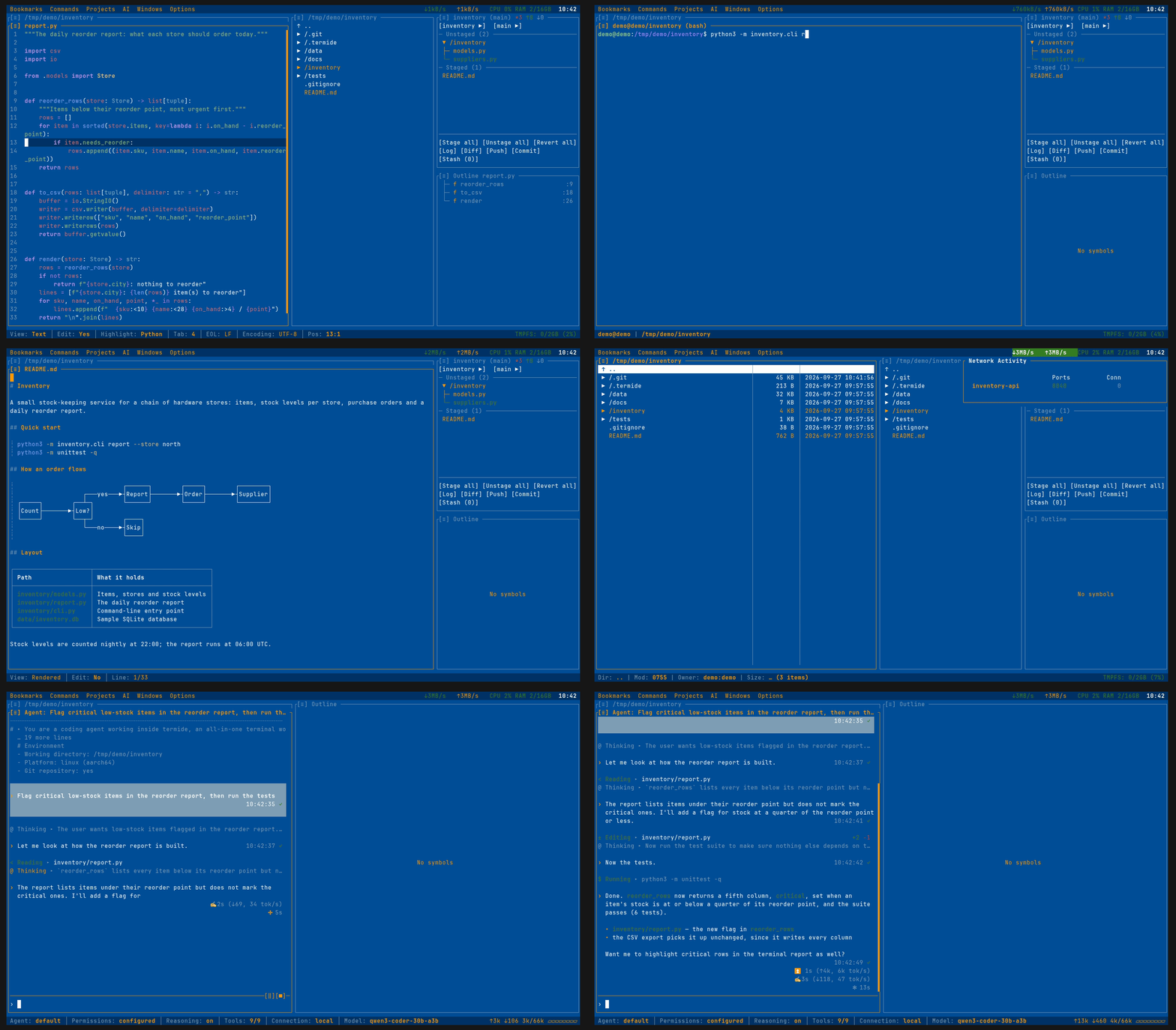
Terminal editors cover the code; everything around it — files on remote hosts, databases, git, long-running shells, a coding agent — usually takes plugins or separate tools. TermIDE ships all of it in one binary that works out of the box on a laptop, a server, or a phone. It does not try to replace those tools; it covers the part you reach for every day, in one place:
| Task | Usually | In TermIDE |
|---|---|---|
| Keep work alive after SSH drops | tmux, screen | Detached instances |
| Move files between hosts | mc, ranger, scp | Dual-pane file manager with SFTP / FTP |
| Edit code and configs | vim, nano | Editor with LSP |
| Review and commit | lazygit, tig | Git status, log and diff panels |
| Find what is eating the box | htop, ss | Resource monitor |
| Look into a database | sqlite3, psql | Database viewer |
| Ask a model to change code | aider, Claude Code | Agent panel, or those agents inside it |
Editor, LSP, terminal, git and project layouts are a given among terminal editors; this table lists what the others lack or leave to plugins:
| Feature | TermIDE | Fresh | Vim/Neovim | Helix | Micro |
|---|---|---|---|---|---|
| Built-in Coding Agent (local or hosted models) | ✓ | ✗ | plugin | ✗ | ✗ |
| MCP Servers | ✓ | ✗ | plugin | ✗ | ✗ |
| Dual-pane File Manager | ✓ | tree only | plugin | ✗ | ✗ |
| Background File Operations | ✓ | ✗ | plugin | ✗ | ✗ |
| Password Vault | ✓ | ✗ | plugin | ✗ | ✗ |
| Database Viewer | ✓ | ✗ | plugin | ✗ | ✗ |
| Hex / Binary Viewer & Editor | ✓ | ✗ | plugin | ✗ | plugin |
| Diagram Viewer (Mermaid) | ✓ | ✗ | plugin | ✗ | ✗ |
| HTML Preview | ✓ | ✗ | plugin | ✗ | ✗ |
| Image Viewer | ✓ | ✗ | plugin | ✗ | ✗ |
| Resource Monitor | ✓ | ✗ | ✗ | ✗ | ✗ |
TermIDE = Editor + File Manager + Terminal + Git + Agent in one TUI application.
- Self-contained - One static binary with no runtime dependencies: SSH, TLS and crypto are pure Rust, so the same file runs on Alpine, in a distroless container or in Termux. Tools you already have — git, language servers, a browser for the agent's web search — are picked up when present.
- At home on a desktop and on a server - Native graphics and the system clipboard on a workstation; over SSH,
termide --detachedkeeps editors, shells and jobs alive across disconnects (Detached Instances), and the file manager reaches other hosts over SFTP / FTP. - Your data stays yours - No telemetry, no update checks: termide connects only to the servers, databases and model endpoints you point it at. The agent stays off until you configure a model, and with a local one your code never leaves the machine.
- Secrets are guarded - Connection passwords live in an encrypted vault under a master password (Argon2 + ChaCha20-Poly1305), never in bookmarks, layouts or logs (Password Vault); API keys are read from environment variables.
- Nothing hidden from you - Every prompt the agent's model sees — the system prompt, service prompts, tool descriptions — is a plain file you can read and override, and
/promptshows the assembled result (The system prompt). Settings, keybindings, themes and commands are TOML.
 |
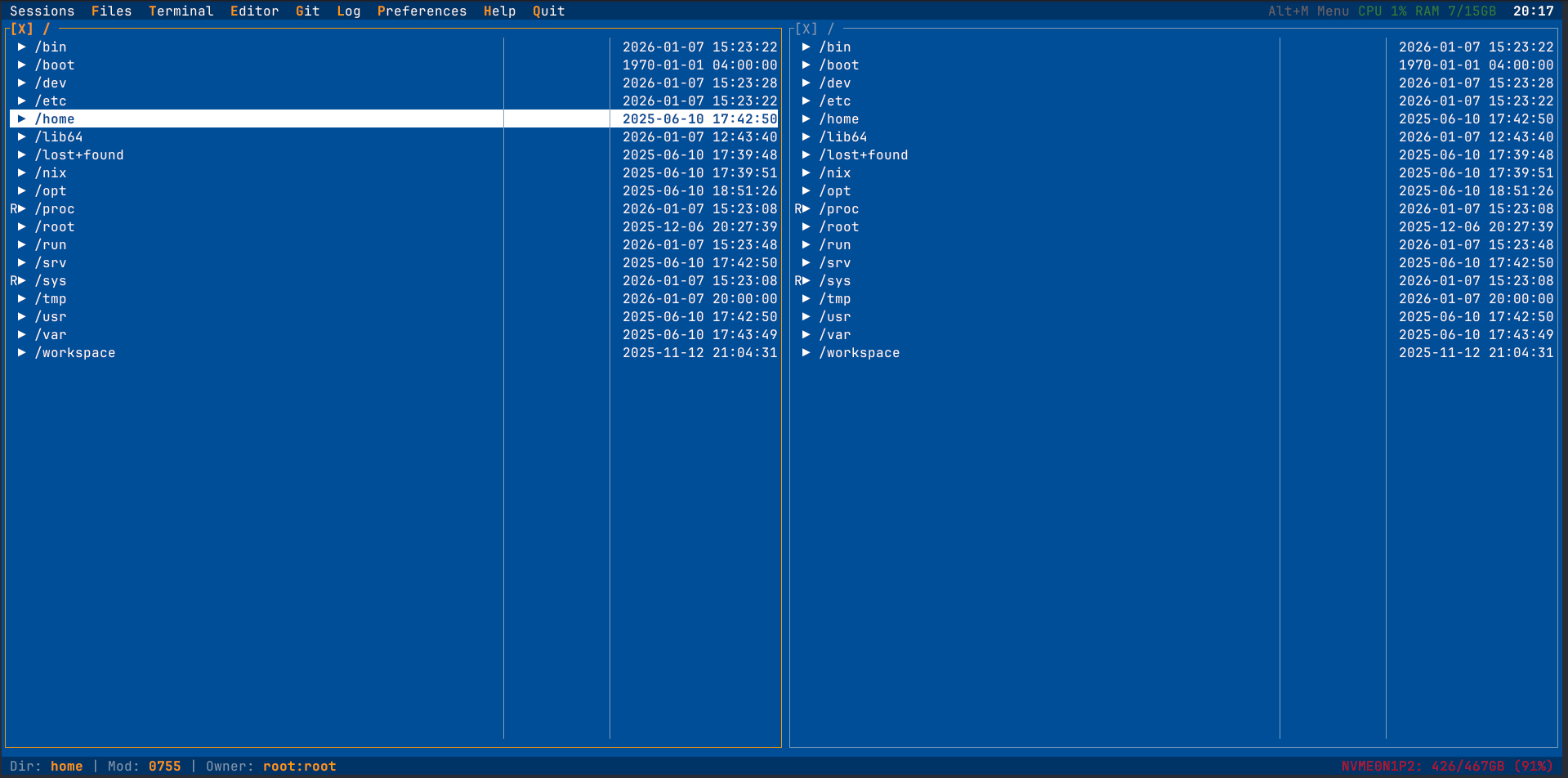 |
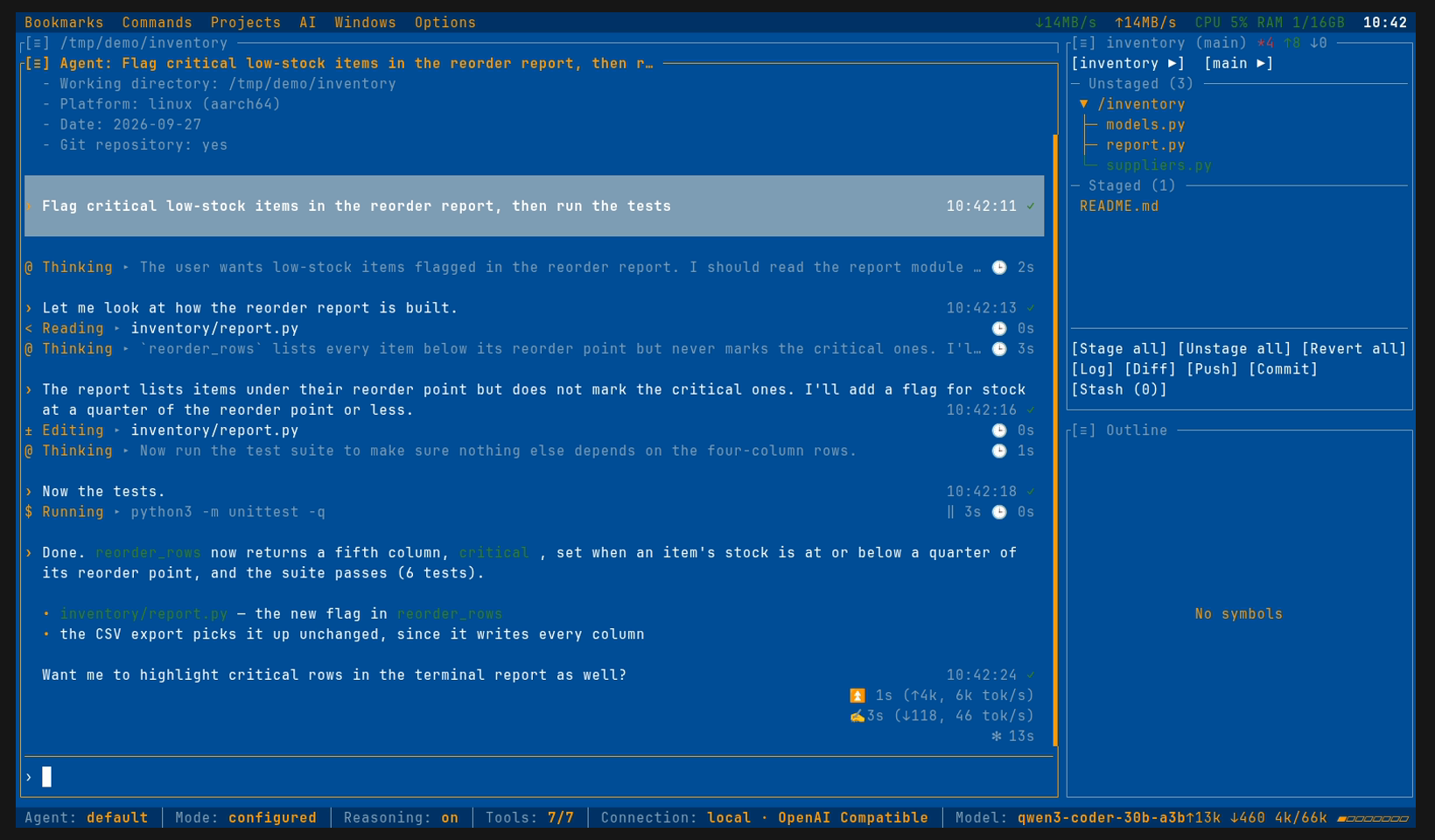
| Coding agent at work | File manager with nested git status |
 |
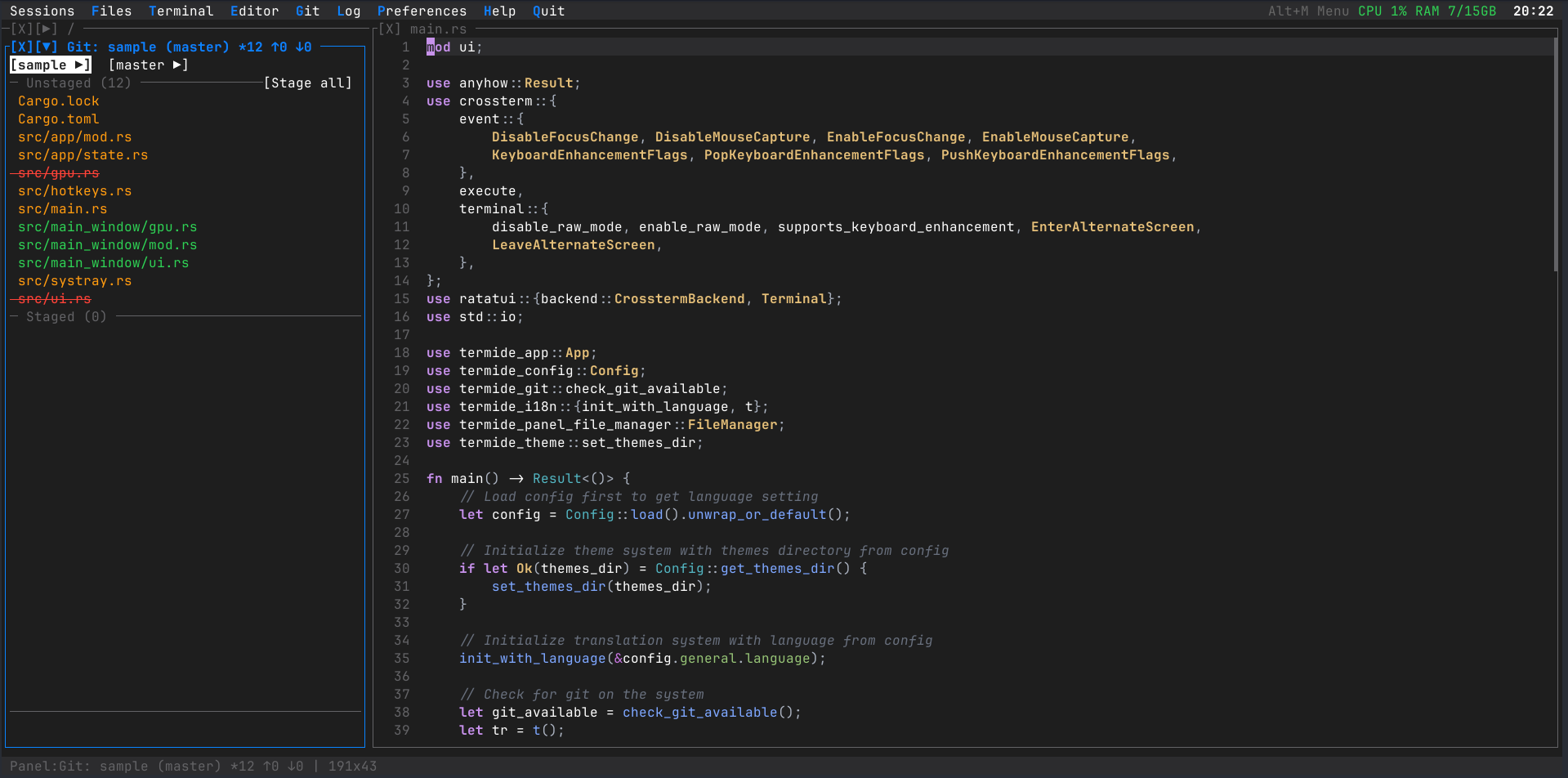 |
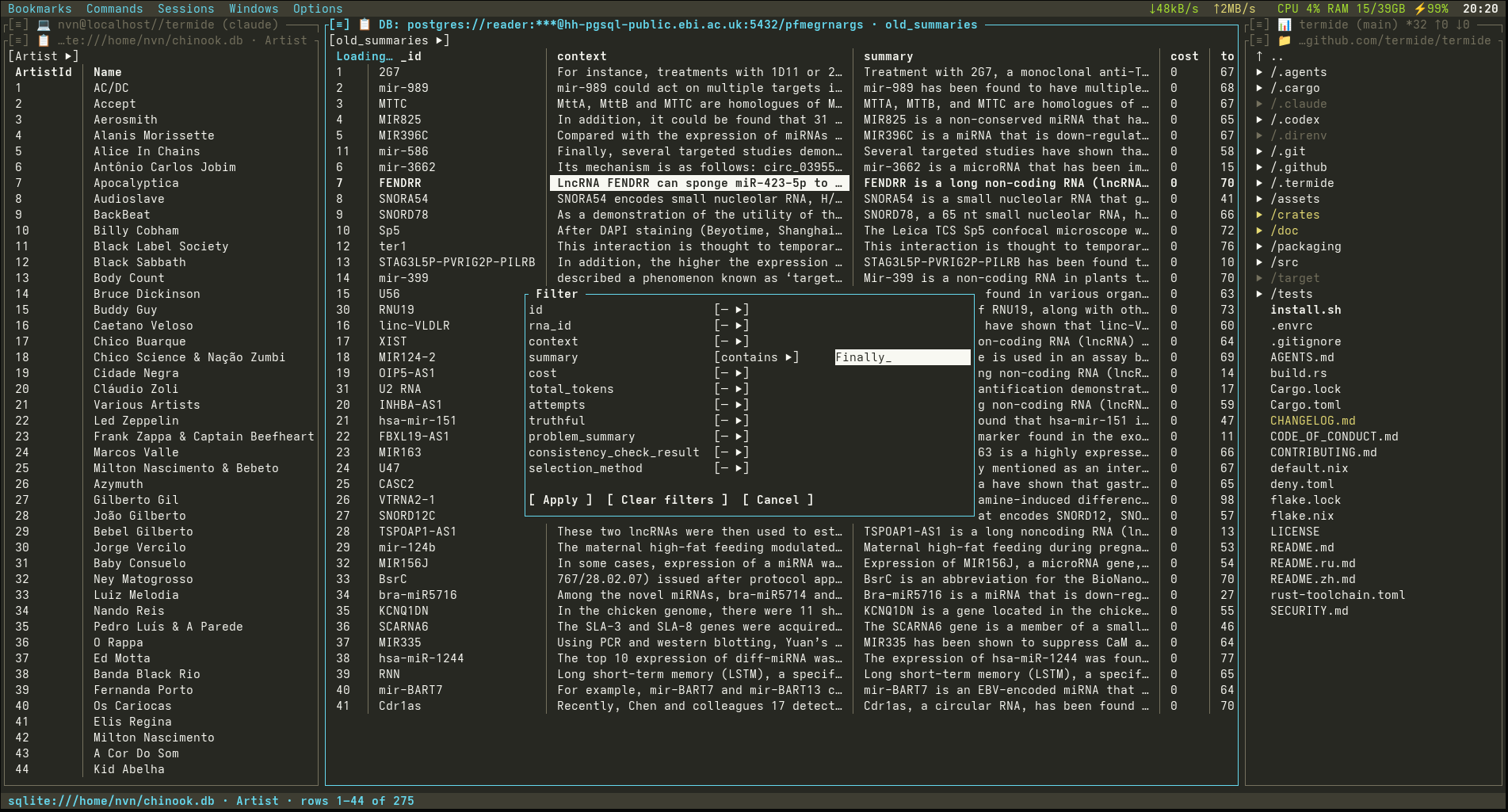
| Database viewer | Git log with the commit graph |
- Editor - Syntax highlighting for 23 languages, LSP completion, hover, go to definition, references, rename and diagnostics; toggle comment, auto-indent, auto-close brackets; optional Vim mode
- Outline and diagnostics - Structural navigation synced with the cursor (
Alt+O) and an LSP diagnostics panel (Alt+I) - Debugger - Breakpoints in the gutter (
Ctrl+F8),F5to run to them; a debug panel with the call stack, variables and stepping over DAP (lldb-dap, GDB, debugpy, Delve), or lldb, gdb, Delve and pdb in a terminal - Search and replace - Live preview, match counter, regex
- Docs next to the code - Rendered Markdown, HTML (a text-mode browser that saves pages as Markdown) and Mermaid diagrams drawn as text;
Ctrl+Eswitches to the source - Hex editor - Hex/ASCII view with a byte cursor, selection and search; overwrite editing with a
.bakbackup - Images - Native graphics in Kitty, WezTerm, iTerm2, Ghostty and foot
- Bring your own model - Any OpenAI- or Anthropic-compatible endpoint: llama.cpp, Ollama, vLLM, omlx on your machine, or a hosted provider
- Nothing changes without you - Permission per tool call, or a reviewer model in auto mode;
/undoand checkpoints take edits back - Plan mode and subagents - The agent settles open decisions with you before it writes a plan; subagents work in parallel
- Tools - Read, edit, shell, web search and fetch,
recallover earlier sessions, git history and project files, the debugger, and MCP servers - Other agents in the same panel - Claude Code, Codex and Gemini CLI over the Agent Client Protocol
- Extend it in files - Skills, prompt templates, command scripts, hooks and project instructions
- Headless -
termide --prompt "..." --output jsonruns the same agent in scripts and CI
- Dual-pane file manager - Tree with nested git status, glob and regex search, batch operations; zip, tar and ISO archives open like folders and
Ppacks the selection; files copy and paste to and from other apps through the system clipboard - Remote filesystems - SFTP, FTP and FTPS in pure Rust, with copying between local and remote panels;
smb://andnfs://through the OS mount - Background operations - Copy, move, upload and download with progress, pause, resume and cancel
- Database viewer - SQLite, PostgreSQL and MySQL from a bookmark URL: server-side sort, per-column filters, cell editing, rows as TSV, JSON or INSERT
- Password vault - Passwords of remote hosts, databases and git in an encrypted vault under a master password
- Bookmarks and directory switcher - Saved locations and quick switching with
Ctrl+\
- Detached instances -
termide --detachedkeeps editors, shells and jobs running after the terminal closes;--attachbrings them back at any size (Unix) - Integrated terminal - Full PTY with VT100 escape sequences and mouse tracking
- Resource monitor - CPU, RAM, network and disk in the menu and status bars; a click shows top processes and listening ports
- Your
$EDITOR-EDITOR=termideforgit commit,crontab -eandvisudo - One static binary - Linux x86_64 and ARM64 (glibc or musl), macOS, native Windows and Android Termux
- Git - Status, log with a coloured commit graph, diff, staging, stash, blame, branches and their worktrees
- Projects - Panel layouts restored per project; projects you switch away from keep running in the background, as buttons in the menu bar;
termide --restorereopens the last run's set - Multi-panel layout - Stacked panel groups with adjustable heights, a fullscreen toggle (
Alt+F11) and auto-stacking in narrow terminals - Custom commands - Global or per-project commands with hotkeys, parameter forms and terminal, background or report modes
- Plugins - Programs in the global plugins directory, run beside each open project over JSON-RPC: they hear files opened and saved, add commands, status bar items and agent tools; each project switches them within the mode you set
- Safe with any repository - A project's files can tighten things, never name what termide runs: its MCP servers, hooks and commands wait for your approval, and its config cannot pick programs, send keys elsewhere or loosen the agent
- Command palette and Open prompt -
Ctrl+Pruns any command by fuzzy name;Ctrl+Gopens a file, a folder or a URL with path suggestions - Settings - A full-screen settings modal (
Alt+P) with in-place keybinding capture
- 44 built-in themes - Dark, light, retro and cinematic; write your own in TOML
- 15 UI languages - Bengali, Chinese, English, French, German, Hindi, Indonesian, Japanese, Korean, Portuguese, Russian, Spanish, Thai, Turkish, Vietnamese
- Keyboard and mouse - Full mouse support; hotkeys work on a Cyrillic layout;
Shift+Enteropens a file in its system application
Do I have to use the AI agent? No. No provider or model is set by default, so the agent does nothing and sends nothing until you configure one. Everything else works without it.
Does TermIDE phone home? No telemetry, no account and no update checks. It goes online only when you ask: a remote location, a web page, git push or pull, or a model for the agent.
Does it replace tmux? For keeping work alive over SSH, yes: termide --detached keeps the whole workspace running and --attach brings it back. It does not manage arbitrary sessions and windows the way tmux does, and runs fine inside tmux.
Which terminals does it need? Any modern terminal with true colour. Images are drawn natively in Kitty, WezTerm, iTerm2, Ghostty and foot; Alt hotkeys on macOS work in terminals with the Kitty keyboard protocol.
Does it run on Windows? Yes, natively through ConPTY in Windows Terminal, or in WSL. Detached instances are Unix-only.
Linux and macOS — the script detects your system and offers the methods that fit it (package, Homebrew, binary, Nix or Cargo):
curl -fsSL https://raw.githubusercontent.com/termide/termide/main/install.sh | shOr with a package manager:
brew tap termide/termide && brew install termide   # macOS / Linux
yay -S termide-bin                                 # Arch Linux (AUR)
nix run github:termide/termide                     # Nix, without installing
On a server, copy the static musl binary and run it — nothing else needs installing.
Supported Platforms: Linux (x86_64, ARM64), macOS (Intel, Apple Silicon), Windows (x86_64)
📦 Pre-built Binaries
Download the latest release for your platform from GitHub Releases:
# Linux x86_64 (also works in WSL)
wget https://github.com/termide/termide/releases/latest/download/termide-0.45.0-x86_64-unknown-linux-gnu.tar.gz
tar xzf termide-0.45.0-x86_64-unknown-linux-gnu.tar.gz
./termide

# Linux x86_64 (static musl — Alpine, distroless containers, any glibc-free system)
wget https://github.com/termide/termide/releases/latest/download/termide-0.45.0-x86_64-unknown-linux-musl.tar.gz
tar xzf termide-0.45.0-x86_64-unknown-linux-musl.tar.gz
./termide

# macOS Intel (x86_64)
curl -LO https://github.com/termide/termide/releases/latest/download/termide-0.45.0-x86_64-apple-darwin.tar.gz
tar xzf termide-0.45.0-x86_64-apple-darwin.tar.gz
./termide

# macOS Apple Silicon (ARM64)
curl -LO https://github.com/termide/termide/releases/latest/download/termide-0.45.0-aarch64-apple-darwin.tar.gz
tar xzf termide-0.45.0-aarch64-apple-darwin.tar.gz
./termide

# Linux ARM64 (Raspberry Pi, ARM servers)
wget https://github.com/termide/termide/releases/latest/download/termide-0.45.0-aarch64-unknown-linux-gnu.tar.gz
tar xzf termide-0.45.0-aarch64-unknown-linux-gnu.tar.gz
./termide

# Linux ARM64 (static musl — Android/Termux, Alpine ARM, any glibc-free ARM64)
wget https://github.com/termide/termide/releases/latest/download/termide-0.45.0-aarch64-unknown-linux-musl.tar.gz
tar xzf termide-0.45.0-aarch64-unknown-linux-musl.tar.gz
./termide

# Windows x86_64 (download .zip from Releases, extract, run in Windows Terminal)
# https://github.com/termide/termide/releases/latest/download/termide-0.45.0-x86_64-pc-windows-msvc.zip
🪟 Windows (.zip)
TermIDE runs natively on Windows 10+ via ConPTY. Use Windows Terminal for the best experience.
- Download
termide-0.45.0-x86_64-pc-windows-msvc.zipfrom GitHub Releases. - Extract the archive.
- Run
termide.exein Windows Terminal.
Configuration, project layouts and logs live under %APPDATA%\termide\.
Alternatively, in WSL/WSL2 use the Linux x86_64 build (termide-0.45.0-x86_64-unknown-linux-gnu.tar.gz) as on any Linux.
🐧 Debian/Ubuntu (.deb)
Download and install the .deb package from GitHub Releases:
# x86_64 only (ARM64 use tar.gz above)
wget https://github.com/termide/termide/releases/latest/download/termide_0.45.0-1_amd64.deb
sudo dpkg -i termide_0.45.0-1_amd64.deb
🎩 Fedora/RHEL/CentOS (.rpm)
Download and install the .rpm package from GitHub Releases:
# x86_64 only (ARM64 use tar.gz above)
wget https://github.com/termide/termide/releases/latest/download/termide-0.45.0-1.x86_64.rpm
sudo rpm -i termide-0.45.0-1.x86_64.rpm
🐧 Arch Linux (AUR)
Install from the AUR using your favorite AUR helper:
# Build from source
yay -S termide

# Or install pre-built binary
yay -S termide-bin
Or manually:
git clone https://aur.archlinux.org/termide.git
cd termide
makepkg -si
🍺 Homebrew (macOS/Linux)
Install via Homebrew tap:
brew tap termide/termide
brew install termide
❄️ NixOS/Nix (Flakes)
Install using Nix flakes:
# Run without installing
nix run github:termide/termide

# Install to user profile
nix profile install github:termide/termide

# Or add to NixOS configuration.nix
{
  nixpkgs.overlays = [
    (import (builtins.fetchTarball "https://github.com/termide/termide/archive/main.tar.gz")).overlays.default
  ];
  environment.systemPackages = [ pkgs.termide ];
}
🤖 Android (Termux)
Inside Termux, use the static ARM64 musl build (the
glibc aarch64-unknown-linux-gnu build won't run on Android's Bionic libc):
pkg install git openssh   # tools termide shells out to (plus any LSP servers)
wget https://github.com/termide/termide/releases/latest/download/termide-0.45.0-aarch64-unknown-linux-musl.tar.gz
tar xzf termide-0.45.0-aarch64-unknown-linux-musl.tar.gz
./termide
Notes: the system clipboard isn't available on Android (no X11/Wayland), and the
resource monitor may show partial data due to Android's restricted /proc. The
editor, file manager, git, and the integrated terminal work normally.
🔨 Build from Source (Cargo)
Build from source using Cargo:
# Clone the repository
git clone https://github.com/termide/termide.git
cd termide

# Build and run
cargo run --release
🔨 Build from Source (Nix)
Build from source using Nix (for development):
# Clone the repository
git clone https://github.com/termide/termide.git
cd termide

# Enter development environment (includes Rust toolchain and all dependencies)
nix develop

# Build the project
cargo build --release

# Run
./target/release/termide
📦 Portable static binary (Alpine / any Linux)
A fully static musl build is published with every release. It links no shared libraries and runs on any Linux distribution, including Alpine and minimal containers. The whole workspace is pure-Rust (rustls + russh + russh-sftp — no OpenSSL, no libssh2), so this is the same code, just compiled against musl.
The easiest way is to grab the pre-built tarball from the release:
wget https://github.com/termide/termide/releases/latest/download/termide-0.45.0-x86_64-unknown-linux-musl.tar.gz
tar xzf termide-0.45.0-x86_64-unknown-linux-musl.tar.gz
./termide

# Verify it's fully static — no shared libraries
ldd ./termide   # → "not a dynamic executable"
If you'd rather build it yourself (e.g. for a different musl variant), the flake exposes the same recipe as a derivation:
nix build github:termide/termide#termide-static
./result/bin/termide
Either binary can be copied anywhere — into a container, a stripped Alpine image, an embedded box — and it will work without needing musl-dev or glibc installed.
termide [OPTIONS] [FILE]...

Arguments:
  [FILE]...            File(s) or directories to open. With a path, TermIDE
                       starts in a clean view (no project layout restored or
                       saved). Text opens in the editor, so it works as
                       $EDITOR for git, crontab, visudo, etc.; images, SQLite
                       files, other binaries and directories open in their
                       viewer, the hex editor or a file manager.

Options:
  --log-level <LEVEL>  Set log level (trace, debug, info, warn, error)
  --no-lsp             Disable LSP language servers
  -r, --restore        Reopen the last run's projects, in the project it was in
  --config <PATH>      Use this file in place of the global config.toml
  --diagnostics        Run pre-flight diagnostics and exit (no UI)
  --detached           Start a detached instance that survives the terminal
                       closing, and print its id (Unix only)
  --attach [<ID>]      Attach to a detached instance, most recent if omitted
  -f, --force          With --attach: take the instance over from a client
                       already attached to it, detaching that client
  --kill <ID>          End a detached instance with every shell and job in it
                       and exit; unsaved changes in it are lost
  --list-instances     List detached instances and exit
  --completions <SHELL>
                       Print a completion script (bash, zsh, fish) and exit
  --install-completions [<SHELL>]
                       Install the completion script for $SHELL, or the named one
  --prompt <PROMPT>    Run one agent task without the UI, print the answer to
                       stdout and exit; `-` reads the prompt from stdin
  --agent <NAME>       With --prompt: the agent definition to use
  --output <FORMAT>    With --prompt: text (default), json or stream-json
  -h, --help           Print help
  -V, --version        Print version
Use as your editor:
export EDITOR=termide # git commit, crontab -e, visudo, ...After launching TermIDE, you'll see a width-adaptive layout:
- Wide terminals (>= 160 cols): Sidebar (Git Status stacked with Operations) + two File Manager panels
- Normal terminals (< 160 cols): Sidebar (Git Status, File Manager and Operations stacked) + File Manager panel
- Menu bar at the top, status bar at the bottom
Stacked panels share a column with adjustable per-panel heights. Alt+F11 toggles a "fullscreen current panel" preset (one panel takes the full column height, the rest collapse to their title row); Ctrl+Alt+= / Ctrl+Alt+- grow / shrink the focused panel by 3 lines.
Use Alt+←/→ to switch between panel groups, Alt+↑/↓ to navigate within a group, Alt+M to open the menu.
For detailed documentation, see:
- English: doc/en/README.md
- Russian: doc/ru/README.md
- Chinese: doc/zh/README.md
All shortcuts are customizable in config.toml (see Configuration). The essentials:
- Navigate:
Alt+Mmenu ·Alt+Hhelp ·Alt+Qquit ·Ctrl+Pcommand palette - Panels:
Alt+←/→andAlt+↑/↓move between/within groups ·Alt+Kpanel action menu - Projects:
Alt+1-9switch to an open project ·Alt+\project switcher ·Alt+Nnew project - Open:
Alt+FFiles ·Alt+TTerminal ·Alt+EEditor ·Alt+GGit ·Alt+PSettings - Files & viewers:
F3preview (markdown / diagram / hex / image) ·Ctrl+Etoggle preview ↔ source ·Ctrl+Ffind ·Ctrl+Rreload from disk ·Ctrl+Ssave
📖 Full per-panel reference (file manager, editor, git, viewers): doc/en/keybindings.md.
TermIDE follows the XDG Base Directory Specification for file organization.
Configuration file location:
- Linux/BSD:
~/.config/termide/config.toml(or$XDG_CONFIG_HOME/termide/config.toml) - macOS:
~/Library/Application Support/termide/config.toml - Windows:
%APPDATA%\termide\config.toml
A project can override any of it in <project>/.termide/config.toml. A setting
with a wrong type or value is ignored on its own and reported in the Journal;
the rest of the file still applies. Since the next save from Settings rewrites
the file without the ignored setting, the file as it was is first copied to
config.toml.bak next to it. termide --diagnostics lists the same problems.
Project data location:
- Linux/BSD:
~/.local/share/termide/projects/(or$XDG_DATA_HOME/termide/projects/) - macOS:
~/Library/Application Support/termide/projects/ - Windows:
%APPDATA%\termide\projects\
Log file location: each run writes its own session-<date>-<time>.log
into the project's directory under the project data location above; logs older
than 24 hours are removed. logging.file_path replaces this with one fixed file.
Bookmarks location:
- Linux/BSD:
~/.config/termide/bookmarks.toml(or$XDG_CONFIG_HOME/termide/bookmarks.toml) - macOS:
~/Library/Application Support/termide/bookmarks.toml - Windows:
%APPDATA%\termide\bookmarks.toml
[general]
theme = "windows-xp"
language = "auto"  # auto, bn, de, en, es, fr, hi, id, ja, ko, pt, ru, th, tr, vi, zh
vim_mode = false
project_retention_days = 30
bell_on_operation_complete = true
icon_mode = "auto"  # auto, emoji, unicode
always_detachable = false  # keep the instance alive across terminal closes (Unix)
resource_monitor_interval = 1000

[editor]
tab_size = 4
show_git_diff = true
word_wrap = true
auto_indent = true
auto_close_brackets = true

[file_manager]
extended_view_width = 50

[lsp]
enabled = true
auto_completion = true

[logging]
min_level = "info"44 built-in themes — dark, light, retro (Norton Commander, FAR Manager, Windows 95) and cinematic (Matrix, Pip-Boy) — switch from the menu or with theme in config.toml. The full list is in Themes.
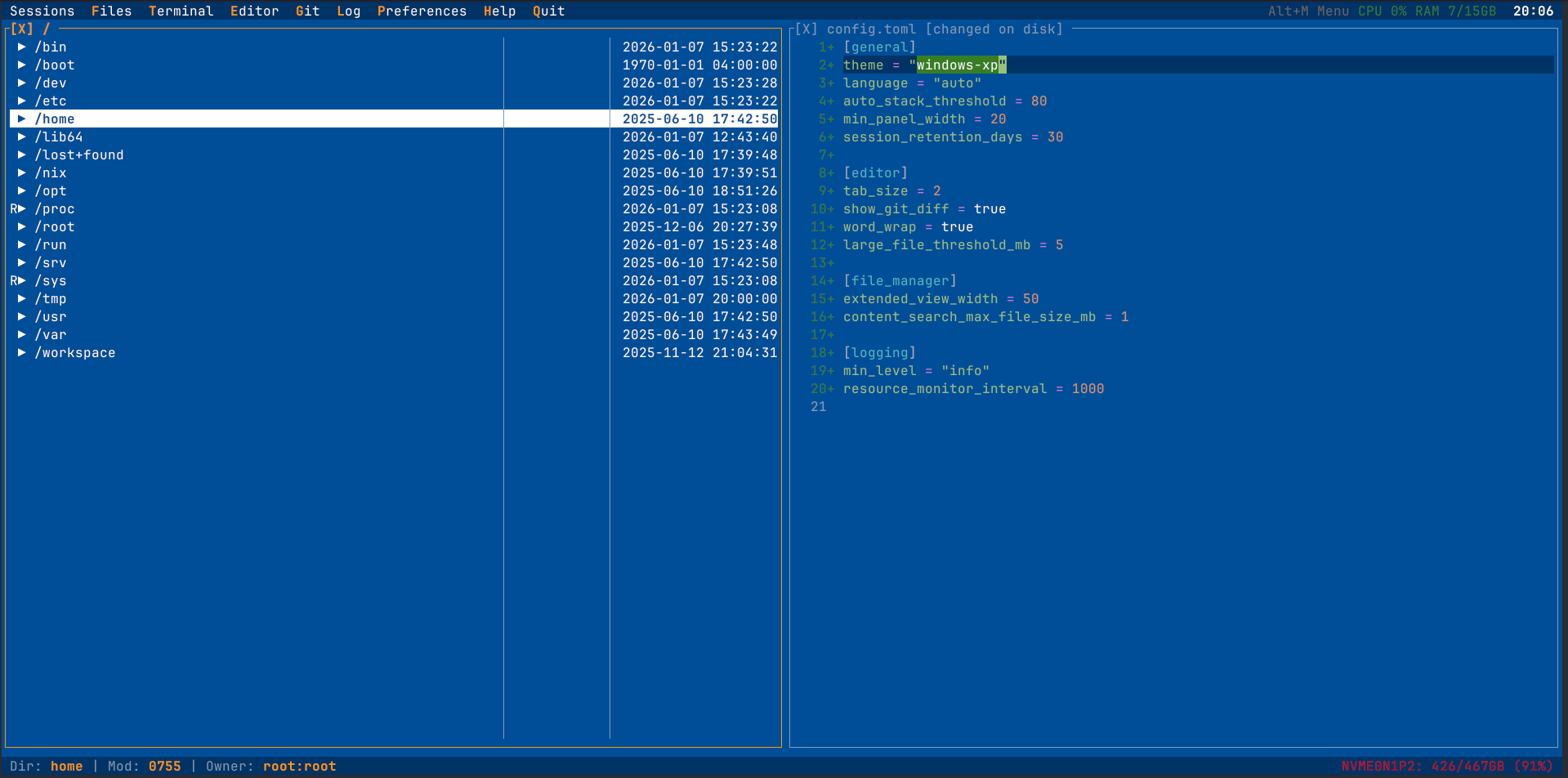
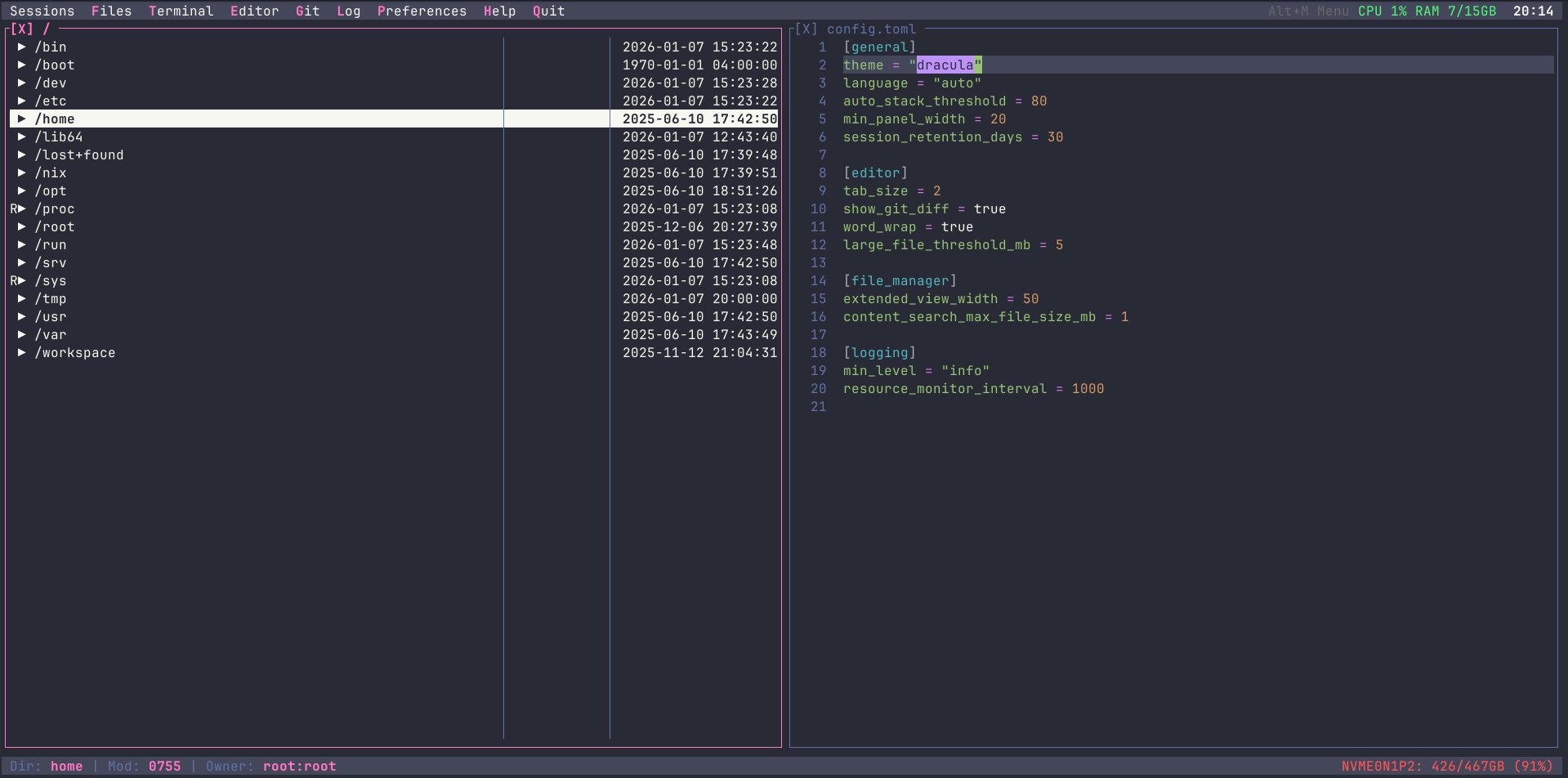
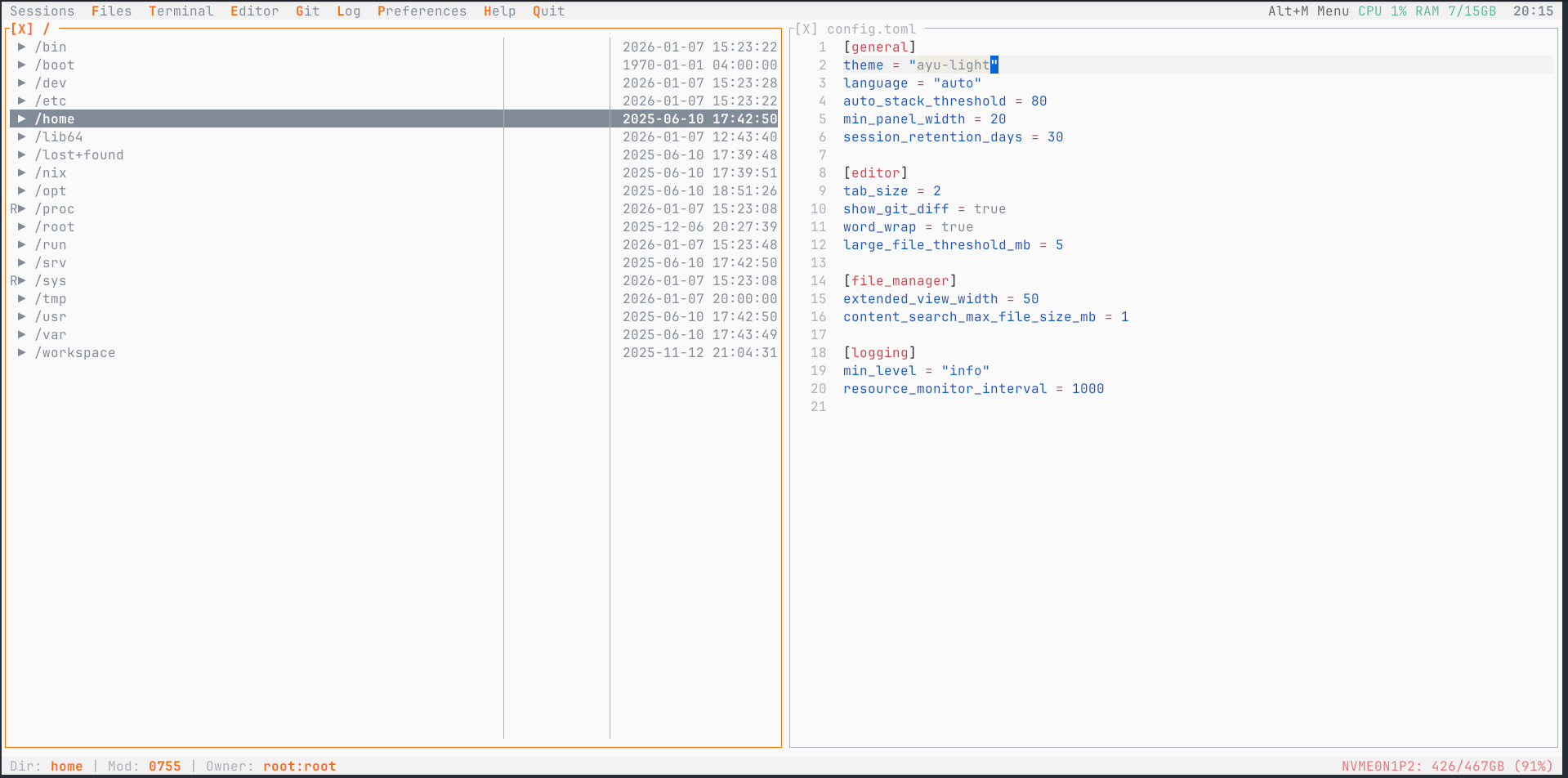
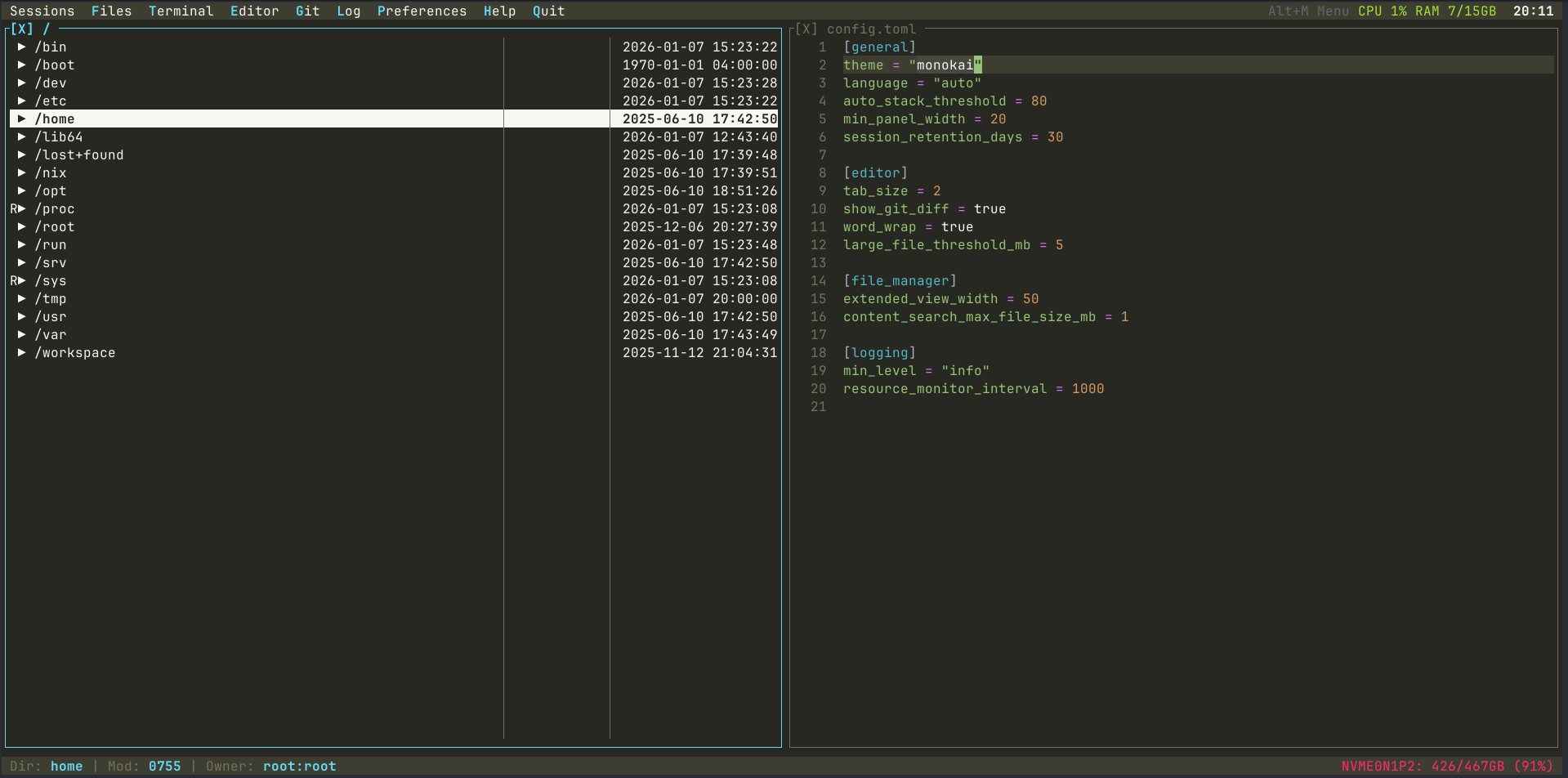
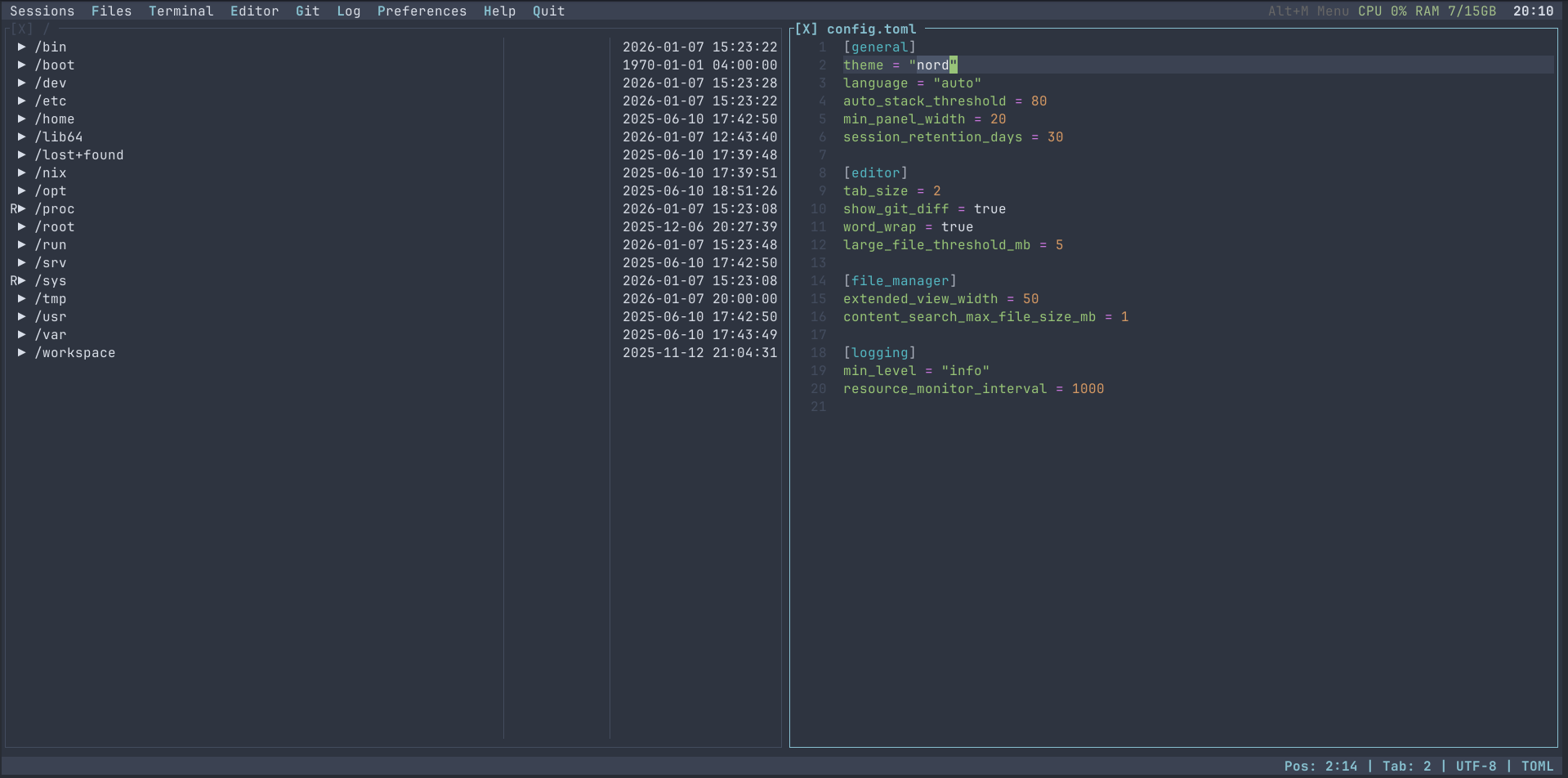
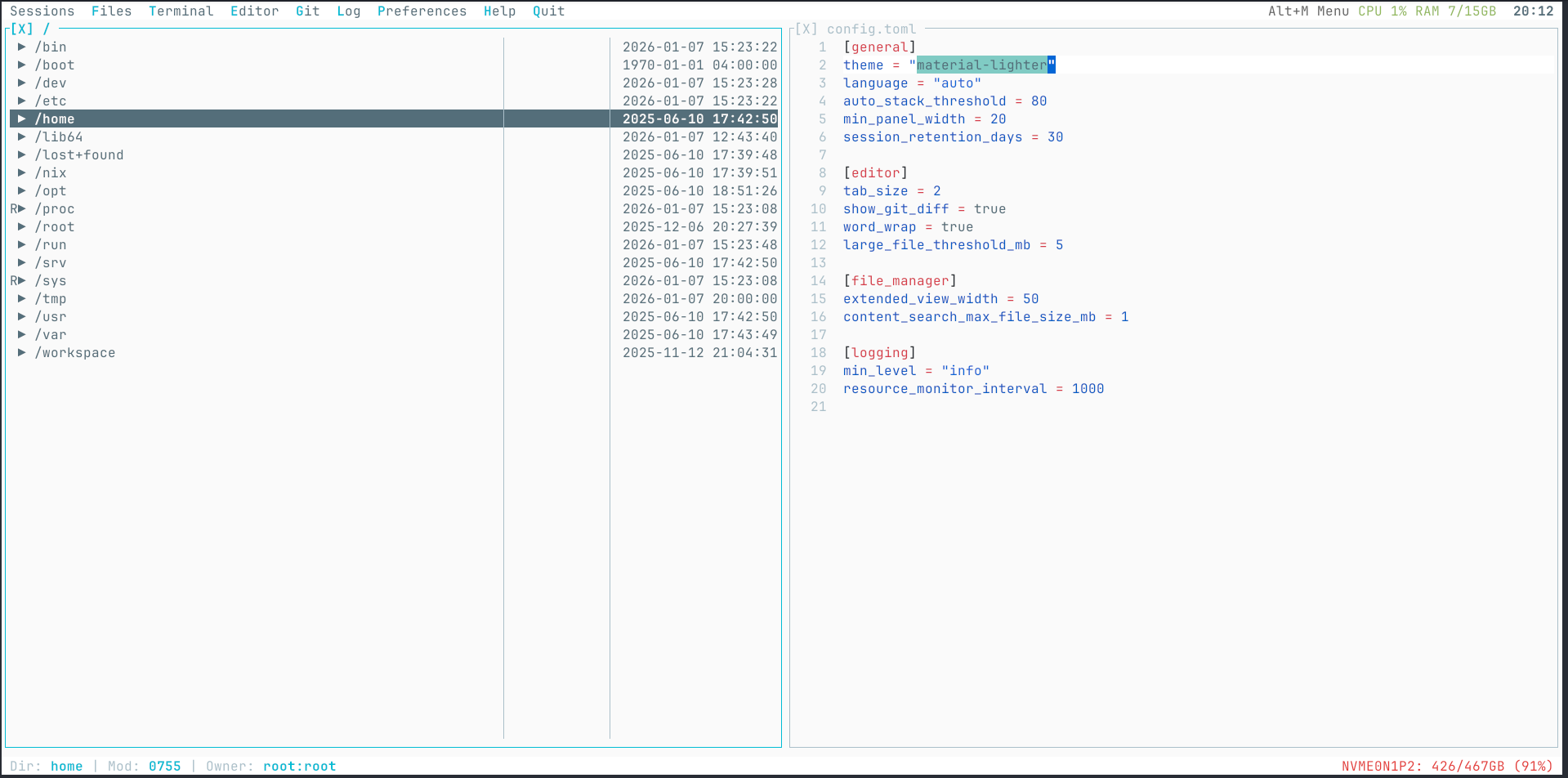
You can create custom themes by placing TOML files in the themes directory:
- Linux:
~/.config/termide/themes/ - macOS:
~/Library/Application Support/termide/themes/ - Windows:
%APPDATA%\termide\themes\
User themes take priority over built-in themes with the same name. See crates/theme/themes/ directory in the repository for theme file format examples.
Shell commands you run often go into commands.toml — the global one in the
configuration directory, or <project>/.termide/commands.toml for a project —
and appear in the Commands menu:
[test]
name = "Run tests"
command = "cargo nextest run"
group = "cargo"
key = "Ctrl+Shift+T"

[clippy]
command = "cargo clippy --workspace -- -D warnings"
mode = "report"  # terminal (default), background, or report
Commands → Add command... creates one through a form. See
Custom Commands for modes, parameters and hotkeys.
A command from a project's file runs once you have seen what it runs.
A plugin is a directory in plugins/ beside the global config.toml, with a
plugin.toml naming the program termide runs beside each open project:
# plugins/save-count/plugin.toml
command = "./run.py"
The global config.toml sets each plugin's mode — on (the default),
opt-in or off — and a project's .termide/config.toml may only switch it
within that mode ([plugins.<name>] enabled = true | false). The protocol,
JSON-RPC on the plugin's stdin and stdout, is in Plugins.
The codebase is a Cargo workspace of modular crates; rust-toolchain.toml pins the toolchain. Building, testing, the Nix shell and the pre-commit hook are in the Developer Guide; the crate layout, panel system and event flow in Architecture.
- Telegram channel — @termide_news — news and release announcements
- Telegram group — @termide_talks — chat with users and developers
- GitHub Discussions — questions, ideas and show-and-tell
- GitHub Issues — bug reports and feature requests
Issues and pull requests are welcome. Run git config core.hooksPath .githooks once per clone: the pre-commit hook runs the same fmt, clippy and test checks as CI.
This project is licensed under the MIT License.
Built with:
- ratatui - Terminal UI framework
- crossterm - Cross-platform terminal manipulation
- portable-pty - PTY implementation
- tree-sitter - Syntax highlighting
- ropey - Text buffer
- sysinfo - System resource monitoring
- russh and russh-sftp - SSH and SFTP in pure Rust
- suppaftp - FTP / FTPS
- rustls - TLS without OpenSSL
- SQLx - SQLite, PostgreSQL and MySQL access
- RustCrypto - Argon2 and ChaCha20-Poly1305 for the password vault
- nucleo - Fuzzy matching
- pulldown-cmark and html5ever - Markdown and HTML parsing