
Deploy an autonomous, hardware-aware AI agent directly onto your Android device using Termux, Shizuku, and OpenRouter LLMs.



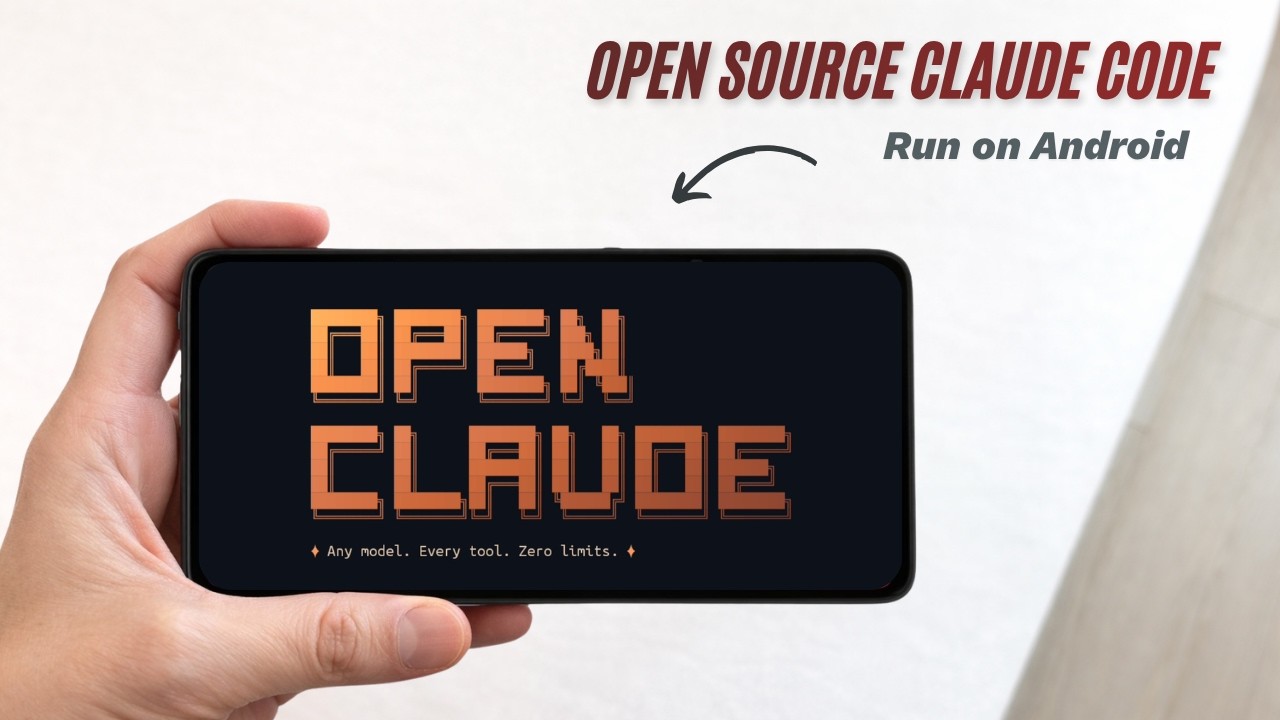
This repository provides zero-effort configuration scripts to deploy OpenClaude into the Android ecosystem.
Beyond simply running a terminal-based AI, this Supercharged Edition leverages Shizuku and the Android UIAutomator framework to give the AI physical control over your device. The AI can autonomously traverse your file system, read screen hierarchy dumps to "see" apps, and tap, swipe, and type its way through native UI tasks—effectively acting as an autonomous God-Mode assistant.
- Autonomous UI Control: Natively hooks into Shizuku to allow the AI agent to execute screen coordinates, swipe, and interact with visual elements dynamically.
- 1-Click PC Installer: Ships with an automated PowerShell script (
pc_push_install.ps1) that deploys all APKs, grants all necessary permissions via ADB, and bootstraps Termux silently without a single manual interaction on the phone. - Dynamic Model Selection: Automatically polls the live OpenRouter API on startup to list currently available 100% free models.
- Limitless Auto-Execution: Bypasses terminal permission prompts using the injected
--limitlessexecution flag and optimizedCLAUDE.mdcontext overrides, preventing "I am just an AI" rejection loops. - Network Architecture Resilience: Features built-in cryptographic library healing (
libngtcp2/openssl) and DNS path reroutes to prevent common Termux HTTPS request failures under load.
You can install this using either a PC (Fastest/Fully Automatic) or directly on the Phone. You will need an OpenRouter API Key.
This method automates the entire process including APK installation, permission granting, and environment bootstrap.
- Enable Developer Options and USB Debugging on your Android phone.
- Plug your phone into your Windows PC.
- Download this completely repository to your PC and double-click
pc_push_install.ps1. (If it prompts you, typeRto run once). - Once the setup completes, your Termux app will automatically launch.
- In your phone's Termux terminal, type exactly what the script tells you:
bash ~/storage/shared/Download/bootstrap.sh
bash ~/termux_setup.sh
If you don't have a PC, you can configure it entirely on your phone.
-
Install Prerequisites: Download and install the Termux GitHub release, Termux:API GitHub Release, and the Shizuku GitHub release.
-
Grant Permissions: Go manually to your Android Settings and grant ALL hardware permissions to the Termux:API app.
-
Start Shizuku: Open the Shizuku app, pair and start it via Wireless Debugging, then tap Export Files (Exports
rishto your phone's Shizuku folder). -
Run the Setup Commands: Open Termux and run the commands below. You can either run them one by one to understand what each step does, or paste the entire block at once at the bottom.
# Step 1: Grant Termux access to your phone's storage (tap "Allow" on the popup)
termux-setup-storage && sleep 3
# Step 2: Fix package mirror (switches to the official server to avoid download errors)
sed -i 's|^\(deb.*\)://[^ ]*/termux-main|\1://packages.termux.dev/apt/termux-main|' $PREFIX/etc/apt/sources.list
# Step 3: Update package lists & install curl
pkg update -y && pkg install -y curl
# Step 4: Fix SSL/HTTPS libraries (prevents common Termux network crashes)
pkg reinstall -y libngtcp2 openssl curl
# Step 5: Download the installer scripts from GitHub curl -sL https://raw.githubusercontent.com/jarvesusaram99/open-claude-code-termux/main/termux_setup.sh -o ~/termux_setup.sh curl -sL https://raw.githubusercontent.com/jarvesusaram99/open-claude-code-termux/main/scripts/mobile_tools.sh -o ~/scripts/mobile_tools.sh --create-dirs curl -sL https://raw.githubusercontent.com/jarvesusaram99/open-claude-code-termux/main/scripts/setup_shizuku.sh -o ~/setup_shizuku.sh chmod +x ~/scripts/mobile_tools.sh ~/setup_shizuku.sh
# Step 6: Configure Shizuku (enables hardware & UI control)
bash ~/setup_shizuku.sh
# Step 7: Fix DNS resolution order (prevents IPv6 connection hangs)
echo "export NODE_OPTIONS=--dns-result-order=ipv4first" >> ~/.bashrc
export NODE_OPTIONS=--dns-result-order=ipv4first
# Step 8: Run the main installer (installs Node.js, OpenClaude, and sets up the AI)
bash ~/termux_setup.sh
If you're comfortable, paste this entire block to run everything at once:
termux-setup-storage && sleep 3 && sed -i 's|^\(deb.*\)://[^ ]*/termux-main|\1://packages.termux.dev/apt/termux-main|' $PREFIX/etc/apt/sources.list && pkg update -y && pkg install -y curl && pkg reinstall -y libngtcp2 openssl curl && curl -sL https://raw.githubusercontent.com/jarvesusaram99/open-claude-code-termux/main/termux_setup.sh -o ~/termux_setup.sh && curl -sL https://raw.githubusercontent.com/jarvesusaram99/open-claude-code-termux/main/scripts/mobile_tools.sh -o ~/scripts/mobile_tools.sh --create-dirs && curl -sL https://raw.githubusercontent.com/jarvesusaram99/open-claude-code-termux/main/scripts/setup_shizuku.sh -o ~/setup_shizuku.sh && chmod +x ~/scripts/mobile_tools.sh ~/setup_shizuku.sh && bash ~/setup_shizuku.sh && echo "export NODE_OPTIONS=--dns-result-order=ipv4first" >> ~/.bashrc && export NODE_OPTIONS=--dns-result-order=ipv4first && bash ~/termux_setup.sh
After the installer finishes, you have two ways to launch from Termux:
claudeNormal Mode — The AI asks for your confirmation before running any system command. Best for beginners or when you want full control over what gets executed.
claude --limitlessLimitless Mode — Auto-executes all commands without asking. No restrictions, no permission prompts. The AI operates with full autonomy. ⚡
Once OpenClaude is running, give it access to run commands and try asking:
- "Check my device battery and network status." -> Utilizes the Termux command bridge.
- "Open my Telegram app." -> Uses Shizuku to securely launch any application frame.
- "Take a screenshot of my screen." -> Performs a local screen dump.
- "Go to my device Settings and turn on Dark Mode." -> Dumps the screen into an XML DOM tree, calculates the XYZ bounds of the buttons, and simulates a robotic human tap using
input tap.
If you want to quickly switch LLM Models or update your API key at any point in the future, simply re-run:
chmod +x ~/termux_setup.sh && bash ~/termux_setup.shThis repository provides shell automation orchestrations for educational localized environment research. It is completely unaffiliated with Anthropic. It does not host proprietary code and securely interfaces using user-provided API tokens.