GettingStartedWithTesting
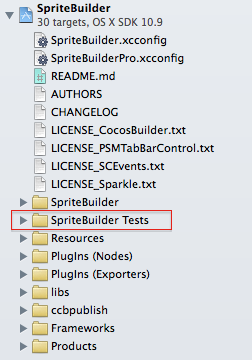
You should put test cases in the SpriteBuilder Tests folder.
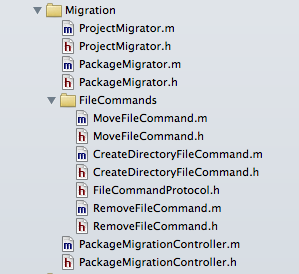
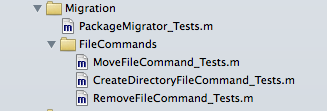
Try to use the same group structure as in the SpriteBuilder folder, see screenshots.
Folder structure of code to be tested
Folder structure for tests
Tests in SpriteBuilder use the XCTest framework. You can easily create new test cases by using the XCode template.
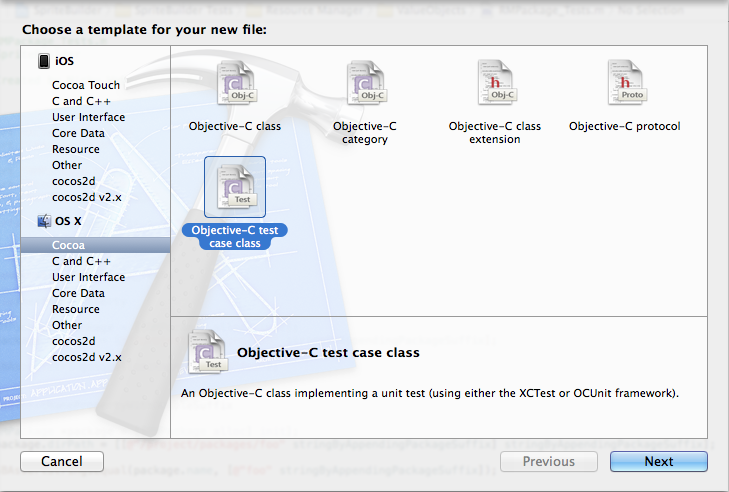
Give the test a name following the pattern: <ClassName>_Tests
Like in the example above, the class MoveFileCommand would get a test called MoveFileCommand_Tests.
Make sure the test case is in the SpriteBuilder Tests target only
You can run tests in XCode hitting ⌘U or using the toolbar button, just click hold and it'll show a dropdown, choose Test.
Every test case is a single file class inheriting from XCTestCase. To add tests, just add methods prefixed with test, like testAwesomeFireworksIlluminatingTheNightSky. Try to give the test a name that describes what it is doing. XCode will run all methods starting with test.
There are two methods of importance, this code is generated for you by the template:
- (void)setUp
{
    [super setUp];
    // Put setup code here. This method is called before the invocation of each test method in the class.
}

- (void)tearDown
{
    // Put teardown code here. This method is called after the invocation of each test method in the class.
    [super tearDown];
}
If you don't have setUp or tearDown code you can remove the methods.
Every test method should contain at least one XCTAssertABC statement, otherwise it'll just pass. Some documentation on the assert macros. Please make use of the format... (Like NSLog()) parameter to add more helpful information about a failing test. A failing tests means reading code and possibly debugging, every piece of information can help to figure out why a test failed.
XCode provides a neat Test Navigator.
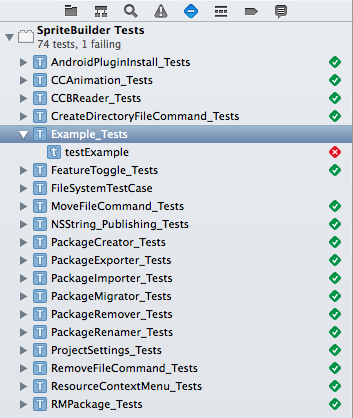
That's it, you're good to go. There are a few more helpful note below, especially for AppCode users.
How to write tests is beyond this article but there is hope:
Books:
- Test-driven Development: By Example
- Clean Code: A Handbook of Agile Software Craftsmanship - Chapter 9
- Working Effectively with Legacy Code
Web:
- Unit Testing Tutorial for iOS: Xcode 4 Quick Start Guide - raywenderlich.com
- Unit Tests - MartinFowler.com
- Suggestions please
In the folder TestHelpers you can find some useful stuff.
-
SBAsserts.hhostsSBAssertStringsEqualto easily compare strings and prints some info on the console -
ObserverTestHelperis meant to reduce boilerplate code for testing notification with OCMock -
FileSystemTestCaseextends XCTestCase to provide an environment for writing tests that involves the file system
More advanced tests can benefit from pre-generated files, e.g. a sound file. To make use of those files you can add them to the Resources group, make sure those are in the copy bundle resources phase of the SpriteBuilder Test target. The test can then take a hold on those files with Apple's NSBundle class.
For the mockists among us we added the OCMock framework.
If you got code that should not be tested within a class, like an alert being shown, exclude the code by wrapping it in a
#ifndef TESTING
// Some code not to be compiled for test target
#endif
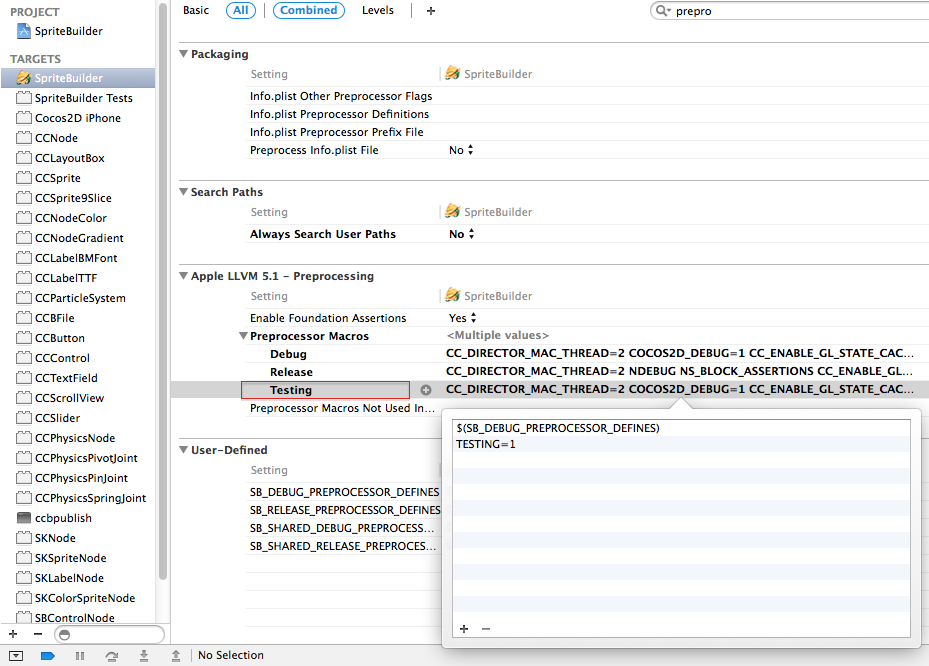
If there is need for more preprocessor macros defined at a target level, add those to the SpriteBuilder target, not the SpriteBuilder Tests target. There is a special Build Configuration Testing for this purpose.
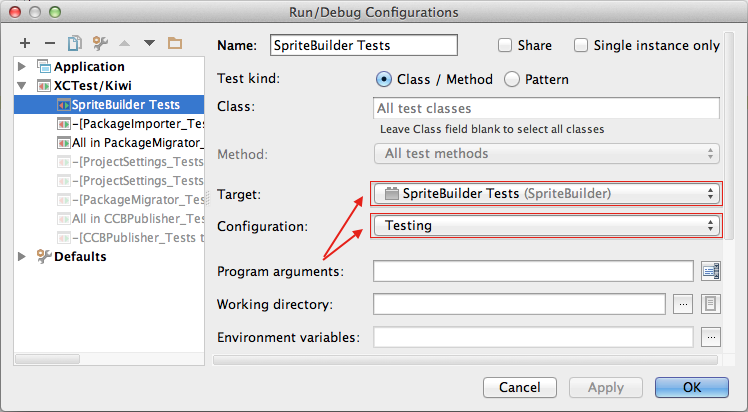
AppCode users need to add a Run Configuration to run tests. Main Menu -> Run -> Edit Configurations. Hit the + button and select XCTest/Kiwi, give it a name. Select Target and Configuration like in the screenshot. Unlike XCode (⌘U) you have to select a configuration first to run tests.