

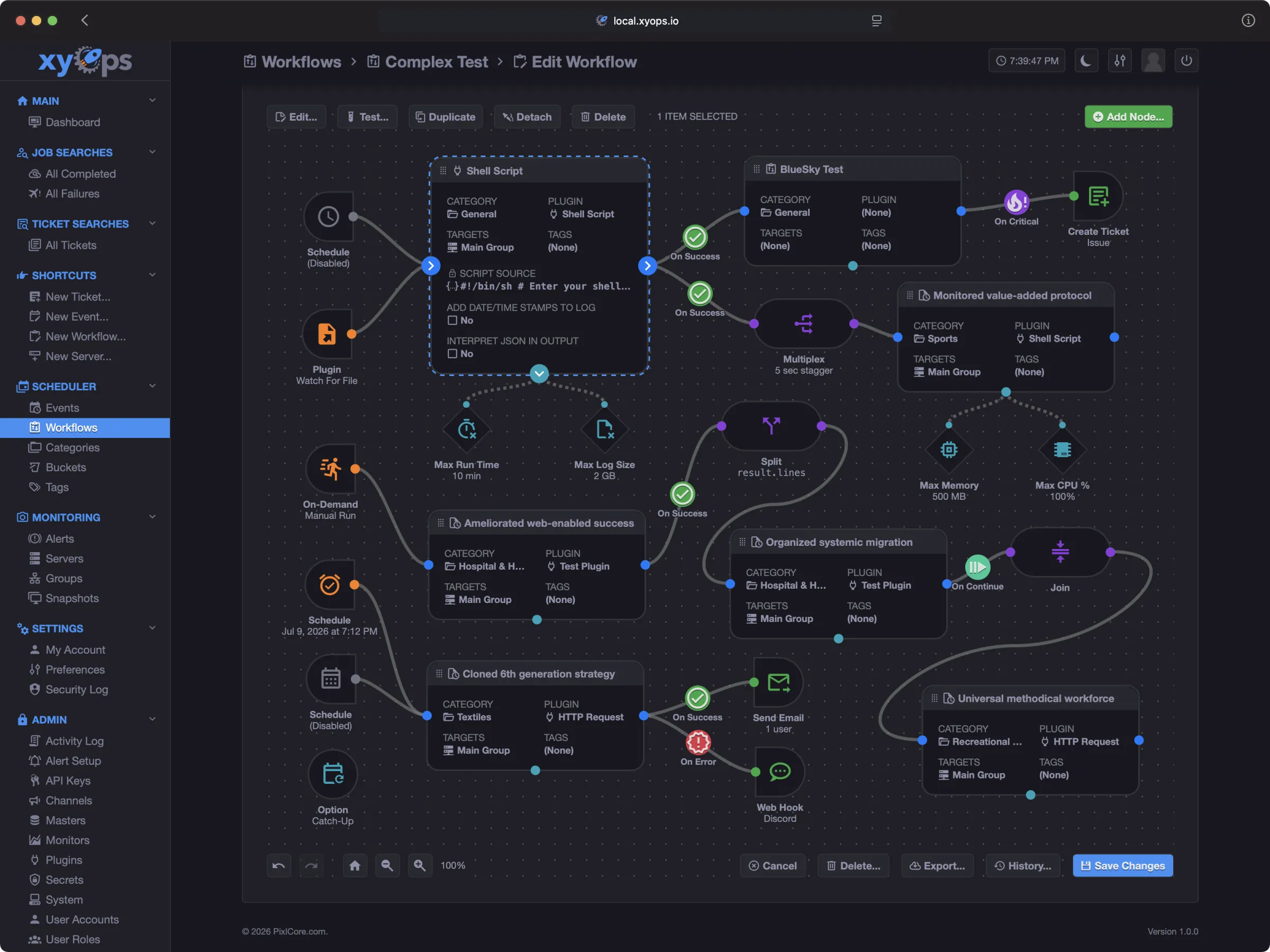
Meet xyOps, the next generation of Cronicle, built by the same creator. It carries Cronicle's scheduling and plugin philosophy forward into a complete, self-hosted platform for job scheduling, visual workflows, server monitoring, alerting, and incident response.
Explore xyOps | Migration Guide | Install | GitHub
Fully open source. Self-hosted. No telemetry. No feature gates. Every xyOps application feature is free, including SSO. Paid plans provide optional human support and hands-on assistance.
Keep the scheduling concepts you know, and give your automation room to grow:
- Build visual workflows: Connect jobs with branching, parallel execution, human approval, and reusable sub-workflows.
- Watch jobs and servers together: See live metrics, processes, network connections, and historical performance in one place.
- Investigate failures with context: Capture server snapshots when alerts fire, open tickets, and launch automated remediation.
- Simplify your workers: Run jobs through lightweight xySat agents without installing Node.js on every worker server.
- Bring your existing automation: Import Cronicle schedules and configuration, keep compatible plugins, and automatically convert multiplexed events into workflows.
You don't have to rebuild your schedule from scratch. xyOps includes a Cronicle data importer and a plugin compatibility mode to help you get started:
- Set up xyOps using the Self-Hosting Guide, then add your worker servers before importing so event targets can be matched correctly.
- Export your Cronicle data using the built-in export command. This includes events, categories, plugins, users, API keys, and server groups. Job history and logs are not included.
- Import through the xyOps interface: Sign in as an administrator, open System, click Import Data..., and select Cronicle Data Format to upload your export.
- Review and test your setup: Check the import report, event settings, and user privileges. Enable Cronicle plugin compatibility mode for existing plugins that need it. When you're ready to switch, pause Cronicle's scheduler before enabling scheduling in xyOps to avoid duplicate runs.
Start with a fresh xyOps installation for your migration trial. Importing replaces conflicting data in xyOps, aborts its running jobs, clears its queues, and pauses its scheduler. xyOps is a separate application, so plan to test your imported jobs before switching production over.
Prefer a familiar look? You can even restore the Cronicle name and logo in the xyOps interface.
Read the full Cronicle migration guide for compatibility details and step-by-step instructions, or try xyOps in one Docker command to explore it first.
Cronicle will continue to receive maintenance, primarily bug fixes and security patches. xyOps is the path forward for new features and capabilities. The Cronicle documentation and project details continue below.
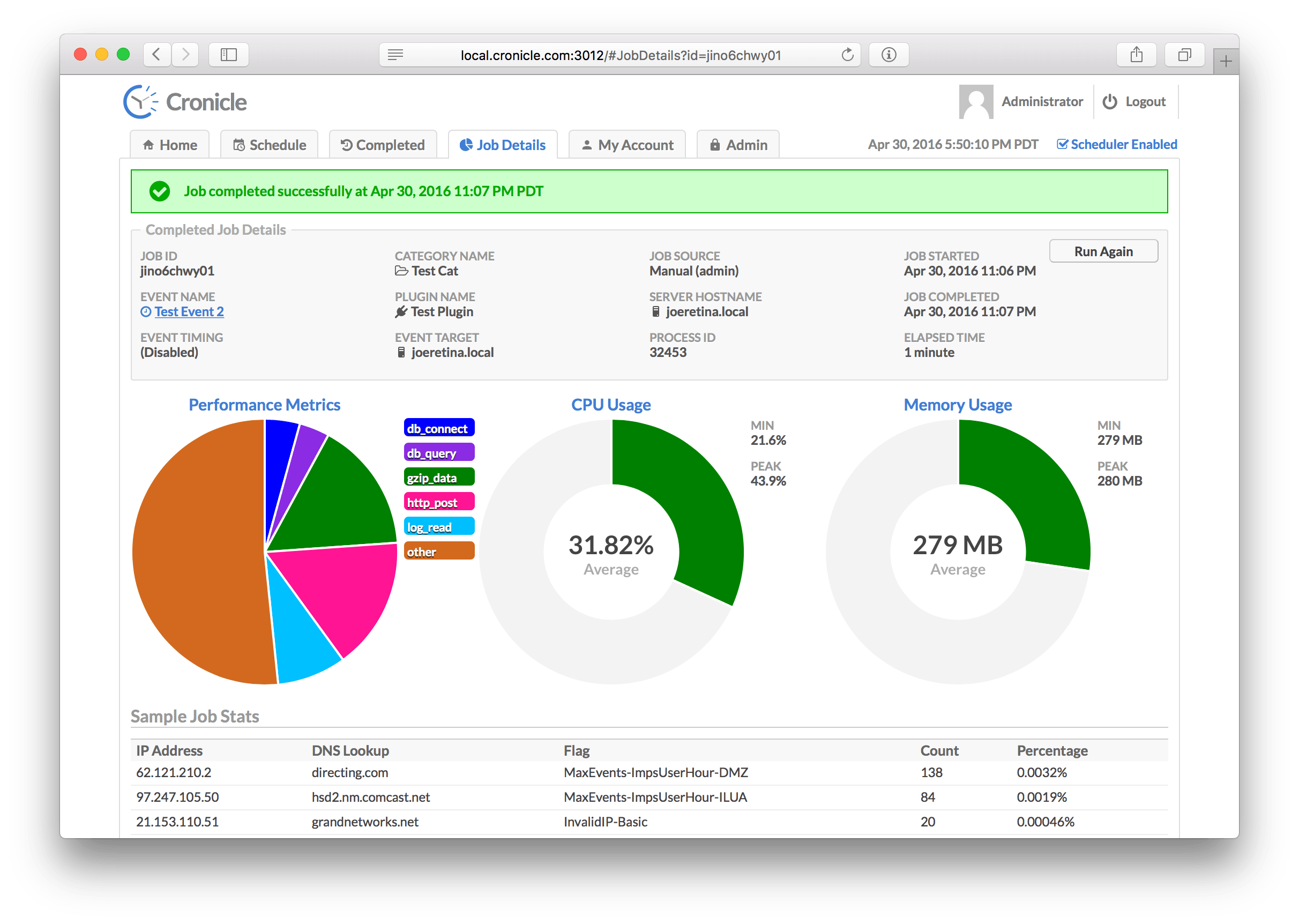
Cronicle is a multi-server task scheduler and runner, with a web based front-end UI. It handles both scheduled, repeating and on-demand jobs, targeting any number of worker servers, with real-time stats and live log viewer. It's basically a fancy Cron replacement written in Node.js. You can give it simple shell commands, or write Plugins in virtually any language.
- Single or multi-server setup.
- Automated failover to backup servers.
- Auto-discovery of nearby servers.
- Real-time job status with live log viewer.
- Plugins can be written in any language.
- Schedule events in multiple timezones.
- Optionally queue up long-running events.
- Track CPU and memory usage for each job.
- Historical stats with performance graphs.
- Simple JSON messaging system for Plugins.
- Web hooks for external notification systems.
- Simple REST API for scheduling and running events.
- API Keys for authenticating remote apps.
The Cronicle documentation is split up across these files:
- → Installation & Setup
- → Configuration
- → Web UI
- → Plugins
- → Command Line
- → Inner Workings
- → API Reference
- → Development
A quick introduction to some common terms used in Cronicle:
| Term | Description |
|---|---|
| Primary Server | The primary server which keeps time and runs the scheduler, assigning jobs to other servers, and/or itself. |
| Backup Server | A worker server which will automatically become primary and take over duties if the current primary dies. |
| Worker Server | A server which sits idle until it is assigned jobs by the primary server. |
| Server Group | A named group of servers which can be targeted by events, and tagged as "primary eligible", or "worker only". |
| API Key | A special key that can be used by external apps to send API requests into Cronicle. Remotely trigger jobs, etc. |
| User | A human user account, which has a username and a password. Passwords are salted and hashed with bcrypt. |
| Plugin | Any executable script in any language, which runs a job and reads/writes JSON to communicate with Cronicle. |
| Schedule | The list of events, which are scheduled to run at particular times, on particular servers. |
| Category | Events can be assigned to categories which define defaults and optionally a color highlight in the UI. |
| Event | An entry in the schedule, which may run once or many times at any interval. Each event points to a Plugin, and a server or group to run it. |
| Job | A running instance of an event. If an event is set to run hourly, then a new job will be created every hour. |
We stand on the shoulders of giants. Cronicle was built using these awesome Node modules:
Cronicle is known to be in use by the following companies:
The MIT License (MIT)
Copyright (c) 2015 - 2025 Joseph Huckaby
Permission is hereby granted, free of charge, to any person obtaining a copy of this software and associated documentation files (the "Software"), to deal in the Software without restriction, including without limitation the rights to use, copy, modify, merge, publish, distribute, sublicense, and/or sell copies of the Software, and to permit persons to whom the Software is furnished to do so, subject to the following conditions:
The above copyright notice and this permission notice shall be included in all copies or substantial portions of the Software.
THE SOFTWARE IS PROVIDED "AS IS", WITHOUT WARRANTY OF ANY KIND, EXPRESS OR IMPLIED, INCLUDING BUT NOT LIMITED TO THE WARRANTIES OF MERCHANTABILITY, FITNESS FOR A PARTICULAR PURPOSE AND NONINFRINGEMENT. IN NO EVENT SHALL THE AUTHORS OR COPYRIGHT HOLDERS BE LIABLE FOR ANY CLAIM, DAMAGES OR OTHER LIABILITY, WHETHER IN AN ACTION OF CONTRACT, TORT OR OTHERWISE, ARISING FROM, OUT OF OR IN CONNECTION WITH THE SOFTWARE OR THE USE OR OTHER DEALINGS IN THE SOFTWARE.