

HTTP is the protocol (the language) that is used by web servers and browsers to communicate and exchange data. When the browser needs information, it will create HTTP requests and send them to a web server. When the web server receives a request, it will create a HTTP response and send it back to the browser.
Consider a computer system like Gmail. When you check your email, you log into the website and read your emails. You might choose to sort them in different folders, archive them or delete them. Gmail provides a friendly user interface for all human users to manage your emails with your eyes (or a screen reader in case of visually impaired users). We consume data from Gmail and use its functionalities by our human intuition and reasoning.
What if the end-users are not humans but other computer applications? How do applications consume data and functionalities of other applications. They use APIs.
APIs (Application Programming Interface) provide another way to access features or data of a computer system, mainly designed for software applications to interact with the others. APIs allows an application to get/modify/delete data of another application.
For example, an e-commerce system provides an API that allows the functionality to check the retail price of an item in their stock. You are developing a price comparison website. Your website could use that API to get the price of that item.
APIs can be public or private. Whereas you don’t need a username and password to use public APIs, you have to be authenticated to consume private APIs.
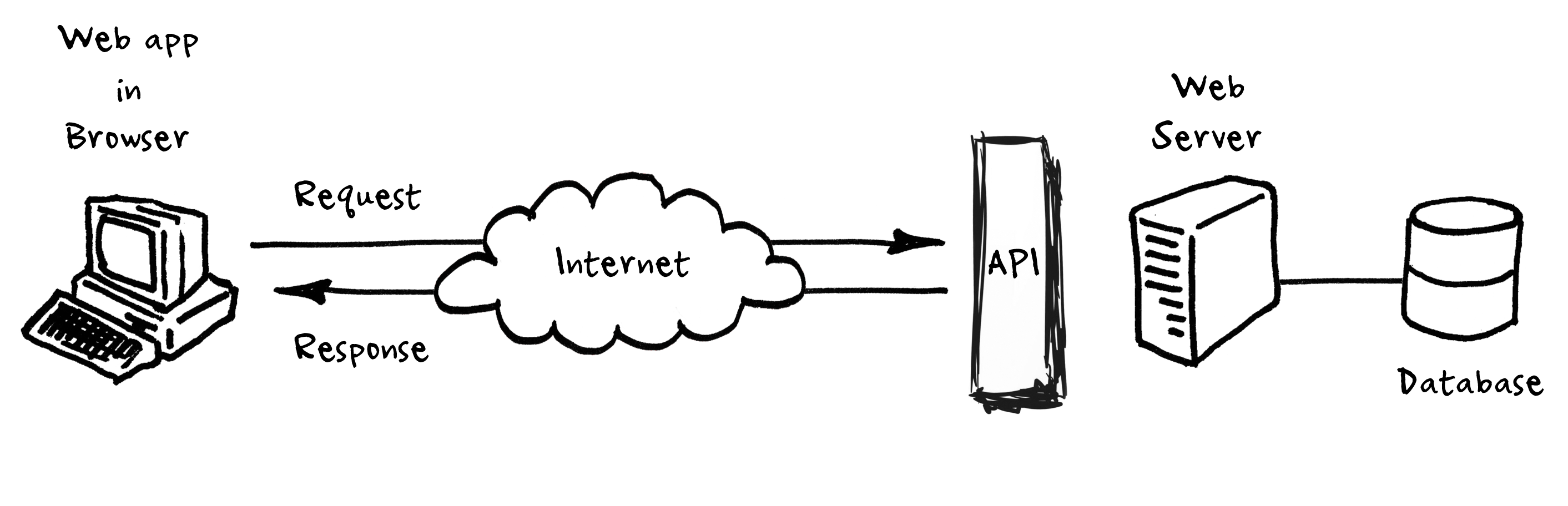
REST is an architectural style, or design pattern, for APIs. Think of it as a guideline to architect your APIs
JSON Schema is a vocabulary that allows you to annotate and validate JSON documents.
"TripActivity": {
  "type": "array",
  "items": {
    "type": "object",
    "additionalProperties": false,
    "required": [
      "TripActivityNumber"
    ],
    "properties": {
      "TripActivityNumber": {
        "type": "string",
        "minLength": 1
      },
      "Regulator": {
        "type": "array",
        "items": {
          "type": "object",
          "properties": {
            "RegulatorStartDateTime": {
              "type": "string",
              "minLength": 1
            },
            "RegulatorEndDateTime": {
              "type": "string",
              "minLength": 1
            },
            "RegulatorId": {
              "type": "string",
              "minLength": 1
            }
          },
          "required": [
            "RegulatorStartDateTime",
            "RegulatorEndDateTime",
            "RegulatorTripId"
          ]
        }
      }
    }
  }
}
Write a script to validate a given JSON object against the above schema