


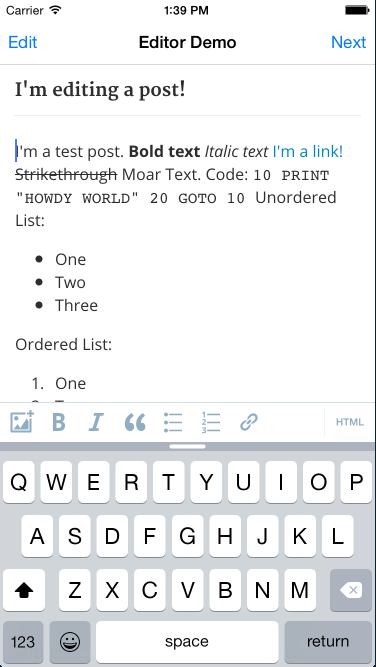
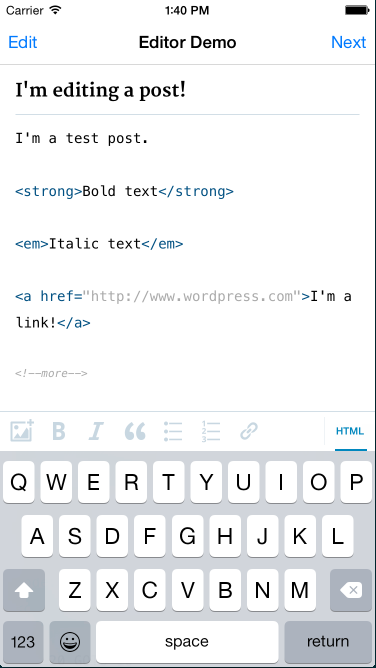
The WordPress-Editor-iOS is the text editor used in the WordPress iOS app to create and edit pages & posts. In short it's a simple, straightforward way to visually edit HTML.
You can install the editor in your app via CocoaPods:
platform :ios, '7.0'
pod 'WordPress-iOS-Editor'
Or, you can just try out the demo by using the Cocoapods try command:
pod try WordPress-iOS-EditorWordPress-iOS-Editor requires iOS 7.0 or higher and ARC. It depends on the following Apple frameworks:
- Foundation.framework
- UIKit.framework
- CoreGraphics.framework
- CoreText.framework
and the following Cocoapods:
See the podspec for more details.
There are three things that you need to do in order to use the WordPress-iOS-Editor in your app.
-
Create a ViewController that extends
WPEditorViewController#import <UIKit/UIKit.h> #import <WordPress-iOS-Editor/WPEditorViewController.h> @interface WPViewController : WPEditorViewController <WPEditorViewControllerDelegate> @end -
Implement any of the optional
WPEditorViewControllerDelegatemethods in your view controller. -
The
titleTextandbodyTextproperties can be used to set and get the title and body of the text document.
For more details, you can review the EditorDemo project included in this repo.
Blog: http://make.wordpress.org/mobile
Handbook: http://make.wordpress.org/mobile/handbook
https://github.com/wordpress-mobile/WordPress-iOS/wiki/WordPress-for-iOS-Style-Guide
https://github.com/wordpress-mobile/WordPress-iOS-Editor/issues
GitHub: https://github.com/wordpress-mobile/WordPress-iOS-Editor
http://make.wordpress.org/mobile/handbook/pathways/ios/how-to-contribute
The following projects were used in the WordPress-iOS-Editor codebase:
WordPress-iOS-Editor is available under the GPL license. See the LICENSE file for more info.