



DocForge-ai is a powerful, self-contained AI-powered documentation generator that transforms simple project ideas into comprehensive, professional software documentation. Built with CrewAI and OpenAI, it generates enterprise-grade documents including project charters, requirements specifications, architecture documents, and more.
Install from PyPI:
# Using pip
pip install docforge-ai

# Using uv (faster)
uv pip install docforge-ai
Get started in seconds:
docforge-ai init
docforge-ai generate "AI-powered chatbot for customer service"
📦 Available on PyPI: Install with
pip install docforge-aioruv pip install docforge-ai
- PRD-First Workflow: Start with a Product Requirements Document including user stories, validate, then expand
- AI-Powered Generation: Uses advanced AI agents to create professional documentation
- Multiple Document Types: Generate 10+ different types of technical documents
- Self-Contained: No external database dependencies - uses local file storage
- Easy Setup: Simple installation and configuration with
.envfile - Professional Quality: Enterprise-grade document templates and formatting
- Document Revision: Revise PRDs with additional specifications using AI
- Contextual Generation: Generate additional documents based on validated PRD content
- Flexible Output: Generate specific document types or complete document sets
- Neat Organization: Documents are stored in organized project directories
- Interactive Setup: Guided initialization with document type selection
- Project Charter - Executive-level project overview with business objectives, scope, and timeline
- Software Requirements Specification (SRS) - Detailed functional and non-functional requirements with user stories
- System Architecture - High-level system design with components, security, and scalability
- Low-Level Design - Detailed technical design with API specifications and database schema
- Test Specification - Comprehensive testing strategy with test cases and acceptance criteria
- Deployment Guide - Step-by-step deployment and release procedures
- Operations Manual - System operations, monitoring, and maintenance procedures
- Business Case - ROI analysis and business justification for the project
- Market Requirements - Market analysis and user requirements documentation
- Vision Brief - Strategic vision and opportunity brief for stakeholders
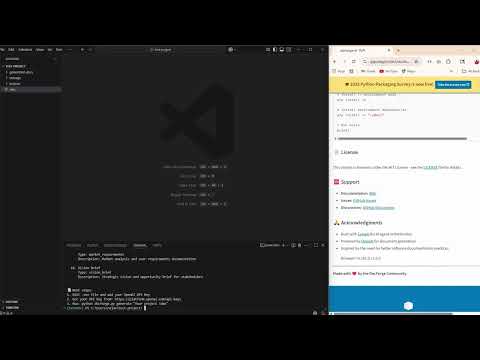
Check out the quick demo of DocForge-AI in action:
- Python 3.10 or higher
- OpenAI API key (Get one here)
Using pip:
pip install docforge-aiUsing uv (faster and more reliable):
# Install uv if you don't have it
pip install uv

# Install docforge-ai
uv pip install docforge-ai
Using conda:
conda install -c conda-forge pip
pip install docforge-ai# Clone the repository
git clone https://github.com/Venkatesh188/docforge-ai.git
cd docforge-ai
# Install dependencies
pip install -r requirements.txt
# Initialize DocForge-ai (creates .env file and shows available document types)
docforge-ai initAfter installation, follow these steps:
-
Initialize DocForge-ai:
docforge-ai init
This creates a
.envfile where you'll add your OpenAI API key. -
Add your OpenAI API key:
# Edit the .env file OPENAI_API_KEY=your_actual_openai_api_key_here -
Generate your first document:
docforge-ai generate "AI-powered chatbot for customer service" -
Explore available commands:
docforge-ai --help
docforge-ai list-docs
# Install from source
pip install .

# Or install in development mode
pip install -e .- Run initialization to create the
.envfile:
docforge-ai init- Edit the
.envfile with your OpenAI API key:
# Required
OPENAI_API_KEY=your_actual_openai_api_key_here

# Optional (defaults shown)
OPENAI_MODEL=gpt-4o-mini
DOCFORGE_GENERATED_DOCS_PATH=generated-docs- Get your OpenAI API key from OpenAI Platform
python start_docforge-ai.pyThe recommended approach is to start with a Product Requirements Document (PRD) that includes user stories, validate it, and then generate additional documents based on the validated PRD.
Step 1: Generate a PRD
# Generate a PRD with user stories
docforge-ai generate "AI-powered chatbot for customer service" --docs srs
Step 2: Review and Optionally Revise the PRD
# Review the generated PRD file, then optionally add more specifications
docforge-ai revise ai-powered-chatbot-for-customer-service -s "Add multi-language support and integration with Slack and Microsoft Teams"
Step 3: Generate Additional Documents Based on Validated PRD
# Generate architecture, testing, and deployment documents based on the PRD
docforge-ai continue ai-powered-chatbot-for-customer-service ARCH TEST DEPLOY

# Or generate specific documents
docforge-ai continue ai-powered-chatbot-for-customer-service ARCHITECTURE
docforge-ai continue ai-powered-chatbot-for-customer-service BUSINESS MARKET# Generate individual documents (without PRD workflow)
docforge-ai generate "E-commerce platform for handmade crafts" --docs srs
docforge-ai generate "Mobile banking application" --docs architecture# Generate all default documents at once
docforge-ai generate "E-commerce platform for handmade crafts"
docforge-ai generate "Mobile task management app" --docs project_charter,srs,architecturedocforge-ai list-docsThis command shows all available document types and their quick aliases for single document generation.
The PRD-first workflow offers several advantages:
- Validation Before Expansion: Review and validate the core requirements and user stories before generating additional documents
- Consistency: All subsequent documents are generated based on the same validated PRD, ensuring consistency across the documentation set
- Iterative Improvement: Easily revise the PRD with additional specifications without regenerating all documents
- Cost Effective: Generate only what you need - start with PRD, validate, then expand
- Better Quality: Documents generated from a validated PRD tend to be more accurate and detailed
- User Story Foundation: PRDs include comprehensive user stories that inform all other documents
Document Type Aliases (use with --docs flag):
srsorprd→ Software Requirements Specificationarchitectureorarchorhld→ System Architecturelow_level_designorlldordesign→ Low-Level Designtest_specificationortestortesting→ Test Specificationdeployment_guideordeployordeployment→ Deployment Guideoperations_manualoropsoroperations→ Operations Manualbusiness_caseorbusiness→ Business Casemarket_requirementsormarket→ Market Requirementsvision_brieforvision→ Vision Briefproject_charterorcharterorproject→ Project Charter
docforge-ai status my-ecommerce-platformdocforge-ai list-projectsdocforge-ai/
├── docforge-ai.py # Main CLI interface
├── start_docforge-ai.py # Interactive startup script
├── docforge-ai/ # Package directory
│ ├── __init__.py
│ └── docforge-ai.py # Package main module
├── backend/ # Core application logic
│ └── app/
│ ├── core/ # Configuration and settings
│ │ └── simple_config.py
│ ├── models.py # Data models
│ └── services/ # Business logic services
│ ├── document_agents.py
│ ├── local_storage_service.py
│ └── openai_service.py
├── prompts/ # AI prompt templates
│ ├── charter.md
│ ├── requirements.md
│ ├── architecture.md
│ ├── design.md
│ ├── testing.md
│ ├── deployment.md
│ ├── operations.md
│ ├── business_case.md
│ ├── market_requirements.md
│ └── vision_brief.md
├── storage/ # Local data storage
│ ├── projects/ # Project metadata
│ ├── documents/ # Document metadata
│ └── generated-docs/ # Generated documentation
├── generated-docs/ # User-generated documentation
├── requirements.txt # Python dependencies
└── .env # Configuration file (created by init)
docforge-ai generate "AI-powered customer service chatbot" --context "React frontend, Node.js backend, PostgreSQL database"docforge-ai generate "Microservices e-commerce platform" --docs architecture,deployment_guide,operations_manualdocforge-ai generate "SaaS project management tool" --docs business_case,market_requirements,vision_briefdocforge-ai generate "Build a mobile app" --name "MyAwesomeApp" --docs srs,architectureDocForge-ai organizes your generated documents neatly:
generated-docs/
└── your-project-name/
    ├── README.md                    # Project overview and index
    ├── 01_project_charter.md        # Project charter
    ├── 02_srs.md                    # Software requirements
    ├── 03_architecture.md           # System architecture
    ├── 04_test_specification.md     # Test specification
    └── ...                          # Additional documents
Each project gets its own directory with:
- Sequential numbering for easy navigation
- README.md with project overview and document index
- Clean markdown files ready for use
- Metadata tracking in the storage system
When you run docforge-ai init, DocForge-ai will show you all available document types:
📋 Available Document Types (10):
 1. Project Charter
     Type: project_charter
     Description: Executive-level project overview with business objectives, scope, and timeline

 2. Software Requirements Specification
     Type: srs
     Description: Detailed functional and non-functional requirements with user stories

 3. System Architecture
     Type: architecture
     Description: High-level system design with components, security, and scalability
...
You can then generate specific documents using the type names:
docforge-ai generate "My project" --docs project_charter,srs,architectureYou can customize the document generation by modifying the prompt templates in the prompts/ directory.
DocForge-ai uses local file storage by default. All data is stored in:
storage/projects/- Project metadata (JSON files) - Created automatically when first generating documentsstorage/documents/- Document metadata (JSON files) - Created automatically when first generating documentsgenerated-docs/- Generated markdown files organized by project - Created during initialization
We welcome contributions! Please see our Contributing Guide for details.
# Clone and setup development environment
git clone https://github.com/Venkatesh188/docforge-ai.git
cd docforge-ai

# Install in development mode
pip install -e .

# Install development dependencies
pip install -e ".[dev]"

# Run tests
pytestThis project is licensed under the MIT License - see the LICENSE file for details.
- Documentation: Wiki
- Issues: GitHub Issues
- Discussions: GitHub Discussions
-
Built with CrewAI for AI agent orchestration
-
Powered by OpenAI for document generation
-
Inspired by the need for better software documentation practices
#crewai>=0.141.0,<1.0.0
Made with ❤️ by the DocForge Community