

Launch a Blog, Changelog, and Help Center in 60 seconds - No code, no headaches. Plug-and-play blogging platform. Built-in notion editor. SEO optimized templates.

BlogBowl is an open-source, self-hosted blogging platform designed for blogs, product changelogs, and help documentation.
- 🕐 Launch a full-featured blog or help center in minutes
- ⚡ Prebuilt templates that are SEO-optimized and lightning fast
- ✍️ Write with a clean, Notion-like editor
- 💌 Built-in newsletter support with Postmark integration
- 🌍 Bring your own custom domain or use reverse proxy for subfolder setup
- 👥 Collect subscribers
- 📩 Manage and send newsletters
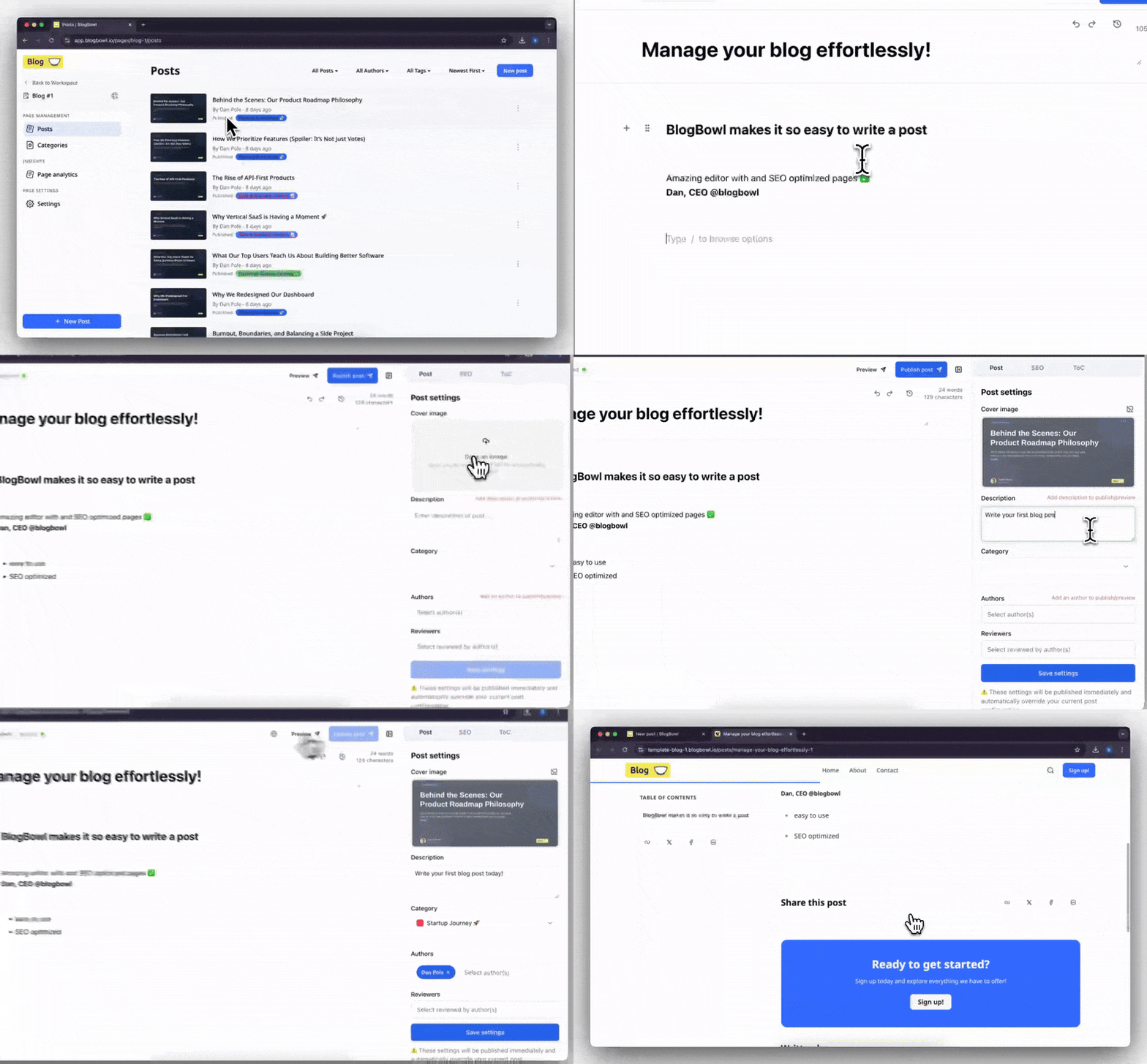
- Create .env file and paste content from
.env.example. - Adjust the values in
.envto your setup. - To start BlogBowl with postgres and redis run:
docker compose up -d
- Open your browser and visit:
http://localhost:3000
Prerequisites: Ruby 3.2.2, Bun, Docker
-
Clone with submodules:
git clone --recurse-submodules https://github.com/BlogBowl/BlogBowl.git cd BlogBowl -
Create
.envfile from example and set the database URL:cp .env.example .env
Update
DATABASE_URLin.env:DATABASE_URL=postgresql://development:development@localhost:5435/blogbowl -
Add hostname to
/etc/hosts:echo "127.0.0.1 blogbowl.test" | sudo tee -a /etc/hosts
-
Start infrastructure and install dependencies:
docker compose -f docker-compose.dev.yaml up -d
bundle install
bun install
-
Setup database and start the server:
RAILS_ENV=development bin/rails db:migrate db:seed
bin/dev
-
Open your browser and visit:
http://blogbowl.test:3000/sign_in
Docker services not starting
# Check if ports are already in use
lsof -i :5435  # PostgreSQL
lsof -i :6380  # Redis

# Restart Docker services
docker compose -f docker-compose.dev.yaml down
docker compose -f docker-compose.dev.yaml up -d

# Check service health
docker compose -f docker-compose.dev.yaml ps
Database connection errors
# Verify PostgreSQL is running and healthy
docker compose -f docker-compose.dev.yaml ps postgres

# Test connection manually
psql postgresql://development:development@localhost:5435/blogbowl

# Reset database if corrupted (Warning: deletes data)
docker compose -f docker-compose.dev.yaml down -v
docker compose -f docker-compose.dev.yaml up -d
bin/rails db:prepare
Submodule issues
# Initialize submodules after fresh clone
git submodule update --init --recursive

# Update submodules to latest
git submodule update --remote

# Reset submodule to tracked commit
git submodule update --force
Asset compilation errors
# Clear build artifacts and reinstall
rm -rf node_modules app/assets/builds
bun install
bun build
bun build:css
Host not resolving (blogbowl.test)
Ensure /etc/hosts contains:
127.0.0.1 blogbowl.test
Flush DNS cache (macOS):
sudo dscacheutil -flushcache; sudo killall -HUP mDNSResponderRedis connection errors
# Check Redis is running
docker compose -f docker-compose.dev.yaml ps redis

# Test connection
redis-cli -p 6380 ping # Should return PONGWhen the server starts for the first time, the database is automatically seeded with a default admin user.
👉 After your first login, make sure to update the default credentials for security.
Newsletter support is optional - you can enable it if you want to send updates to your readers.
BlogBowl uses Postmark for email delivery. Postmark offers up to 100 free emails per month, perfect for testing.
To enable it:
- Create a free Postmark account.
- Set these environment variables in your .env:
 POSTMARK_ACCOUNT_TOKEN=your-postmark-account-token
 POSTMARK_X_API_KEY=your-random-webhook-secret
Pro tip: If you want to support BlogBowl, register on PostmarkApp using our referral link.
- Ruby on Rails
- PostgreSQL (database)
- Redis (cache)
- Sidekiq - background jobs
- Postmark (email delivery)
BlogBowl is open-source under the MIT License.
Built with ❤️ by creators, for creators.