

English · 简体中文

Deep Conversations, Automated Insights.
Open-source AI interview platform for voice, chat, and video.
Website · Video Intro · Docs · Deploy




Design an interview in plain language. Share a link. Aural's AI conducts the conversation —
asking questions, probing with follow-ups, and generating detailed analysis when the session ends.
| 🎙 Voice, Chat & Video AI-driven interviews across all channels with real-time adaptation |
🧠 AI Generation Describe goals in plain language — get a complete interview with questions and criteria |
💻 Live Coding Monaco editor and Excalidraw whiteboard for technical assessments |
📊 Auto Reports Per-question scores, highlights, and improvement areas generated by AI |
| 🛡 Anti-Cheating Tab monitoring, paste blocking, multi-screen detection, integrity logs |
👥 Team Management Organizations, projects, and role-based access control |
🌐 Multilingual English and Chinese with pluggable locale system |
🔌 Pluggable LLMs OpenAI, Gemini, Moonshot Kimi, MiniMax — or any OpenAI-compatible API |
| 🚀 Quick Start Templates Pre-built interview templates for technical, behavioral, research, and more |
🗣 Practice Interviews Voice-first rehearsal with context, AI feedback, suggested answers, and score tracking |
🔗 Share & Preview Share interviews with a link and preview as a candidate before going live |
🔑 Developer API Full REST API with OpenAPI spec for programmatic interview management |
| 📈 Activity Tracking Session activity segments and multi-segment audio recordings |
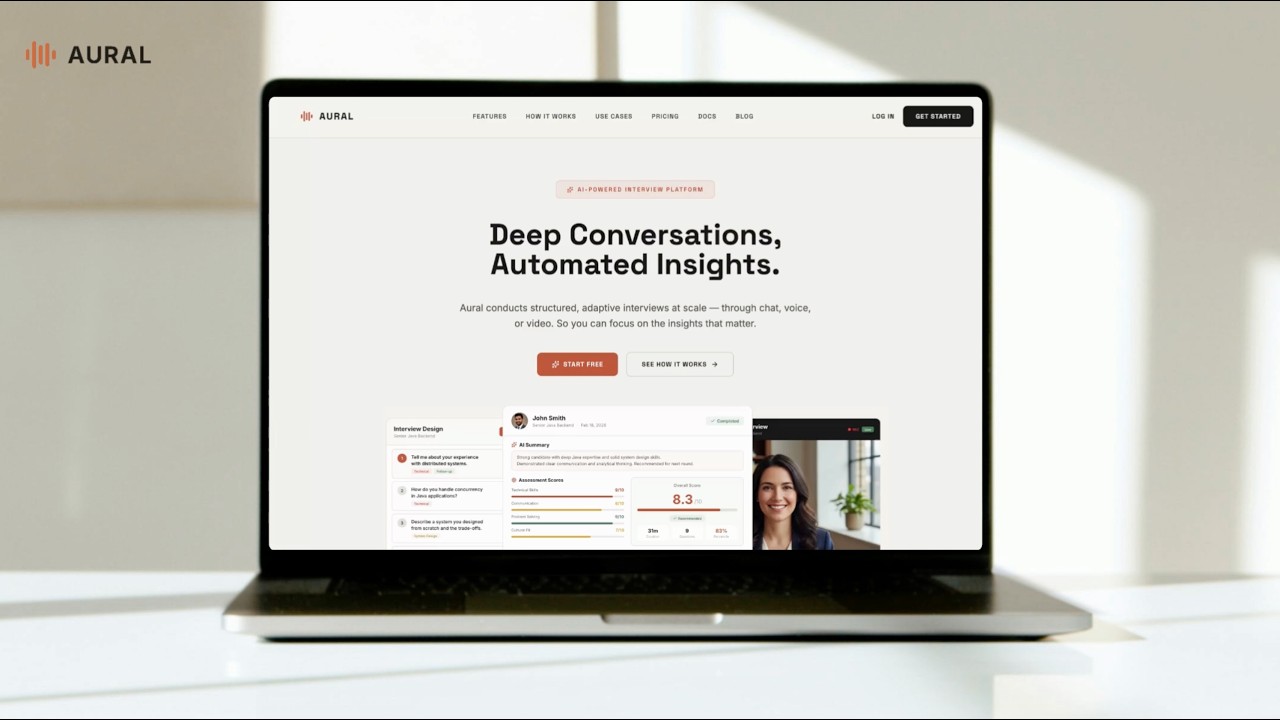
Click to watch the 3-minute product demo on YouTube
Influencer product promotion (Chinese)

Aural is an AI-powered interview platform that conducts structured interviews autonomously. You design an interview, share a link, and Aural's AI handles the conversation — asking questions, probing with follow-ups, and generating detailed analysis when the session is complete.
Describe what you want to learn in plain language. The AI generates a complete interview with questions, assessment criteria, and recommended settings — or build one manually with the flexible editor.

Customize questions by type: open-ended, single/multiple choice, live coding with Monaco editor, or whiteboard drawing with Excalidraw.

Fine-tune interview settings — AI personality, tone, follow-up depth, language, and communication channels (chat, voice, video). Control access with public shareable links or invite-only mode.

Turn any existing interview into a focused practice workspace. Add role context, rehearse by voice, get streamed coaching feedback after every answer, generate suggested answers from the JD/resume context, and track practice runs separately from real candidate sessions.


Add candidates one at a time, bulk-import from an Excel spreadsheet, or upload PDF resumes and let AI extract the details. Each candidate gets a unique invite link.


Add a candidate manually or extract from resume |

Batch-import from PDF resumes |
Candidates complete a pre-interview checklist (photo capture, microphone test, screen sharing) and then enter the live session.


Share a link and candidates join via chat, voice, or video. The AI adapts in real time — adjusting follow-up depth, tone, and direction based on responses.

Built-in coding and whiteboard modes for technical interviews:

Coding questions with Monaco editor |

Whiteboard questions with Excalidraw |
Enable anti-cheating mode to enforce camera, microphone, and screen sharing. The system monitors tab switches, blocks external paste, and detects multi-monitor setups — all logged in a per-session integrity report.


Real-time violation warning |

Per-session integrity log |
Every completed session produces an AI-generated report with per-question scores, key highlights, and areas for improvement.


Per-question evaluation |

Multi-dimensional assessment scores |
Track all your interviews, sessions, and candidates from a unified dashboard. Organize work across organizations and projects with role-based access.

- Technical hiring — coding and system design interviews with built-in editor and whiteboard
- User research — in-depth research interviews with AI follow-ups that surface deeper insights
- Behavioral interviews — voice-based conversations that feel natural and scale to hundreds of candidates
- Interview practice — candidates practice with AI feedback before their real interview
| Layer | Technology |
|---|---|
| Framework | Next.js 16.4 (App Router) |
| Language | TypeScript |
| Database | Supabase (PostgreSQL + Auth + Storage + RLS) |
| API | tRPC |
| AI / LLM | OpenAI, Google Gemini, Moonshot Kimi, MiniMax — pluggable provider system |
| Voice | WebSocket relay servers (Volcengine Doubao, Azure OpenAI Realtime) |
| UI | Tailwind CSS + shadcn/ui + Radix |
| Code Editor | Monaco Editor |
| Whiteboard | Excalidraw |
| Charts | Recharts |
┌──────────────────────────────────────────────────────────────┐
│                        Browser                               │
│  ┌───────────┐  ┌──────────────┐  ┌────────────────────────┐ │
│  │ Dashboard │  │ Interview    │  │ Session UI             │ │
│  │ & Admin   │  │ Builder      │  │ (Chat / Voice / Video) │ │
│  └─────┬─────┘  └──────┬───────┘  └──────────┬─────────────┘ │
│        │               │                     │               │
│        └───────────┬───┘         ┌───────────┘               │
│                    │             │ WebSocket                 │
└────────────────────┼─────────────┼───────────────────────────┘
                     │ tRPC / REST │
                     ▼             ▼
┌────────────────────────┐  ┌──────────────────┐
│   Next.js Server       │  │  Voice Relay     │
│                        │  │  Servers         │
│  ┌──────────────────┐  │  │  ┌────────────┐  │
│  │ tRPC Routers     │  │  │  │ Volcengine │  │
│  │ (typed RPC API)  │  │  │  │ Doubao S2S │  │
│  ├──────────────────┤  │  │  ├────────────┤  │
│  │ REST API Routes  │  │  │  │ Azure OAI  │  │
│  │ /api/ai/*        │  │  │  │ Realtime   │  │
│  │ /api/voice/*     │  │  │  └────────────┘  │
│  │ /api/auth/*      │  │  └──────────────────┘
│  ├──────────────────┤  │
│  │ AI Provider      │  │
│  │ Registry         │  │
│  │ ┌──────────────┐ │  │
│  │ │OAI Gemini    │ │  │
│  │ │Kimi MiniMax  │ │  │
│  │ └──────────────┘ │  │
│  └──────────────────┘  │
└────────────┬───────────┘
             │
             ▼
┌────────────────────────┐
│       Supabase         │
│  ┌──────┐ ┌──────────┐ │
│  │ Auth │ │PostgreSQL│ │
│  ├──────┤ ├──────────┤ │
│  │ RLS  │ │ Storage  │ │
│  └──────┘ └──────────┘ │
└────────────────────────┘
| Module | Location | Responsibility |
|---|---|---|
| App Router | src/app/ |
Pages and layouts organized into route groups: (auth) for login/register, (dashboard) for the main app, (docs) for documentation, i/ for public interview links, and practice/ for practice sessions. |
| tRPC Routers | src/server/routers/ |
Typed API layer handling interviews, sessions, analysis, organizations, projects, candidates, and access control. |
| REST API Routes | src/app/api/ |
Endpoints for AI operations (chat, generate, refine, summarize), practice feedback/hints/follow-ups, voice token/save/TTS, auth, session lifecycle (complete/leave), and file uploads. |
| Developer API (v1) | src/app/api/v1/ |
Full REST API for programmatic interview management — CRUD for interviews, questions, sessions, candidates, publish, and usage. Authenticated via dlv_ API keys with rate limiting. OpenAPI 3.1 spec at /api/v1/openapi.json. |
| AI Provider Registry | src/lib/ai/ |
Pluggable LLM system with a provider registry, per-task model selection, and prompt templates for interviewing, generation, and report summarization. |
| Voice Relay | server/ |
Standalone WebSocket servers that proxy audio between the browser and speech-to-speech APIs (Volcengine Doubao or Azure OpenAI Realtime). |
| Practice / Prep Module | src/app/(dashboard)/practices/, src/app/practice/, src/components/prep/, src/lib/prep/, src/server/routers/prep.ts |
Interview practice workspace with JD/resume context, voice or text answers, streamed feedback, suggested answers, follow-up coaching, practice attempt history, and resumable sessions. |
| Components | src/components/ |
React components split by domain — session/ (chat/voice/video UI, anti-cheating), interview/ (builder, question cards), auth/, layout/, and ui/ (shadcn primitives). |
| Supabase Layer | src/lib/supabase/ |
Client/server/admin helpers for database access, auth, and storage. Row-Level Security enforces data isolation per user and organization. |
You can use Aural as a managed cloud service or self-host the entire platform on your own infrastructure.
The fastest way to get started. No setup required — sign up and start creating interviews immediately.
- Fully managed infrastructure
- Automatic updates and maintenance
- Built-in voice relay servers
- No LLM keys or Supabase setup needed
Run Aural on your own servers for full control over data, configuration, and customization.
- Node.js 20.19+, 22.13+, or 24+ and npm (Node 22 is used in CI)
- Supabase project (cloud or local via
supabase start) - LLM API key — at least one of: OpenAI, Google Gemini, Kimi (Moonshot), or MiniMax
- Voice relay credentials — Volcengine Doubao (primary) or Azure OpenAI (backup), if you want voice interviews or voice practice
git clone https://github.com/1146345502/aural-oss.git
cd aural-oss
npm ciOption A — Supabase Cloud
- Create a project at supabase.com
- Copy your project URL and keys
Option B — Local Supabase
Requires Docker running on your machine.
npx supabase startThis pulls the Supabase Docker images, starts all services, and automatically applies all migrations from supabase/migrations/. When it finishes, it prints connection details including the API keys (look for the Publishable and Secret keys).
- Local Supabase: migrations are applied automatically during
supabase start— skip this step. - Supabase Cloud: push the migrations to your remote project:
npx supabase db pushOr apply migrations manually from supabase/migrations/.
cp .env.example .env.localEdit .env.local with your credentials. At minimum you need:
- Supabase URL and keys
- One LLM provider API key (
OPENAI_API_KEYrecommended for the main app;GEMINI_API_KEYrecommended for relay summarization and fallback generation) - Voice credentials only if you want voice interviews or voice practice (
DOUBAO_*for the recommended relay, orAZURE_OPENAI_*for the backup relay) - Optional
JINA_READER_API_KEYfor higher-rate JD URL imports when a public page blocks direct server-side fetching
Local Supabase key mapping — map the keys from supabase status output to your .env.local:
| Supabase CLI output | .env.local variable |
|---|---|
Project URL (http://127.0.0.1:54321) |
NEXT_PUBLIC_SUPABASE_URL and SUPABASE_URL |
| Publishable key | NEXT_PUBLIC_SUPABASE_ANON_KEY and SUPABASE_ANON_KEY |
| Secret key | SUPABASE_SERVICE_ROLE_KEY |
| Database URL | DATABASE_URL |
# Start the Next.js dev server
npm run dev

# Start the primary voice relay (Seed ASR by default; optional Qwen ASR)
npm run dev:voice

# Or start the backup voice relay (Azure OpenAI Realtime)
npm run dev:openai-voice
Open http://localhost:3000/login to sign in, or http://localhost:3000/register to create a new account.
To start the web app and primary voice relay together against local Supabase, use a separate configuration file:
cp .env.example .env.testing.local
# Fill in the keys from your local Supabase instance and your voice/LLM credentials.
npm run dev:local
Keep SUPABASE_URL, NEXT_PUBLIC_SUPABASE_URL, DATABASE_URL, NEXT_PUBLIC_APP_URL, and both NEXT_PUBLIC_*VOICE_RELAY_URL values on loopback addresses. The defaults in .env.example use app port 3000, primary relay port 8766, and backup relay port 8767. Set the local Supabase keys explicitly; the placeholder keys do not authenticate.
The launcher binds the app and primary relay to 127.0.0.1, rejects non-local backend/app/relay URLs, and masks settings from other env files and inherited provider credentials. Put every provider key needed for this run in .env.testing.local. The file is gitignored, and .env.local is left untouched. Recognition, speech synthesis, and LLM requests still use the providers you configure; only the app, database, and relay endpoints are local.
Only the primary relay starts with this command. Stop the launcher before starting those same services separately. The regular dev, dev:voice, and dev:openai-voice commands continue to use the normal environment. See Voice Relay to opt into Qwen transcription.
aural/
├── src/
│   ├── app/                # Next.js App Router pages and API routes
│   │   ├── (auth)/         # Login, register, password reset
│   │   ├── (dashboard)/    # Dashboard, interviews, practices, projects, settings
│   │   ├── (docs)/         # Documentation pages
│   │   ├── api/            # API routes (AI, auth, prep, voice, session, etc.)
│   │   │   └── v1/         # Developer REST API (interviews, sessions, etc.)
│   │   ├── i/              # Public interview and invite links
│   │   └── practice/       # Public practice preview/session routes
│   ├── components/         # React components
│   │   ├── auth/           # Auth forms
│   │   ├── interview/      # Interview builder, question cards
│   │   ├── prep/           # Practice context, feedback, hints, and voice input
│   │   ├── session/        # Voice/chat interface, anti-cheating
│   │   ├── layout/         # Header, sidebar
│   │   └── ui/             # shadcn/ui primitives
│   ├── hooks/              # Custom React hooks
│   ├── lib/                # Shared utilities
│   │   ├── ai/             # LLM provider registry and implementations
│   │   ├── prep/           # Practice scoring, audio, feedback, and resume state helpers
│   │   ├── supabase/       # Supabase client/server/admin helpers
│   │   ├── voice/          # Voice relay types and utilities
│   │   ├── api-key-auth.ts # Developer API key validation
│   │   ├── api-rate-limit.ts # Per-key rate limiter
│   │   └── interview-templates.ts # Quick start interview templates
│   ├── server/             # tRPC routers
│   └── content/            # Documentation content
├── server/                 # Voice relay WebSocket servers
├── supabase/               # Database migrations and config
├── tests/                  # Unit and functional tests
└── public/                 # Static assets
The practice module lets interview authors and candidates rehearse against an interview without creating real candidate sessions. It is intentionally part of the OSS app and does not depend on private billing or usage-control infrastructure.
| Area | Location | Notes |
|---|---|---|
| Dashboard list | src/app/(dashboard)/practices/ |
Cross-interview practice history and quick access. |
| Interview tab | src/app/(dashboard)/interviews/[id]/edit/prep/ |
Per-interview Practices tab with stats, filters, context, and launch controls. |
| Practice session | src/app/(dashboard)/interviews/[id]/prep/, src/app/practice/[id]/ |
Text or voice rehearsal flow with resumable attempts. |
| UI components | src/components/prep/ |
Context drawer, answer cards, streamed feedback, suggested answers, follow-ups, and voice input. |
| API layer | src/server/routers/prep.ts, src/app/api/prep/ |
tRPC data mutations plus streaming feedback, follow-up, hint, and leave endpoints. |
| Data model | supabase/migrations/004_interview_prep.sql, supabase/migrations/005_account_delete_and_answer_bank.sql |
Adds interview context, practice sessions and attempts, the personal answer bank, and RLS policies. |
Practice feedback uses the same LLM provider chain as interview generation. Voice practice also uses the voice relay and Doubao TTS settings from .env.local; answer audio is stored in the existing private recordings bucket.
If saving a practice attempt fails, the feedback stream reports a save warning instead of confirming an unsaved attempt. Generated feedback can remain visible even when it was not saved to history.
Aural uses a pluggable LLM provider architecture. You need at least one provider configured. The system auto-selects the first available provider in this order: OpenAI > Gemini > Kimi > MiniMax.
| Provider | Env Variable | Default Model | Get API Key |
|---|---|---|---|
| OpenAI (recommended) | OPENAI_API_KEY |
gpt-4o-mini |
platform.openai.com/api-keys |
| Google Gemini | GEMINI_API_KEY |
gemini-3.1-flash-lite |
aistudio.google.com |
| Moonshot Kimi | KIMI_API_KEY |
moonshot-v1-8k |
platform.moonshot.cn |
| MiniMax | MINIMAX_API_KEY |
MiniMax-Text-01 |
platform.minimaxi.com |
You can also use any OpenAI-compatible API (e.g., local models via Ollama or LiteLLM) by setting OPENAI_BASE_URL.
Aural uses LLMs for several distinct tasks, each selecting the best available model:
| Task | What It Does | OpenAI Model | Gemini Model | Kimi Model | MiniMax Model |
|---|---|---|---|---|---|
| Chat interviewing | Powers the AI interviewer during live sessions — asks questions, generates follow-ups, adapts tone | gpt-4o-mini |
gemini-3.1-flash-lite |
moonshot-v1-8k |
MiniMax-Text-01 |
| Interview generation | Generates a complete interview (questions, criteria, settings) from a plain-language description | gpt-4o-mini |
gemini-3.1-flash-lite |
moonshot-v1-8k |
MiniMax-M2.1-lightning |
| Question refinement | Improves or refines existing interview questions based on feedback | gpt-4o-mini |
gemini-3.1-flash-lite |
moonshot-v1-8k |
MiniMax-M2.1-lightning |
| Practice coaching | Scores practice answers, streams feedback, generates follow-up coaching, and suggests improved answers | gpt-4o-mini |
gemini-3.1-flash-lite |
moonshot-v1-8k |
MiniMax-M2.1-lightning |
| Report & analysis | Generates post-interview reports with per-question scores, highlights, and improvement areas | gpt-4o |
gemini-3.1-flash-lite |
kimi-k2.5 |
MiniMax-M2.1-lightning |
Report generation uses a higher-capability model when OpenAI or Kimi is configured because it requires synthesizing an entire conversation into structured analysis. Chat interviewing uses each provider's default model unless overridden per-interview in the settings. Interview generation and practice coaching use a fallback chain, so configuring more than one provider improves resilience.
Aural supports real-time AI voice interviews via WebSocket relay servers. Two relay implementations are provided.
The primary relay separates speech recognition, speech synthesis, and interviewer replies. Seed remains the default recognition provider. You can opt into either Qwen adapter without changing the Doubao TTS service or relay LLM. Azure OpenAI Realtime remains a separate backup relay.
The primary relay provides per-question interview flow, LLM-powered context summarization, English/Chinese recognition, and automatic server-side reconnection. It carries recognized speech across recovery, buffers audio while reconnecting, and accepts transcript corrections without accumulating obsolete drafts. The UI keeps live captions steady and distinguishes transcription, finalization, and reply generation, including reduced-motion feedback.
npm run dev:voice # starts on port 8766Required env vars:
- Seed ASR:
DOUBAO_API_KEY. - Qwen ASR, when selected:
QWEN_ASR_API_KEYfor the configureddashscope.aliyuncs.comendpoint. - Doubao TTS, for all primary-relay ASR providers:
DOUBAO_APP_IDandDOUBAO_ACCESS_TOKEN. - A relay LLM API key, such as
GEMINI_API_KEY.
Recommended supporting env vars:
GEMINI_API_KEYfor the relay LLM default (gemini-3.1-flash-lite)RELAY_LLM_PROVIDER=geminiRELAY_LLM_MODEL=gemini-3.1-flash-liteNEXT_PUBLIC_VOICE_RELAY_PRIMARY=voiceDOUBAO_ASR_RESOURCE_ID=volc.seedasr.sauc.durationDOUBAO_TTS_RESOURCE_ID=seed-tts-2.0DOUBAO_TTS_PCM_SAMPLE_LAYOUT=int16le
Set these variables in .env.local, or in .env.testing.local when using npm run dev:local:
VOICE_ASR_PROVIDER=qwen-audio
QWEN_ASR_API_KEY=your-matching-region-key
QWEN_ASR_NOISE_THRESHOLD=
NEXT_PUBLIC_VOICE_RELAY_PRIMARY=voice
DOUBAO_ASR_END_WINDOW_MS=800
VOICE_ASR_PROVIDER |
Recognition adapter | Default noise threshold |
|---|---|---|
seed (default, including when unset) |
Volcengine Seed / BigModel streaming | Seed settings |
qwen |
qwen3-asr-flash-realtime |
0.3 |
qwen-audio |
qwen-audio-3.0-asr-flash-streaming |
0.1 |
The Qwen adapters use dashscope.aliyuncs.com; obtain credentials for that endpoint's region. Keep QWEN_ASR_API_KEY server-side, without a NEXT_PUBLIC_ prefix. Qwen selection applies to the primary relay's microphone checks, practice dictation, and voice interviews. It does not change the Azure relay's separate VOICE_ASR_PRIMARY setting.
Leave QWEN_ASR_NOISE_THRESHOLD empty to use the selected adapter's default. Overrides must be between -1 and 1; higher values suppress more noise but may miss quiet speech. The shared DOUBAO_ASR_END_WINDOW_MS controls the silence window. Both adapters accept English/Chinese language hints; Qwen Audio also receives bounded interview context. Corrections replace the current draft, including empty retractions, while preserving speech carried over from an earlier connection.
Restart the primary relay after changing ASR settings. To return to Seed, set VOICE_ASR_PROVIDER=seed and supply DOUBAO_API_KEY. Changes to browser-facing NEXT_PUBLIC_* settings require restarting the dev app or rebuilding the production app. Provider performance depends on your microphones, language mix, network, and account region; the offline regression tests do not measure live recognition accuracy or latency.
An alternative relay using Azure OpenAI's Realtime API (gpt-realtime-1.5 by default). It has its own recognition and voice configuration and can be used when primary-relay credentials are unavailable.
npm run dev:openai-voice # starts on port 8767Required env vars: AZURE_OPENAI_ENDPOINT, AZURE_OPENAI_API_KEY, AZURE_OPENAI_DEPLOYMENT
Tip: You can run both relays simultaneously. The frontend uses
NEXT_PUBLIC_VOICE_RELAY_PRIMARYto choose the first relay and automatically falls back to the alternate relay if the primary cannot connect.
Recent additions include candidate profile updates, advanced question settings, session reports with refreshed media URLs, owner-only practice reports, and bulk session completion. See API additions and examples.
Aural includes a full REST API for programmatic access to interviews, questions, sessions, and candidates. Use it to integrate Aural into your existing workflows, automate interview creation, or build custom integrations.
All API requests require a developer API key in the Authorization header:
Authorization: Bearer dlv_your_key_here
Create and manage API keys from Settings > API Keys in the dashboard.
| Method | Path | Description |
|---|---|---|
GET |
/api/v1/interviews |
List interviews (paginated) |
POST |
/api/v1/interviews |
Create interview |
GET |
/api/v1/interviews/{id} |
Get interview with questions |
PATCH |
/api/v1/interviews/{id} |
Update interview |
DELETE |
/api/v1/interviews/{id} |
Archive interview |
POST |
/api/v1/interviews/{id}/publish |
Publish interview (shareable link) |
GET/POST |
/api/v1/interviews/{id}/questions |
List or add questions |
PATCH/DELETE |
/api/v1/questions/{id} |
Update or delete a question |
GET |
/api/v1/interviews/{id}/sessions |
List sessions (paginated) |
GET |
/api/v1/sessions/{id} |
Get session with transcript |
GET/POST |
/api/v1/interviews/{id}/candidates |
List or create candidates |
GET |
/api/v1/usage |
Current usage snapshot |
GET |
/api/v1/openapi.json |
OpenAPI 3.1 specification |
API requests are rate-limited to 60 requests per minute per API key. Exceeded requests receive a 429 response with Retry-After header.
# Create an interview
curl -X POST http://localhost:3000/api/v1/interviews \
  -H "Authorization: Bearer dlv_your_key" \
  -H "Content-Type: application/json" \
  -d '{"title": "Backend Engineer Screen", "voiceEnabled": true}'

# Add questions
curl -X POST http://localhost:3000/api/v1/interviews/{id}/questions \
  -H "Authorization: Bearer dlv_your_key" \
  -H "Content-Type: application/json" \
  -d '[{"text": "Describe your experience with distributed systems"}]'

# Publish and get shareable link
curl -X POST http://localhost:3000/api/v1/interviews/{id}/publish \
-H "Authorization: Bearer dlv_your_key"Contributions are welcome! Please:
- Fork the repository
- Create a feature branch (
git checkout -b feature/amazing-feature) - Commit your changes (
git commit -m 'Add amazing feature') - Push to the branch (
git push origin feature/amazing-feature) - Open a Pull Request
This project is licensed under the MIT License — see the LICENSE file for details.
Built by AuraTerra Nexus — Every voice heard, every insight captured.