
How 3 Java Champions are using GitHub Copilot for increased productivity
Three Java Champions share how they use GitHub Copilot to solve problems, accelerate development, and keep humans responsible for the results.

Explore comprehensive guides about GitHub Copilot, an AI-powered code completion tool, to enhance coding efficiency and accuracy with best practices, tips for maximizing Copilot’s capabilities, and real-world examples. Want more technical information on GitHub Copilot? Head over to our documentation to learn more about using GitHub Copilot in your IDE, on GitHub, and across your workflows.
Three Java Champions share how they use GitHub Copilot to solve problems, accelerate development, and keep humans responsible for the results.

Learn how to move an agent session from the GitHub Copilot app into VS Code without losing the conversation, code changes, or working context.
Learn how to add custom instructions and skills to your repository, use custom agents, and connect MCP servers like Playwright.

Developers aren’t becoming more careless; they’re being outpaced. The tools that let developers create more software should also take on more of the work of protecting it.

We’re launching ReviewBench, a benchmark for code review agents built on representative GitHub pull requests, multi-source ground truth, calibrated evaluation, and production-aligned metrics.
Describe the interface you need in plain English, then let the agent build a live surface you can both use and update—so you spend less time adapting to tools and more time getting work done.

What is a developer to do when they need something more tangible than a chat box? Enter canvases.

How we rebuilt the diff surface in the GitHub Copilot app to open a million-line pull request with hundreds of inline review comments.

A rewrite this size wasn’t affordable before agents. Here’s what porting the Copilot agent runtime to 800,000 lines of production Rust actually took.

If you can write down how you do your work, you can automate it. Here’s what I did to support GitHub’s APAC marketing team.

Checking agent-generated code usually means hopping between tabs. Learn how to view diffs, run terminal commands, and preview web apps side by side in the GitHub Copilot app.
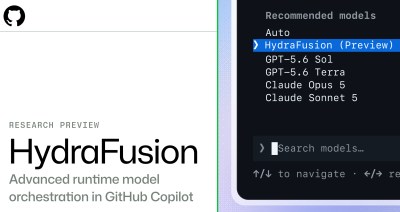
In controlled offline evaluations, HydraFusion’s selective coding workflows matched or exceeded the evaluated Opus 5 baseline while reducing estimated workflow cost. Now available as a research preview in GitHub Copilot.

Learn how to run parallel agents in the GitHub Copilot app, and experience the moment it stops feeling scary and starts feeling powerful.

Why shorter outputs can cost more, and how GitHub Copilot reduces wasted work across the complete coding task.
Managing library updates can be tedious at times. Learn how the GitHub Copilot app can handle this type of repetitive task.
If you’re juggling multiple Copilot sessions, use the My work pane to track what’s in flight, what’s done, and what’s next.
Chat is great for intent, but agent work gets lost in the scroll. Here is how I use canvases with my agentic workflows—and why your workflow also deserves a canvas.

See how four GitHub agent apps can help you scope, secure, roll out, and ship a feature across the SDLC–all without leaving GitHub.
Learn how to write your first prompt in the GitHub Copilot app, choose the right context and model, and start your first task with confidence.

Build what’s next on GitHub, the place for anyone from anywhere to build anything.

Join us October 28-29 in San Francisco or online for GitHub Universe, our flagship developer event uniting people, agents, and the world’s code.

