


JavaScript SDK
Control and configure the Userback widget programmatically — identify users, manage widget visibility, trigger surveys, and capture session data.
Before you startYou'll need your Userback access token. Click the Code icon in the top-right corner of your workspace to find it.
The JavaScript SDK requires the Business plan or higher.
SDK Methods
Identify Users
identify(uid: string, attributes: object)
identify(uid: string, attributes: object)Identifies a logged-in user with unique attributes. Should be used after initializing the widget.
MyApp.on('login', () => {
  Userback.identify('123456', {
    name: 'Jane Doe',
    email: '[email protected]',
    plan: 'Enterprise',
    account_id: '789XYZ'
  });
});
Note:
identify()can be called multiple times, and it overwrites previous data.- Key names should not contain special characters.
- Values must be JSON strings, numbers, or booleans.
user_data: object
user_data: objectUse this when the JavaScript SDK hasn't been initialized. This will identify the user and provide a similar set of attributes.
Userback.user_data = {
  id: '123456',
  info: {
    name: 'Jane Doe',
    email: '[email protected]',
    plan: 'Enterprise',
    account_id: '789XYZ'
  }
};
Widget Button
showLauncher(), hideLauncher()
showLauncher(), hideLauncher()Show or hide the Userback widget button on the screen.
Userback.showLauncher(); // Show the widget
Userback.hideLauncher(); // Hide the widget
Widget Pop-up
openForm(type: string, destination: string)
openForm(type: string, destination: string)Opens the widget for specified feedback type and destination. Tip: Hide the Widget Button with Widget Settings.
Feedback Types:
general,bug, andfeature_requestDestinations:
screenshot,video, andform
Userback.openForm('bug', 'screenshot'); // open the screenshot tool and then direct to the bug formclose()
close()Closes the Userback widget popup.
Userback.close();setTheme()
setTheme()Sets light or dark mode for the widget.
Userback.setTheme('light'); // light, dark, autoWidget Destroy
destroy()
destroy()Removes the Userback widget and SDK from your application.
Userback.destroy();Survey
openSurvey(survey_id: string)
openSurvey(survey_id: string)Opens the specified survey. Tip: Hide the Survey with Survey Settings.
Userback.openSurvey('YOUR_SURVEY_ID'); 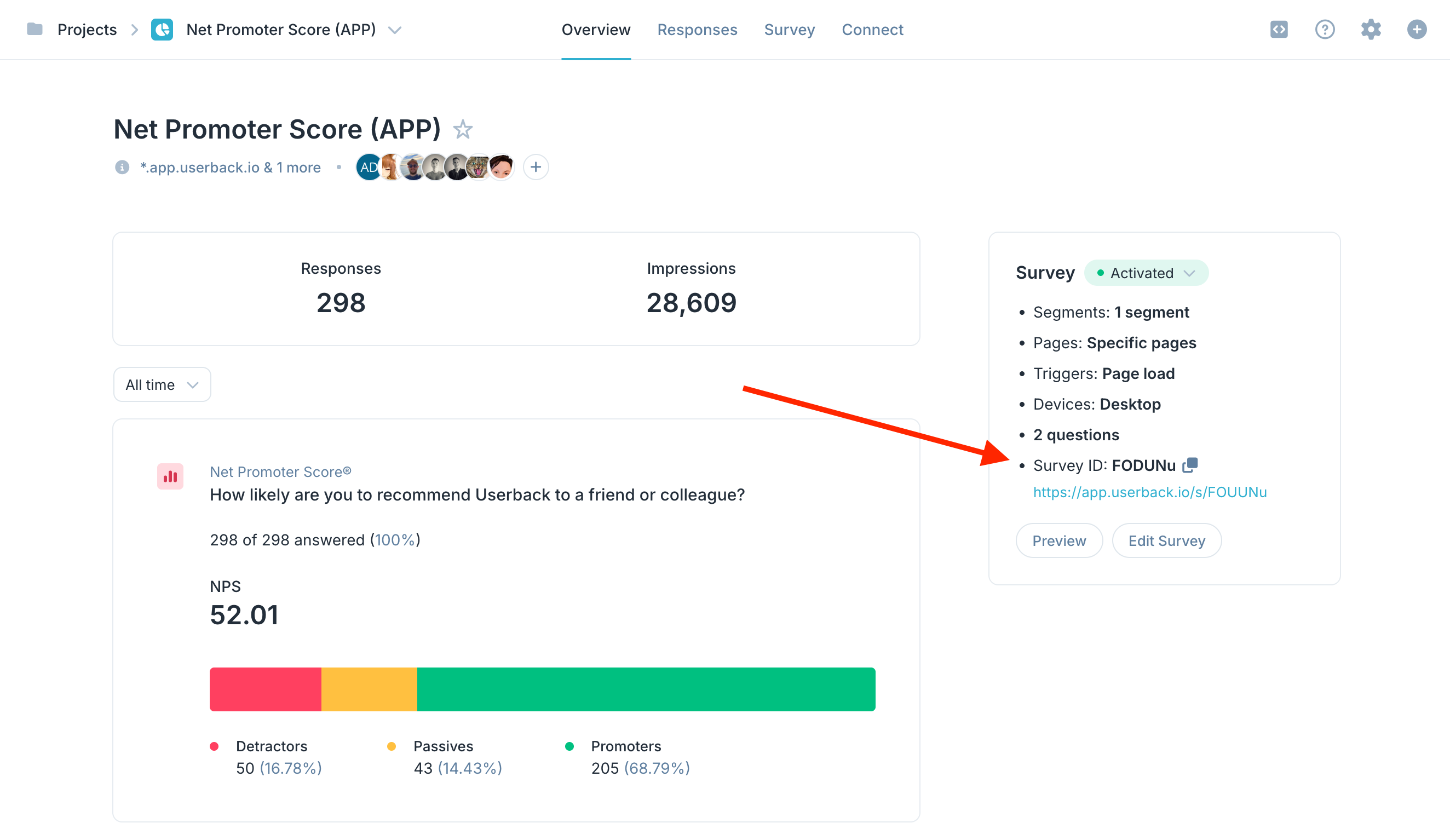
closeSurvey()
closeSurvey()Closes the Userback survey.
Userback.closeSurvey(); Session Replay
startSessionReplay(options: object)
startSessionReplay(options: object)When session replay is turned off for your domain, you can still start it programmatically using startSessionReplay().
Userback.startSessionReplay({
    block_rule: '.userback-block', // optional
    ignore_rule: '.userback-ignore', // optional
    log_level: ['log', 'warn', 'info', 'debug', 'error'], // optional
    tags: ['tag1', 'tag2'] // optional
});
stopSessionReplay()
stopSessionReplay()Stops full session replay.
Userback.stopSessionReplay(); Custom Event
addCustomEvent(event_title, event_details)
addCustomEvent(event_title, event_details)Record a custom event with optional details, useful for session replay or triggering surveys.
Userback.addCustomEvent('account_upgrade', {
    account_id: 123456,
    amount: '99'
});
SDK Options
Name and Email
Automatically populate Feedback name and email fields without relying on User Identification.
email: string
email: stringSet the default email. The email field will be auto-filled in the feedback form.
Userback.email = "[email protected]";name: string
name: stringSet the default name. The name field will be auto-filled in the feedback form.
Userback.name = "Someone";Categories and Priority
categories: string
categories: stringPreselect the category that will be chosen in the feedback form. The value assigned must match one of the existing categories already configured in your Userback settings.
Userback.categories = "Frontend"; // Preselects the 'Frontend' categorypriority: string
priority: stringSet the default priority level for feedback.
Priority Types:
low,neutral,high, andurgent
Userback.priority = "urgent"; // Sets the priority to 'urgent'Custom Data
setData(data: object)
setData(data: object)Capture session-specific or dynamically changing data. Use this method after initializing the widget with init().
Userback.setData({
    AB_test_variant: 'B',
    time_on_page: '2m 15s'
});Note:
setData()can be called multiple times, overwriting previous data.- Key names should not contain special characters.
- Values must be JSON strings, numbers, or booleans.
custom_data: object
custom_data: objectCapture static custom data when the JavaScript SDK hasn't been initialized.
Userback.custom_data = {
    page_name: 'Checkout',
    user_status: 'Active'
};
Event Handling
on_load, on_open, on_close, before_send, after_send, on_survey_submit
on_load, on_open, on_close, before_send, after_send, on_survey_submitCustomize the widget's behavior during specific events.
Userback.on_load = () => {
  console.log("Widget Loaded");
};
Build Environment
is_live: boolean
is_live: booleanConfigure the screenshot engine based on your website's hosting environment.
is_live: true: Use this when your website is locally hosted, but assets like images and scripts are publicly accessible. Enables the live screenshot server for higher-quality captures.is_live: false: Forces the use of the client-side screenshot engine, which may not generate pixel-perfect images. Recommended for restricted or isolated environments. Learn how to whitelist our IPs for improved quality.
Userback.is_live = true;Native Screenshot
native_screenshot: boolean
native_screenshot: booleanForce the browser's built-in Screen Capture API for capturing screenshots.
Userback.native_screenshot = trueNote: Useful when dealing with complex web elements like shadow DOM and iframes. This enables pixel-perfect screenshots that may not be achievable using our default screenshot engine.
Widget Settings
widget_settings: object
widget_settings: objectDynamically configure various aspects of your widget's appearance and functionality.
Global Settings
language (
string): "en", "fr", "zh-CN" Language code optionsui_theme (
string): "light", "dark", "default" style (string): "text", "circle"
position (string): "e", "w", "se", "sw"
trigger_type (string): "page_load", "api", "url_match"
main_button_text (string)
main_button_background_colour (string) "#000FFF"
main_button_text_colour (string) "#000FFF"
device_type (string): "desktop", "tablet", "phone"
help_link (string)
help_title (string)
help_message (string)
logo (string)
Form Settings
rating_type (
string): "star", "emoji", "heart", "thumb", "numbers"
rating_help_message (string)
name_field (boolean)
name_field_mandatory (boolean)
email_field (boolean)
email_field_Mandatory (boolean)
title_field (boolean)
title_field_mandatory (boolean)
comment_field (boolean)
comment_field_mandatory (boolean)
display_category (boolean)
display_feedback (boolean)
display_attachment (boolean)
display_assignee (boolean)
display_priority (boolean)
Userback.widget_settings = {
    language                      : "en",
    ui_theme                      : 'light',
    style                         : "text",
    position                      : "e",
    trigger_type                  : "page_load",
    main_button_text              : "Feedback",
    main_button_background_colour : "#3E3F3A",
    main_button_text_colour       : "#FFFFFF",
    device_type                   : "desktop,tablet,phone",
    help_link                     : "https://www.example.com",
    help_title                    : "Contact Us",
    help_message                  : "Get in touch with us",
    logo                          : '//example.com/logo.jpg',
    form_settings: {
        // General Feedback Form
        general: {
            rating_type             : "star",
            rating_help_message     : "How would you like to rate your experience?",
        },
        // Bug Form
        bug: {...},
        // Feature Request Form
        feature_request: {...}
    }
};
Need help? Visit the Help Center or use the chat bubble on this page to contact our support team.