🐰 New: Triage — a self-updating cross-repository queue that prioritizes pull requests by value and risk, so you always know what to review next. Now in beta! Explore Triage →
CodeRabbit’s Coding Agent turns a user request, a review finding, a coding plan or a failing CI check into a task that CodeRabbit’s agent implements in the cloud, then delivers as a direct commit or a stacked pull request for you to approve.
|
Coding Agent is in beta. Availability of each starting point described here depends on your plan, platform, and organization settings.
Coding Agent is the part of CodeRabbit that writes code. It takes a request — typed by you, or raised by a CodeRabbit review finding, a failing check, a merge conflict, or a security finding — clones the repository into an isolated sandbox, works there, and shows you what it did. The results can be delivered as a direct commit or a stacked PR for a review.Find it in the sidebar under Code, or go directly to app.coderabbit.ai/code.
Start a coding task
Choose a repository, write a request, and review the result before any changes reach your branch.
Every agent run is a coding task: one durable unit of work bound to an organization, a repository, and either a pull request or a branch. A task has its own page, its own address, and its own history, so you can leave it, come back to it, and share it with a teammate.
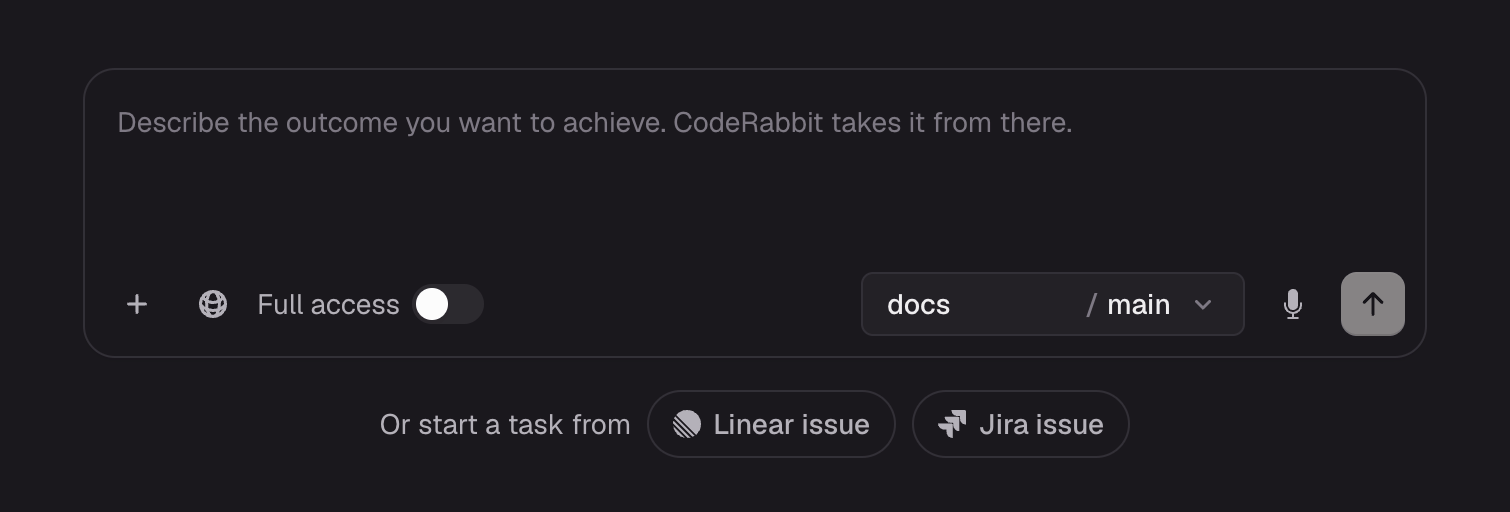
Starting a new coding task by describing the outcome, choosing a repository and branch, or starting from a Linear or Jira issue
A task can be started from different points. A button on a pull request, a request typed in the app, and a security finding’s Fix with AI all create tasks and all land on the app.coderabbit.ai/code page, so whatever started the work, you steer it, read it, and deliver it the same way.Three properties hold for every task:
It works in its own sandbox. The task gets a prepared checkout of your repository. It does not act on your working copy, and it does not touch the remote repository until delivery. What that sandbox contains is configurable — see Coding environments.
It proposes, you decide. By default a finished task produces a proposed patch: a diff you read, comment on, revise, reject, or accept. Delivery is a separate, explicit step.
It pushes with your credentials and signs its own commits. Delivery uses your Git provider authorization, so your branch protections and permissions apply exactly as they would to a push you made yourself. The resulting commit names CodeRabbit as its author, so agent-written code stays visible in git log. See Who pushes, and who wrote it.
Sending the same request twice does not start two tasks. CodeRabbit identifies a request by the organization, the requester, the repository, and the request itself, so a retried or double-clicked request resolves to the task that already exists.
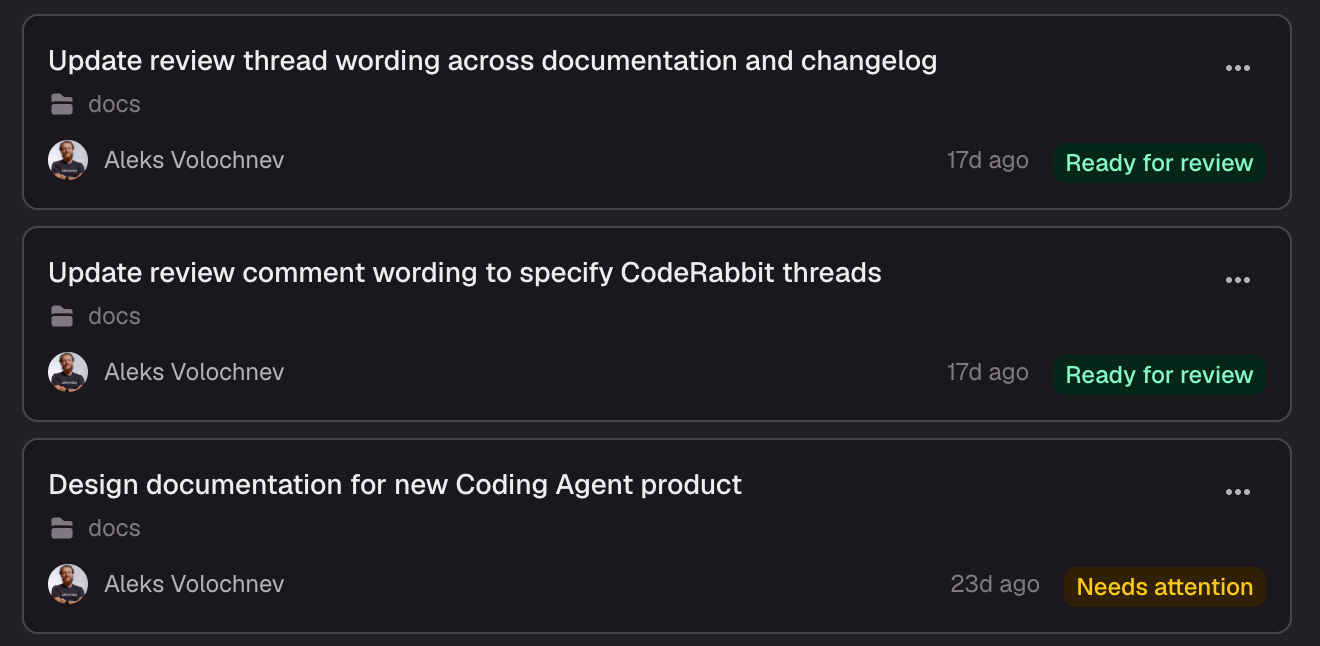
A list of coding tasks, each showing its title, repository, requester, age, and status
A request enters from one of the starting points below. You choose whether the agent should write code directly or produce a reviewable plan first.
2
Work
The task prepares a sandbox and starts working, one turn at a time. A turn is a single run of the agent against one instruction; every message you send afterwards starts another one. You can watch the work, answer its questions, and steer it while it runs.
3
Review
The task produces a plan or a proposed patch. You read it, comment on specific lines, ask for a revision, reject it, or accept it.
4
Deliver
You choose how accepted changes land: as a commit on the pull request branch, or as a new branch and a stacked pull request. Until then, your repository is untouched.
Turns are also the unit of billing: a few first turns are free, and the rest draw on metered agent minutes. See Access and billing.
Every task runs in one of two modes, chosen when you start it.
Mode
What the agent produces
Code
Changes to the repository, delivered as a proposed patch. This is the default.
Plan
A written, versioned implementation plan for a person to approve before any code is written.
Plan mode puts a human approval gate in front of implementation. Once a plan is approved, the agent implements exactly what was approved. See Review a plan.
A task is visible to your team by default, so anyone in your organization can open it, follow its progress, and see its prompts, files, and activity. Mark a task private and only you can see it — including anyone who follows a direct link. Only the task’s author can change this, and it can be changed back at any time.Set this when you start a task, or switch it afterwards from the task page. See Control who can see a task.
“Coding agent” means several things across this site and across the industry. Four collisions are worth knowing before you read further.
This
Is not this
Coding Agent — the CodeRabbit feature documented in this tab. Runs in CodeRabbit’s cloud and delivers through your Git provider.
your coding agent — the tool you run yourself: Claude Code, Codex, Cursor, Devin. CodeRabbit hands work to it by giving you a prompt to paste. See Handing off to an agent.