
Manus integration
Manus is a general-purpose AI agent that can autonomously browse the web, write code, and complete multi-step tasks on your behalf.
The Manus integration connects Manus to Apify's library of Actors through the Model Context Protocol (MCP). This allows Manus agents to search and run Actors, scrape URLs, and retrieve datasets directly in agent sessions - without writing any code. You can also import Apify Agent Skills from GitHub to give Manus structured, reusable scraping workflows.
Example prompt:
"Search for 'best project management tools' on Google and summarize the top 10 results"
In this guide, you'll learn how to connect Manus to the Apify MCP server as a custom connector, and how to import Apify Agent Skills from GitHub.
Prerequisites
Before connecting Manus to Apify, you'll need:
- An Apify account - If you don't have one yet, sign up for free.
- A Manus account - MCP access is available on all Manus plans, including Free.
Connect the Apify MCP server
-
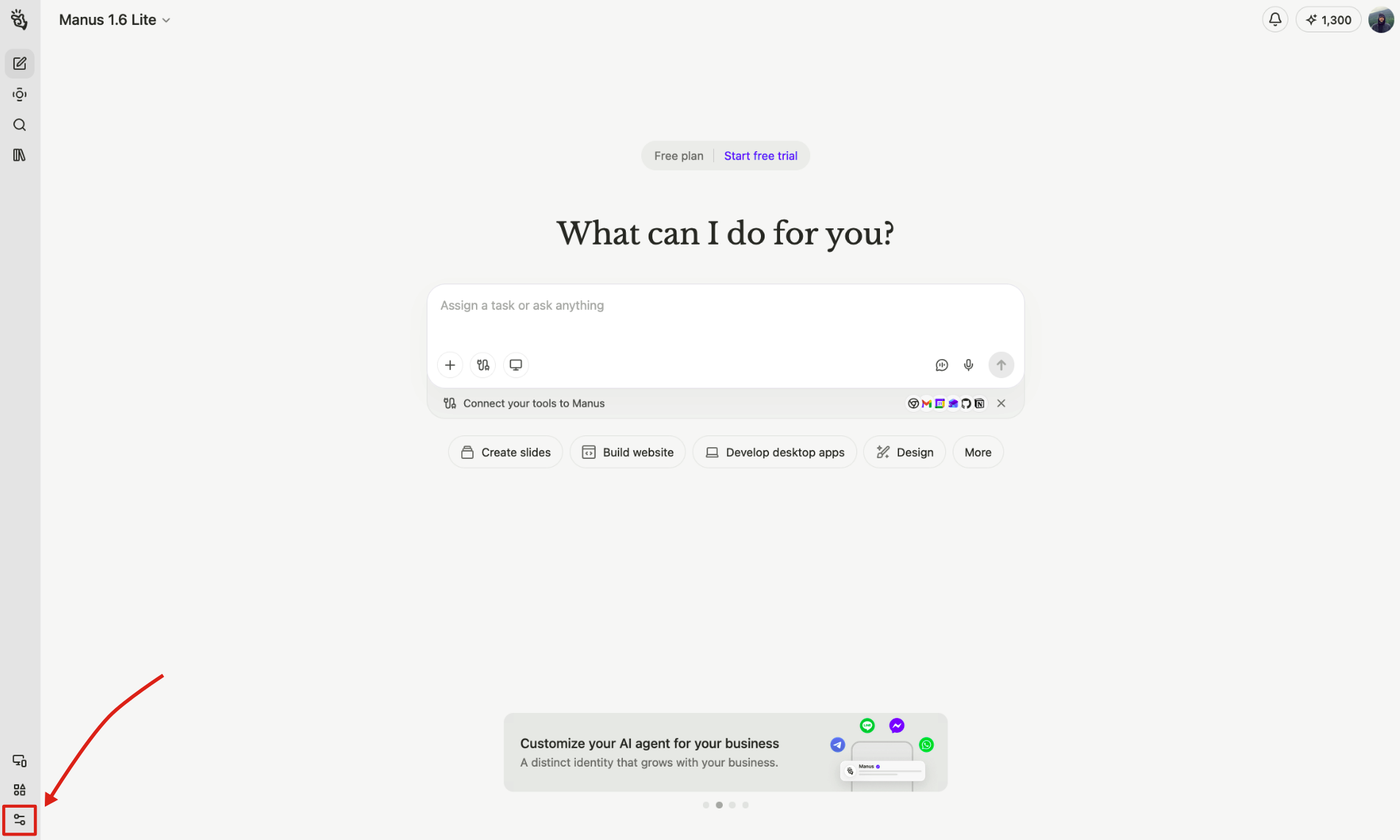
In Manus, open Settings.
-
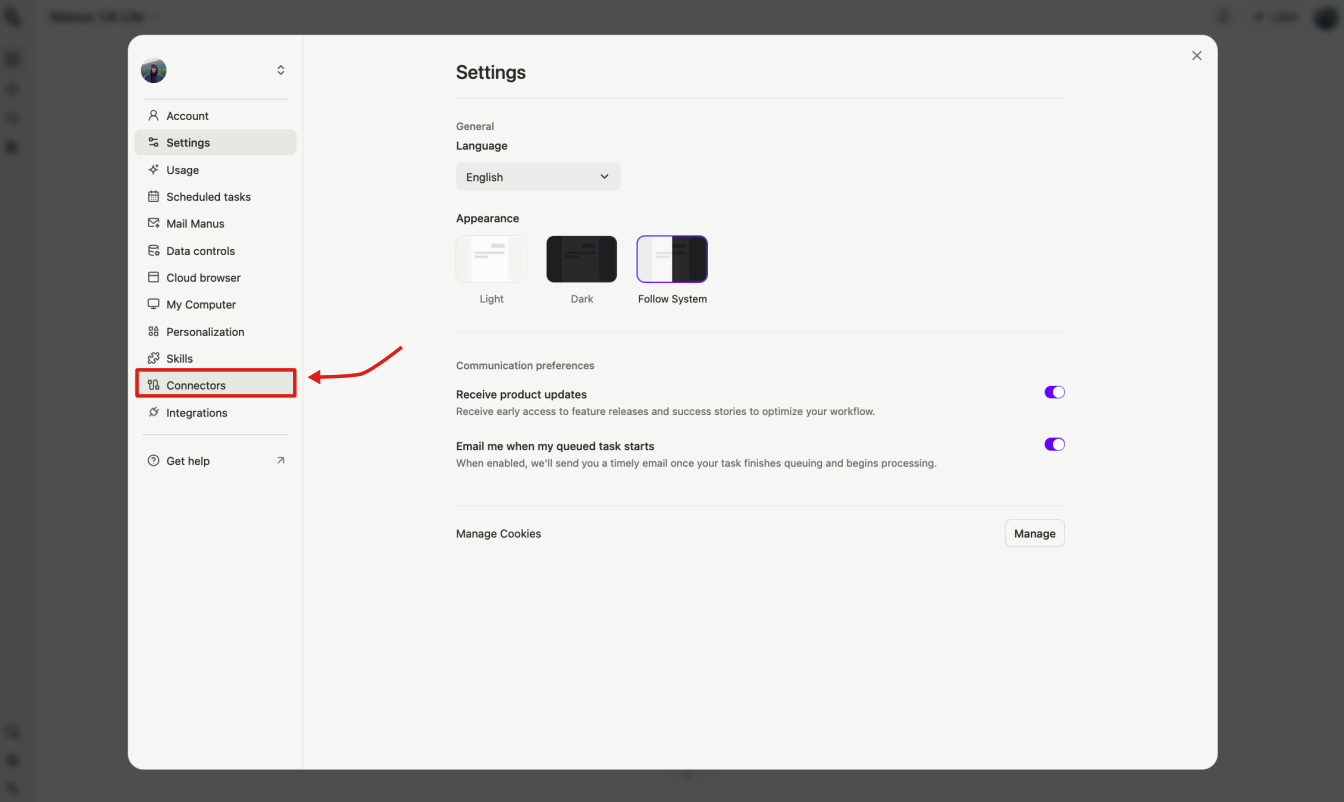
Open Connectors.
-
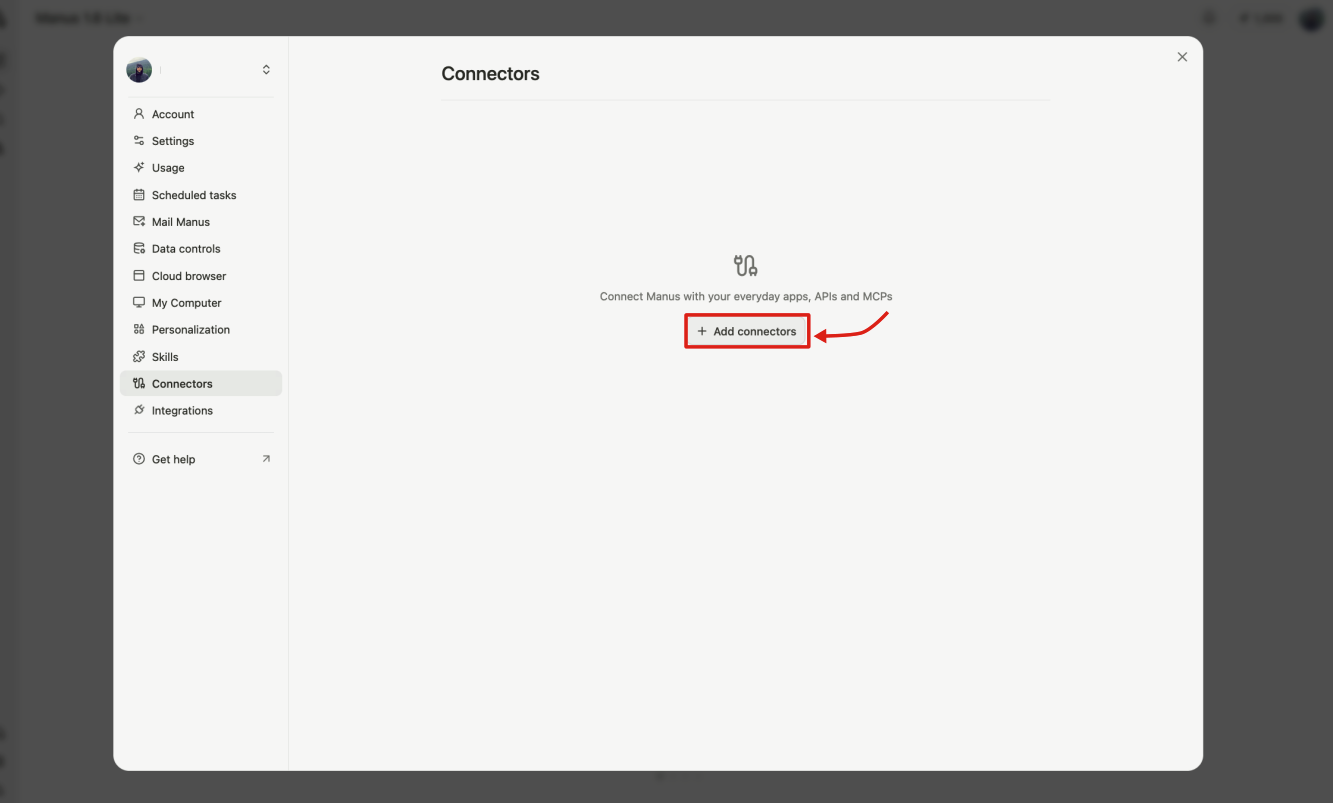
Click + Add connectors.
-
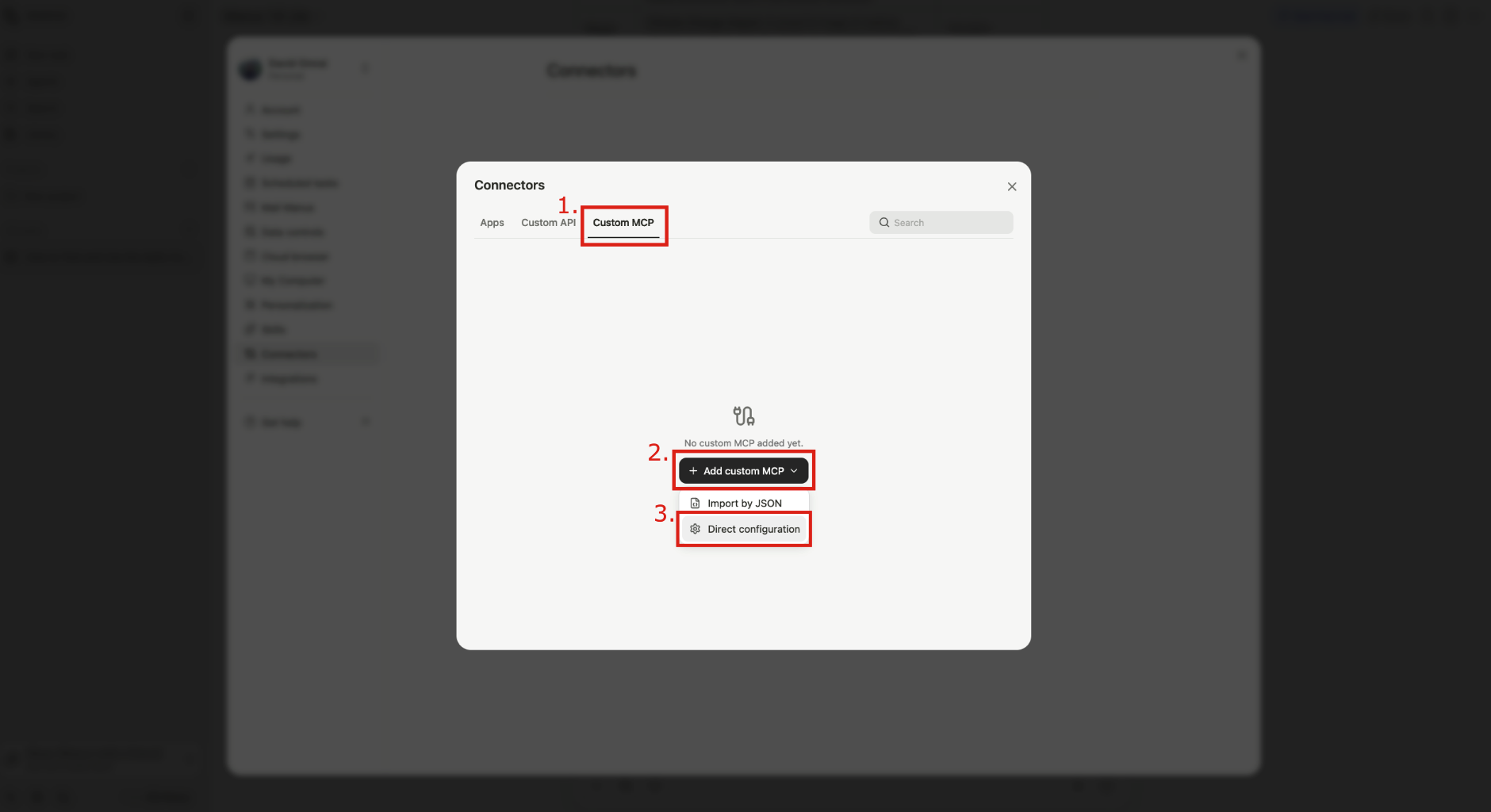
Go to the Custom MCP tab, click + Add custom MCP, then select Direct configuration for a manual setup.
-
Fill in the following fields and click Save:
- Server name - e.g.
Apify - Transport type -
HTTP(default) - Icon (optional) -
https://apify.com/img/apify-logo/logomark-32x32.svg - Server URL -
https://mcp.apify.com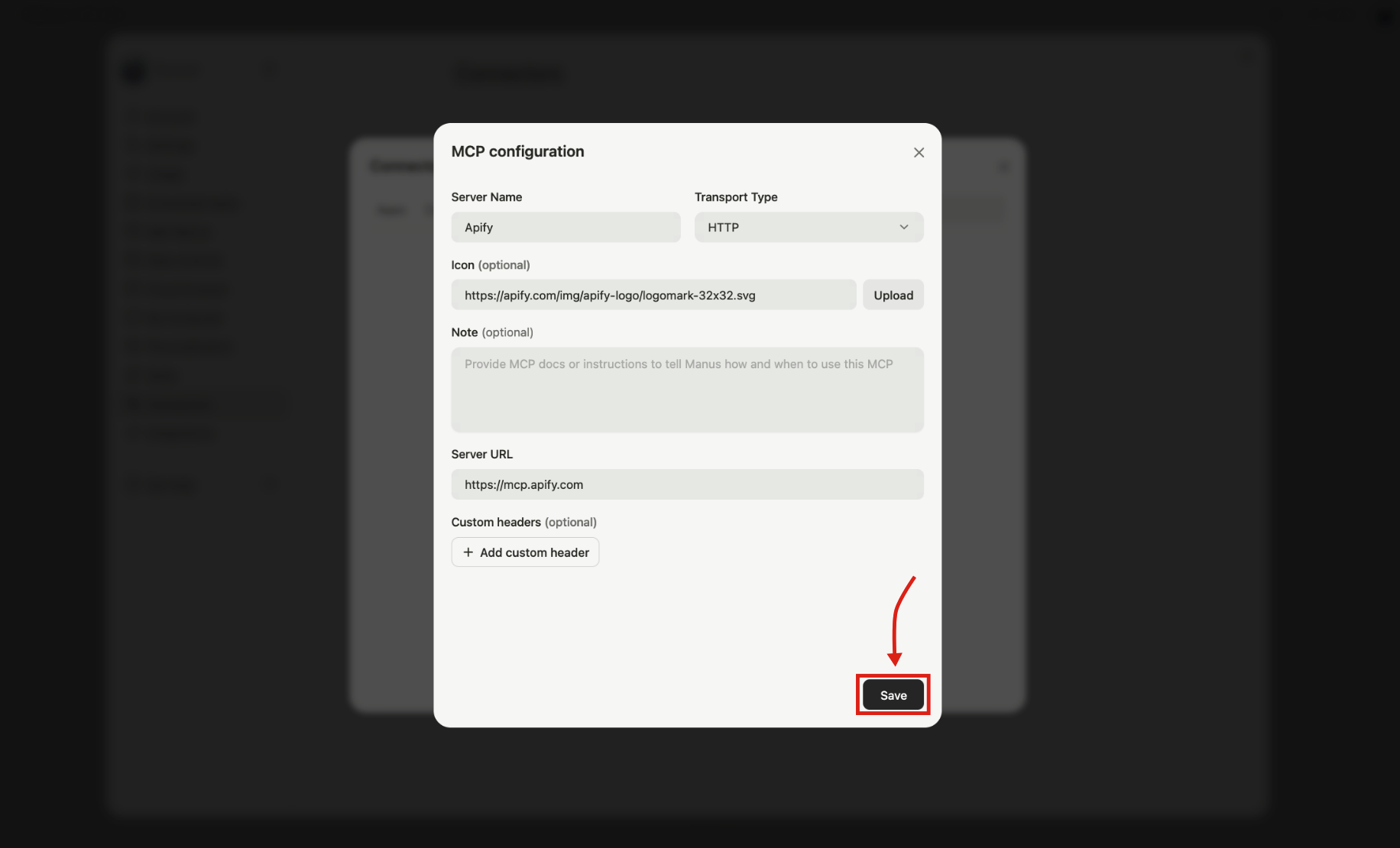
- Server name - e.g.
The default MCP server URL exposes a predefined set of tools. You can choose exactly which tools and Actors are available by building a custom MCP URL with the MCP configurator. See Configure tools below for details.
Try the MCP connector in Manus
To use the Apify connector in a chat session, click the connectors icon in the toolbar below the chat input and toggle Apify on.
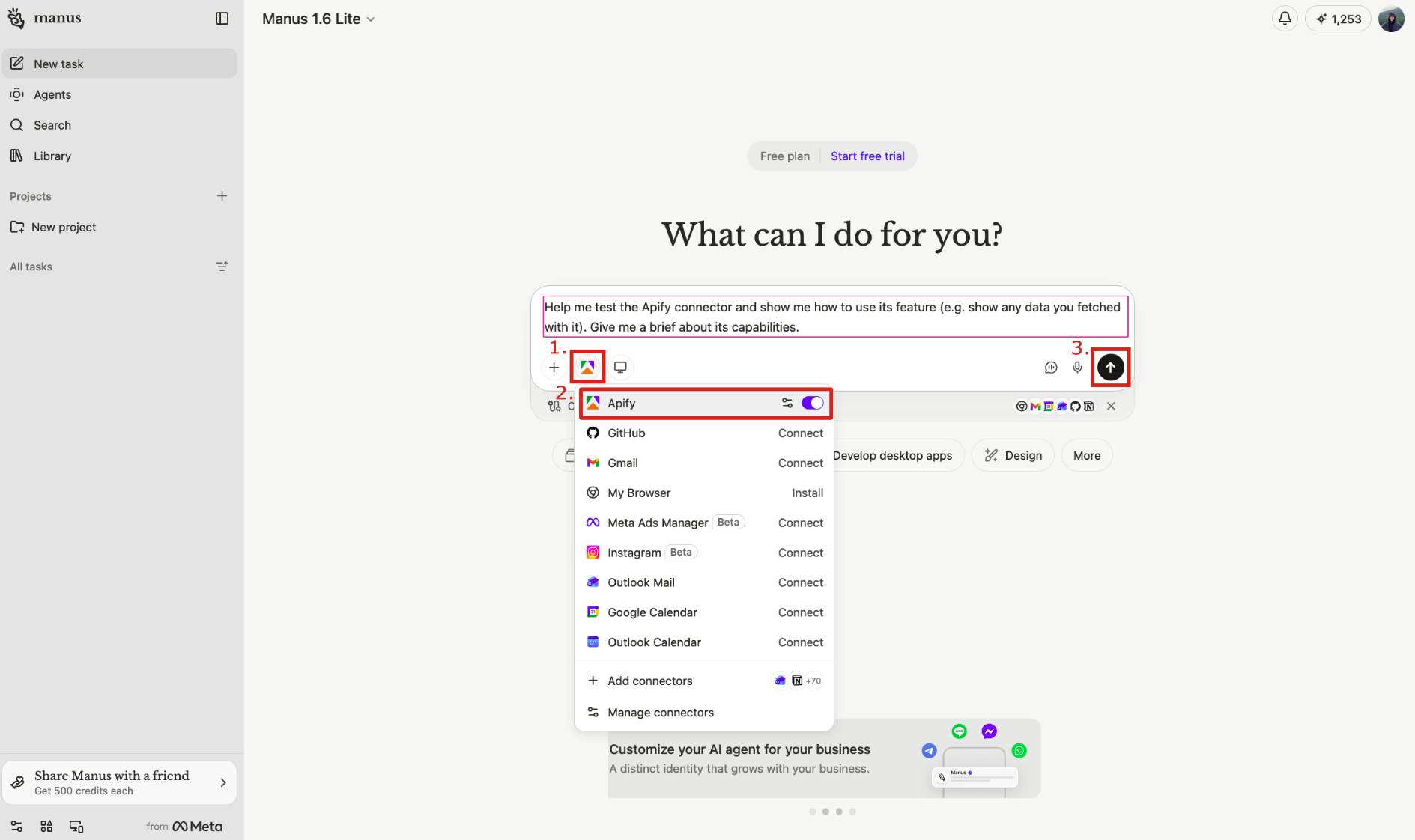
The first time Manus tries to call an Apify tool, it will pause and prompt you to Log in to your Apify account via OAuth. After you authorize, the connector stays authenticated for future sessions.
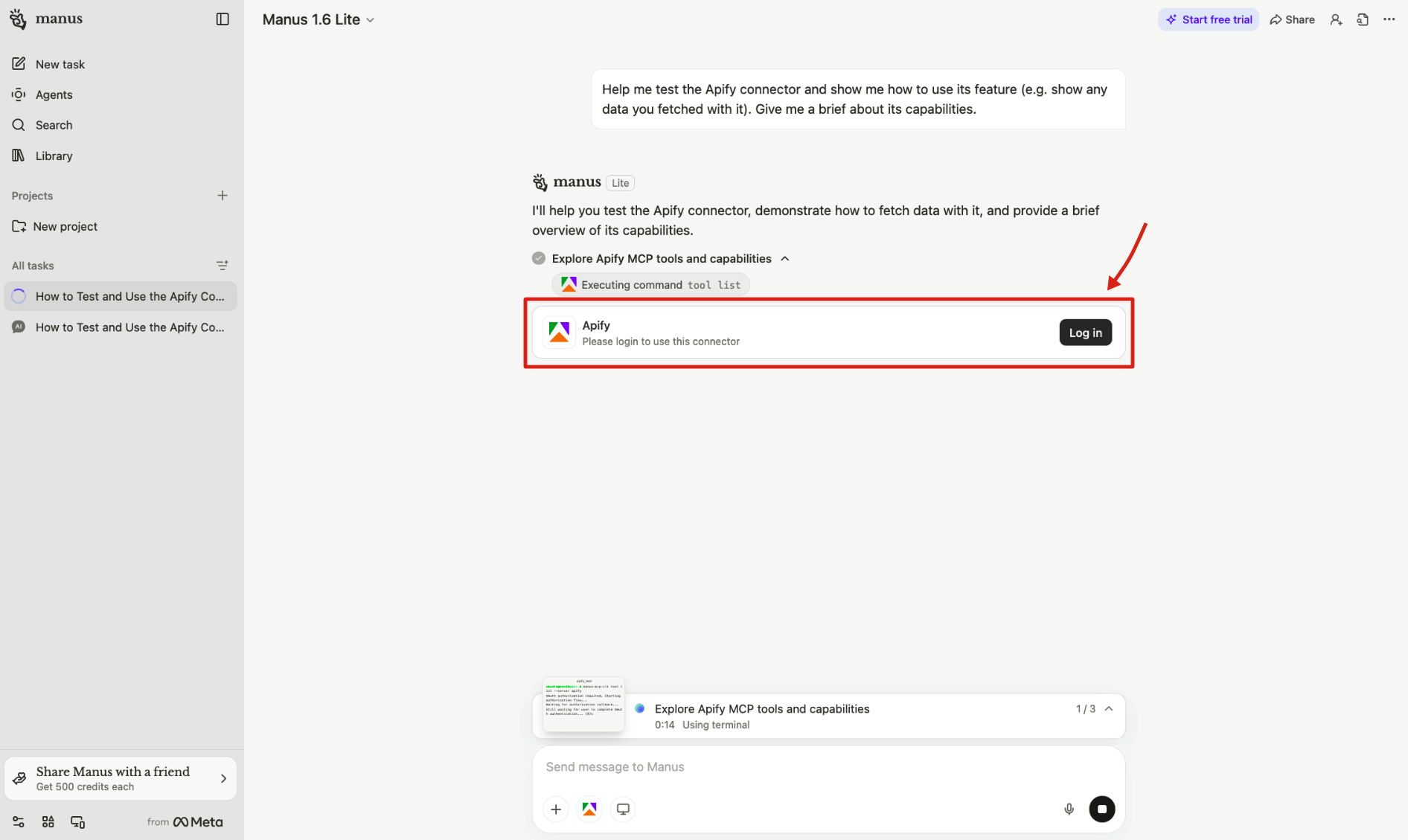
If the OAuth login doesn't work, you can authenticate with your API token instead. See OAuth login not working for instructions.
You can revoke the Manus connector's access to your Apify account at any time in Apify Console > Settings > Integrations.
Try asking Manus something like:
"Search for 'best project management tools' on Google and summarize the top 10 results"
Manus will call search-actors to find Google Search Scraper, use call-actor to run it, and then get-actor-output to retrieve and summarize the results.
Configure tools
After connecting, the Apify MCP server exposes a default set of tools for Actor discovery (search-actors, fetch-actor-details, call-actor, get-actor-output), web browsing (apify/rag-web-browser), and documentation search (search-apify-docs, fetch-apify-docs). See the full tool reference for the complete list.
To control which tools are available, append a tools= query parameter to the server URL:
Use the interactive configurator at mcp.apify.com to browse available tools and generate a MCP server URL you can paste directly into Manus.
Import Apify Agent Skills
Apify Agent Skills are reusable, structured workflows that tell Manus how to accomplish scraping tasks using Apify tools.
Unlike MCP connectors (which provide tool access), each skill is a SKILL.md file that bundles domain knowledge, step-by-step instructions, and best practices Manus can follow.
Available skills include:
Import a skill from GitHub
Each skill lives in its own folder inside the apify/agent-skills repository.
When importing in Manus, provide the URL of the folder that contains the SKILL.md file, not the repository root.
Folder URLs follow this format:
https://github.com/apify/agent-skills/tree/main/skills/{skill-name}
To import the apify-ultimate-scraper skill:
-
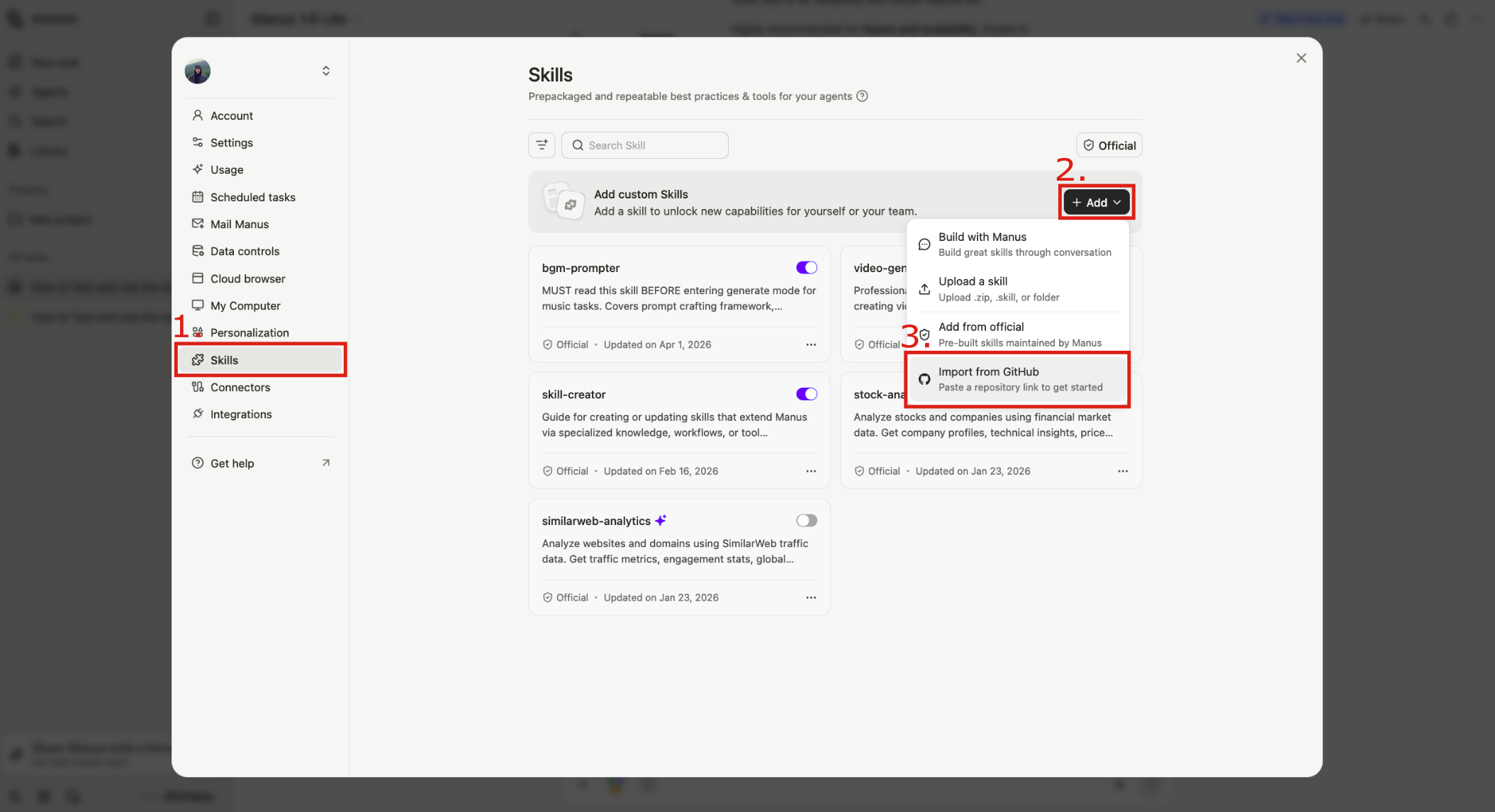
In Manus, open Settings and select the Skills tab.
-
Click + Add → Import from GitHub.
-
Paste the skill folder URL and click Import:
https://github.com/apify/agent-skills/tree/main/skills/apify-ultimate-scraper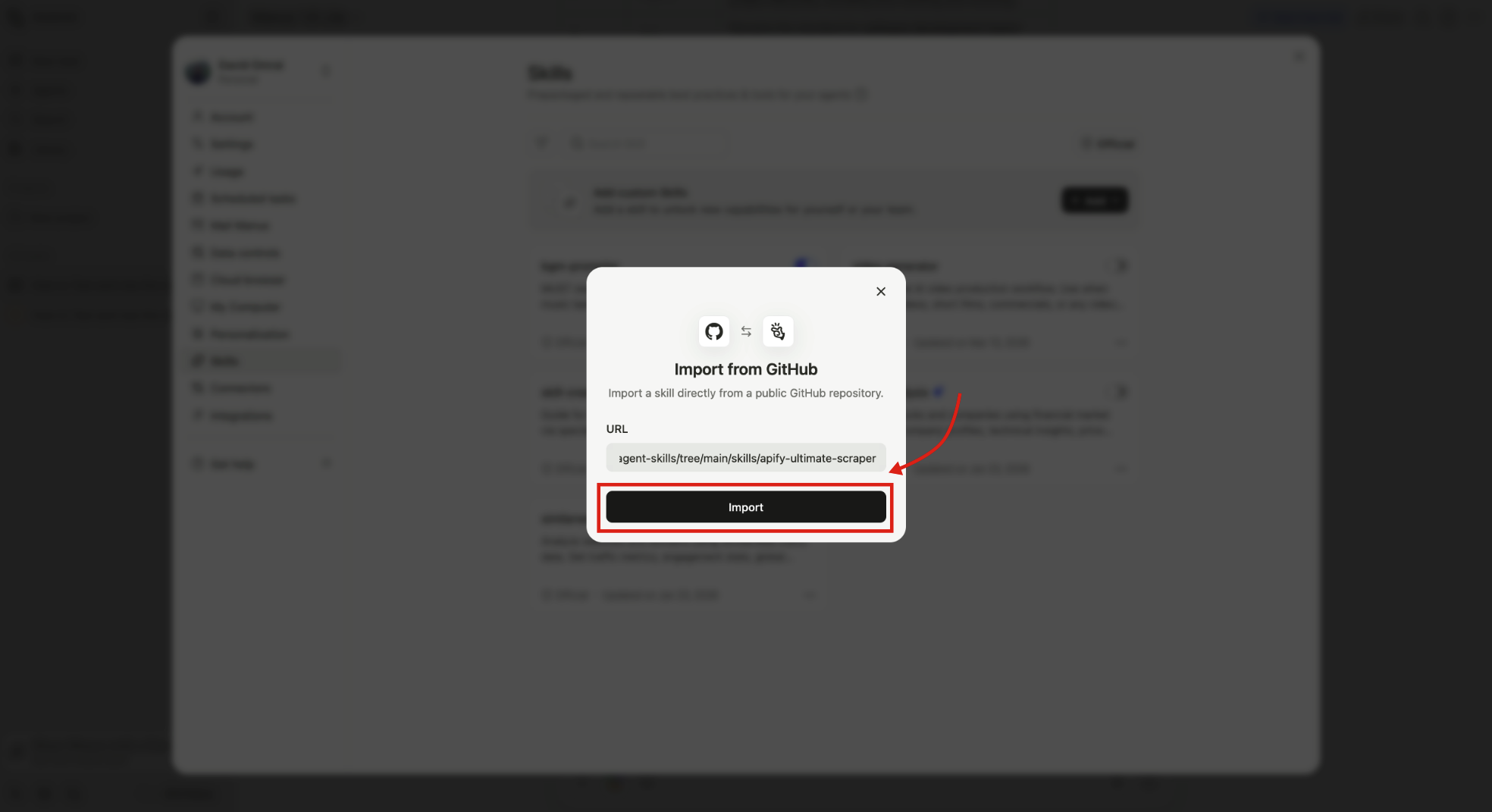
After importing, the skill appears in your Skills list with its toggle turned on, meaning you can reference it in any chat right away.
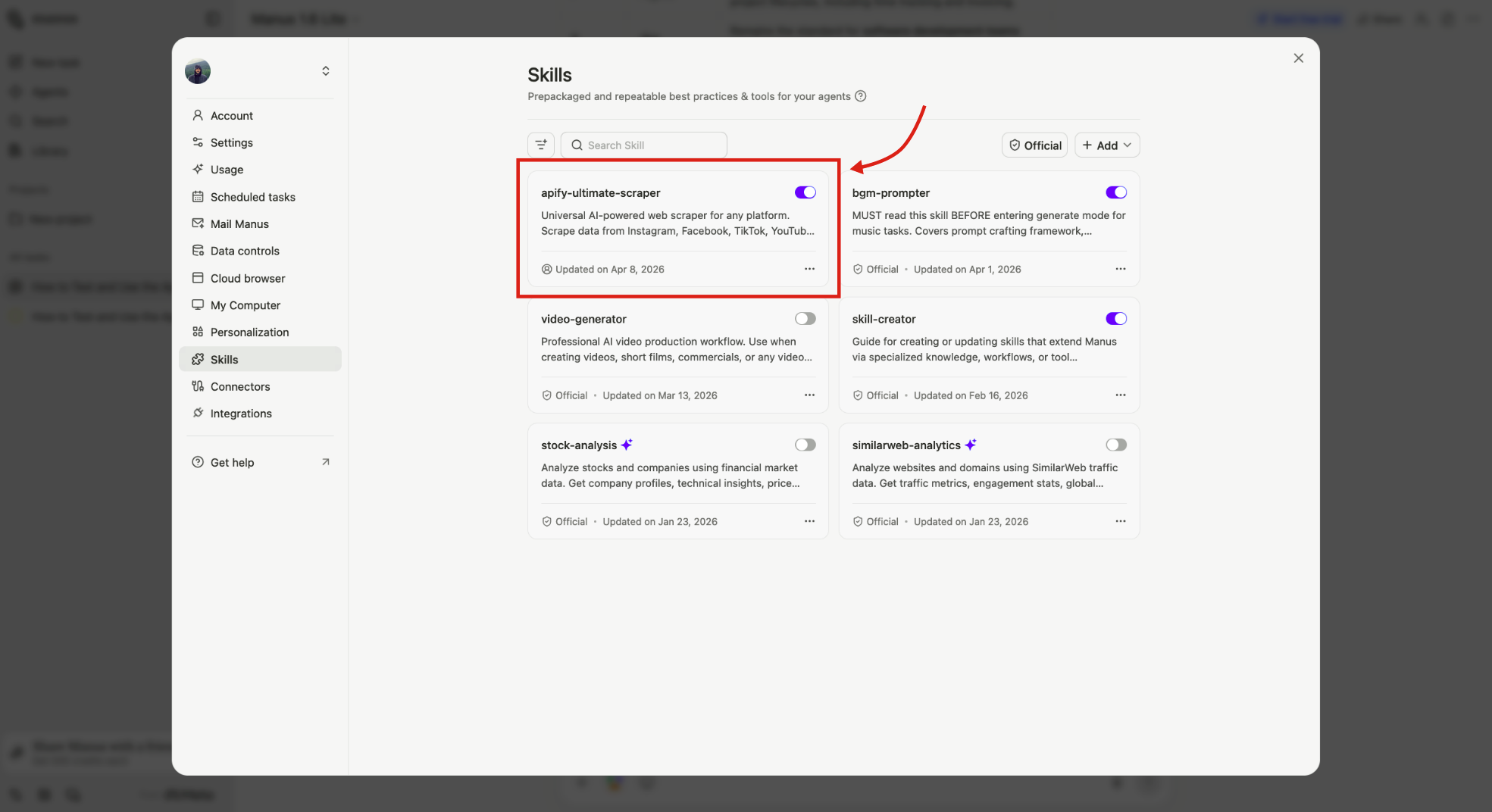
Repeat this for any other skill you want to add.
Use an imported skill
Reference a skill in any Manus chat by typing / followed by the skill name.
For example, to use apify-ultimate-scraper:
-
Type
/apify-ultimate-scraperin the Manus chat.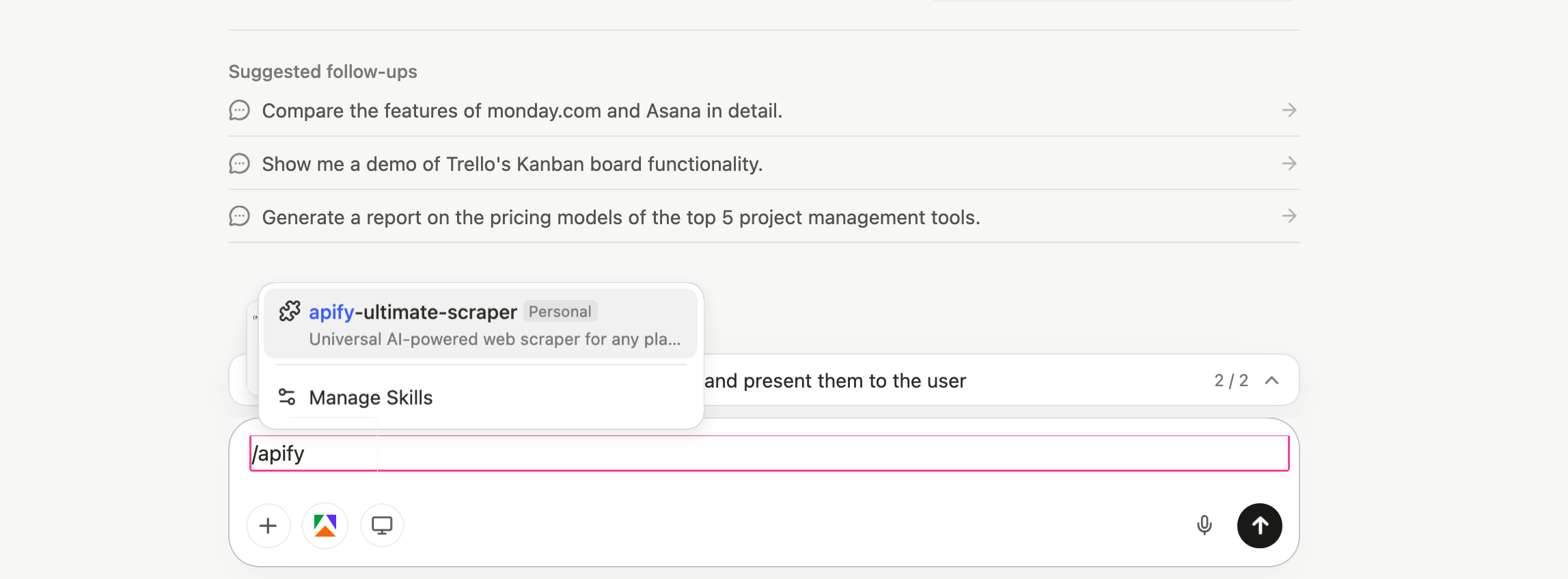
-
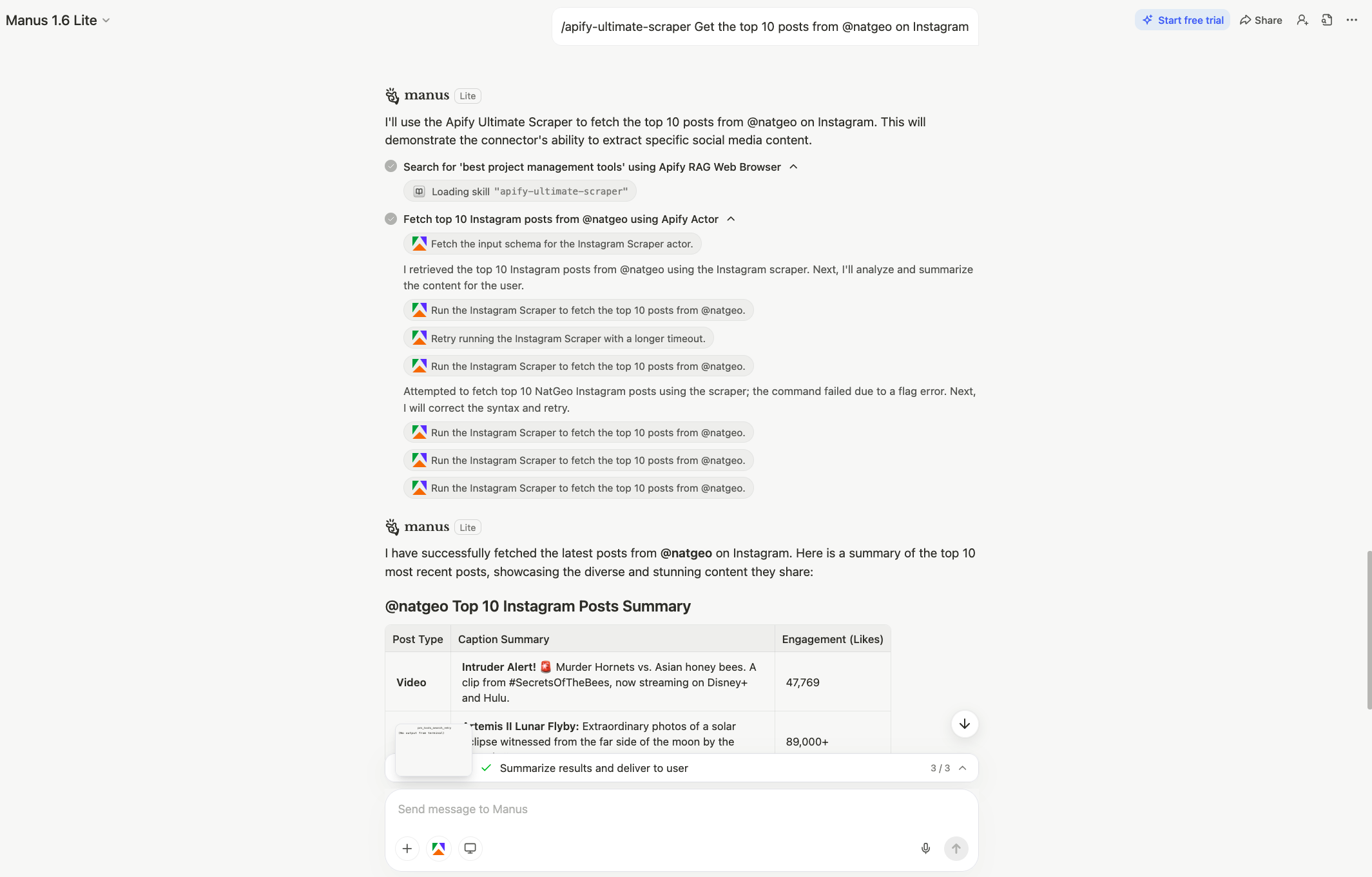
Ask Manus to perform a task, for example:
"Get the top 10 posts from @natgeo on Instagram"
Manus will load the skill instructions and use the appropriate Apify Actors to complete the task.
Troubleshooting
OAuth login not working
If the OAuth prompt fails or you can't complete the login flow, you can connect using your Apify API token directly.
-
Go to Apify Console > Settings > Integrations and copy your API token.
-
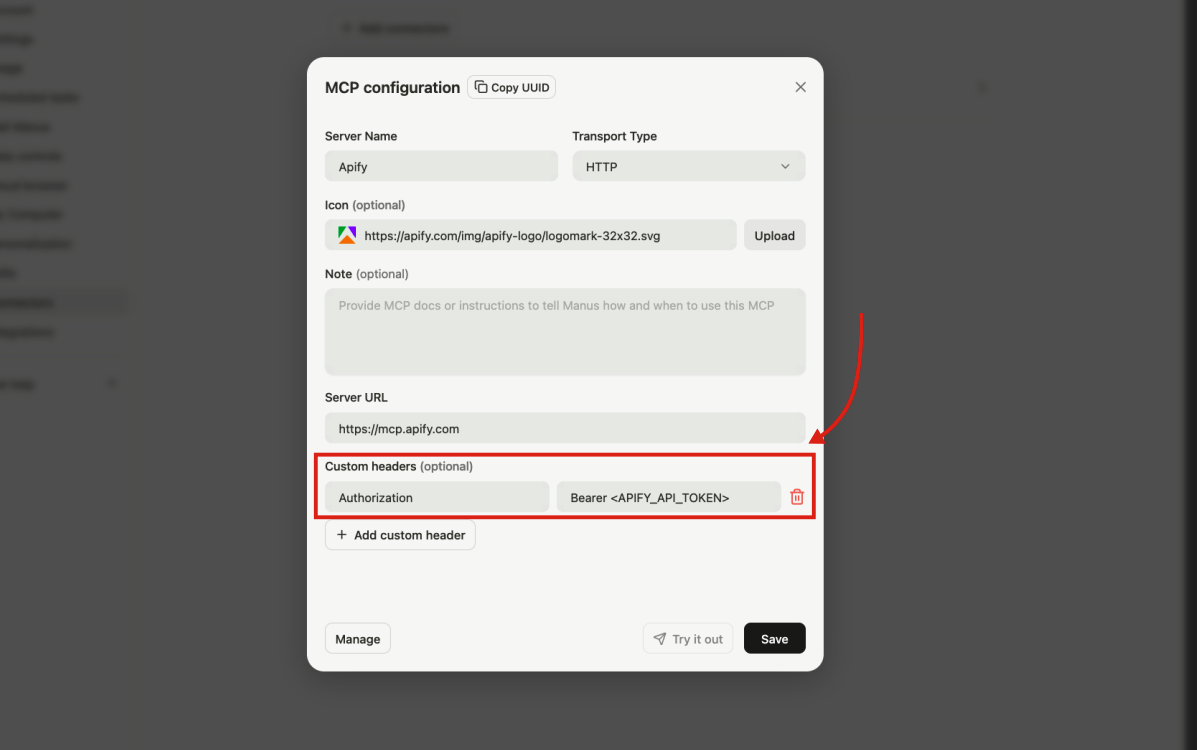
In Manus, open the Apify connector settings and add a custom header:
- Header name -
Authorization - Header value -
Bearer <APIFY_API_TOKEN>(replace<APIFY_API_TOKEN>with your actual token)
- Header name -
-
Click Save.
Limitations
- Long-running Actors may time out before a Manus session finishes processing them. If a scrape times out, reduce the scope (fewer URLs, smaller result limits) or split the work across multiple prompts.
- Each MCP tool call consumes Manus credits in addition to any Apify platform costs. Complex workflows using multiple Actors can consume credits quickly.
- When you share a Manus session, recipients can see conversation messages and output artifacts. Connectors are automatically disabled in shared sessions, but avoid including sensitive data in the conversation itself.
Related integrations
- ChatGPT integration - Connect the Apify MCP server to ChatGPT
- MCP server integration - Use the Apify MCP server with Claude Desktop, VS Code, and other clients
Resources
- Manus MCP Connectors docs - Official Manus documentation on custom MCP servers
- Manus Agent Skills docs - Official Manus documentation on Skills
- Apify Agent Skills repository - Browse and import Apify skills
- Apify Store - Browse Actors you can run from Manus
- Apify MCP server configurator - Interactive tool to configure and preview the Apify MCP server