
Build an agent platform
Build an agent platform
Learn how to build custom agents on a platform you own.
Let's build a shared agent platform for your team. You control how agents are built, where they run, where their data lives, and how they use that data to improve.
What you'll build
From zero to production
- Set up your platform: start AgentOS with your coding agent and connect the UI.
- Build your first agent: create a product expert from your documentation.
- Deploy to Render: publish your platform and give your team authenticated access.
- Production setup: add AgentCore sandboxes, S3 checkpoints, and Redis coordination.
- Improve your agent: use simulations, save evaluations, and schedule improvement reviews.
Before you start
You'll need Docker, an OpenAI API key, and a coding agent.
Set up your agent platform
Give your coding agent this prompt:
Help me set up my agent platform and build my first agent.

Clone https://github.com/agno-agi/agentos-render into a folder called agent-platform, cd in, and run the setup-platform skill (in .agents/skills/).
The skill configures your local environment, starts AgentOS and PostgreSQL, and checks the API and MCP connection. Add your model credentials to your local environment file when prompted.
Connect the UI
Open os.agno.com, sign in, and choose Connect OS. Use the connection details your coding agent provides:
If the connection fails, ask your coding agent to check the running containers and API health.
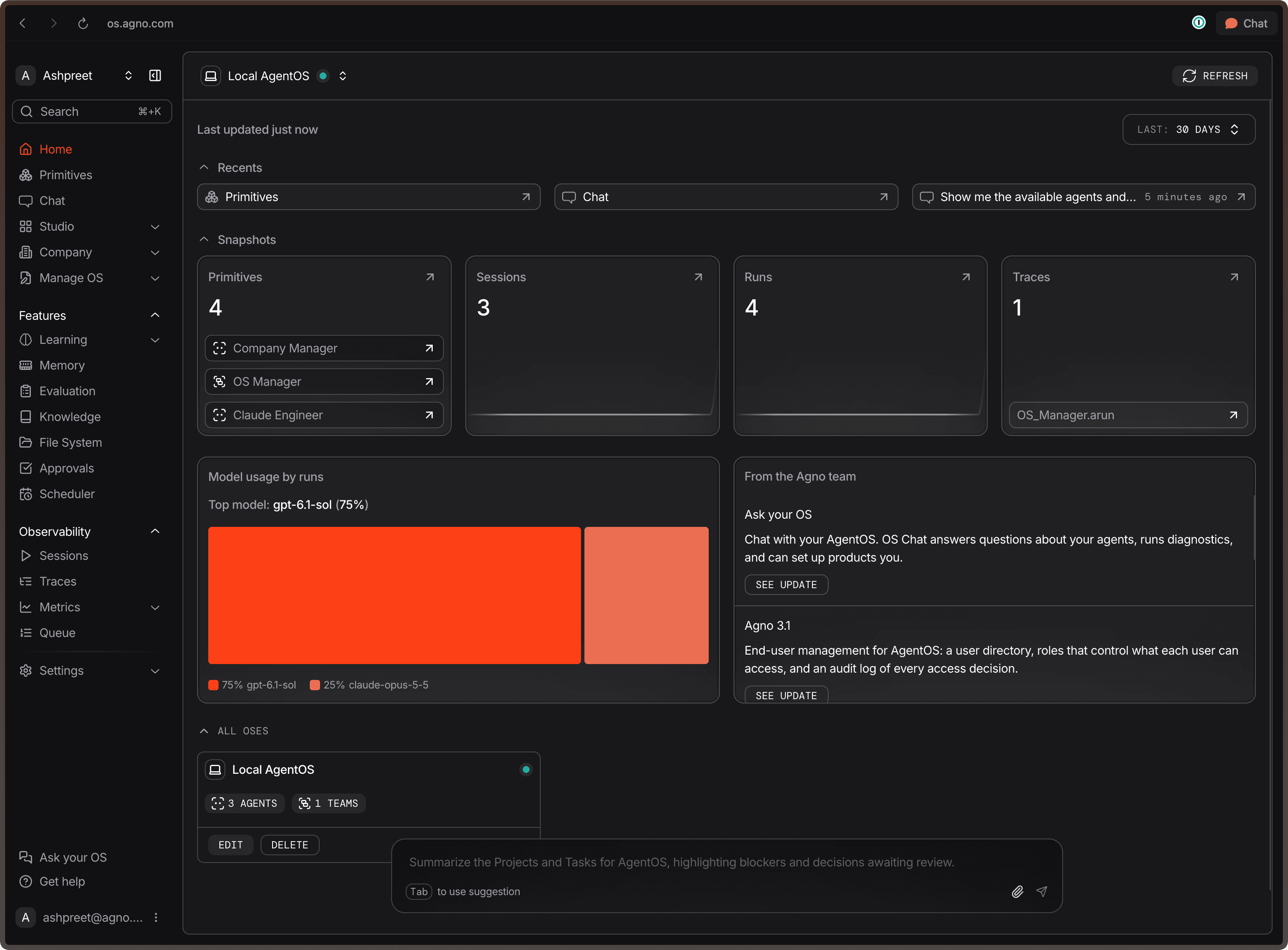
After you connect, you should see the AgentOS UI where you can chat with your agents, inspect sessions, traces and manage your agent activity from one place.
Next
Let's build an agent for our product using the build your first agent guide.