

What can Command Code do?
What can Command Code do?
A frontier coding agent that can write, debug and fix code from your terminal while continuously learning your coding taste. Write your prompt and Command Code handles it all.
//
Industry-grade CLI, built for DX & speed
A beautiful, fast, and clean CLI experience crafted to the highest standards. Every interaction feels instant, every output is crisp.
One-Shot Setup
One command and you are in. Install globally and start coding in seconds. Auto-updates and smooth onboarding flow with no configuration required.
Beautiful UI and Clean UX
Terminal UI with crisp typography, thoughtful colors, and clean layouts. Designed with care, it delivers a focused developer experience that looks as good as it works.
Blazing Fast
Sub-second startup, instant responses, and zero lag. Command Code is engineered for speed so you stay in flow.
//
Interactive, headless, BG sandbox
Interactive chat, headless automation, plan-only analysis, and auto-accept for fast execution.
Interactive Mode
Real-time chat interface with your AI coding agent. Ask questions, edit files, run commands, all in a conversational flow.
Headless Mode
Non-interactive single-query mode for CI/CD pipelines, scripts, and automation. Supports piped stdin.
Plan Mode
Analyze and plan without executing any changes. Read files, search code, discuss architecture. No modifications.
Auto-Accept Mode
Skip confirmation prompts for rapid implementation. Toggle instantly with shift+tab.
//
Your coding taste `npx taste`
The meta neuro-symbolic AI model taste-1 with continuous reinforcement learning captures your coding patterns and micro-decisions.
Continuous Taste Learning
Taste learning from every accept, reject, and edit. Your preferences, naming conventions, patterns, and style, all captured automatically.
Push & Pull Taste
Share your coding taste with teammates, pull taste from the community. Namespace-based packages with public/private visibility.
Taste Onboarding from Other Agents
Already using Claude Code, Cursor, or another agent? Command Code learns your existing preferences with a single command.
//
Skills, reviews, bundled agentic tools
File operations, shell commands, pattern search, and intelligent editing, all integrated into a seamless agent workflow.
File Operations
Read, write, edit files and directories. Glob pattern search and regex grep across your entire codebase.
Shell Execution
Execute shell commands with real-time output streaming. Run tests, builds, linters, and any CLI tool directly.
Extended Thinking
Deep reasoning space for complex architectural decisions, refactoring strategies, and multi-step problem solving.
//
Context engineering with /agents, /memory
Project instructions, coding guidelines, architecture notes, remembered and applied every time.
AGENTS.md Project Memory
Define project-level instructions, code style guidelines, and architecture notes. Automatically loaded every session.
Checkpoints & Rewind
Automatic snapshots before every modification. Rewind to any point. Restore code, conversation, or both.
Session Resume & Compact
Continue where you left with --resume. Long conversations auto-compact to keep context fresh and focused.
//
Hackable /skills, /mcp, /commands, and plugins
Connect external tools, databases, and APIs through the Model Context Protocol. Add custom skills for specialized tasks.
MCP Server Integration
Connect to external tools and data sources via HTTP or stdio transport. Tool discovery, OAuth authentication, and dynamic scoping.
Agent Skills
Lightweight, self-contained instruction sets for specialized tasks. User-level and project-level skills with progressive disclosure.
Custom Slash Commands
Define reusable commands with markdown templates. User-level and project-level, with variable substitution.
//
Collaborate /share sessions, npx taste push/pull
Share conversations, manage organizations, sync taste across orgs and team members, and collaborate.
Conversation Sharing
Generate shareable links for any conversation. Share context, decisions, and code changes with your team.
Organizations & Teams
Create organizations, manage team members, and share taste packages. Org-level usage tracking and billing.
PR Review & Code Analysis
Automatic PR context detection, code review comments extraction, and AI-powered review suggestions.
//
Built for speed and comfort
Keyboard shortcuts, IDE integration, permission controls, and model selection, all designed for flow state.
Keyboard Shortcuts
Esc to rewind, shift+tab to toggle modes, alt+p for model selection, ctrl+t to toggle learning feed, ctrl+o for expanded tool output.
IDE Integration
VSCode extension for context-aware coding. Current file, selection, cursor position, all sent to the agent automatically.
Permission & Trust System
Fine-grained permission controls. Standard mode for per-file confirmation, trust mode for known projects, plan mode for read-only analysis.
Model & Provider Selection
Switch between AI models on the fly: Sonnet, Opus, Haiku. Pick the right model for the task.
//
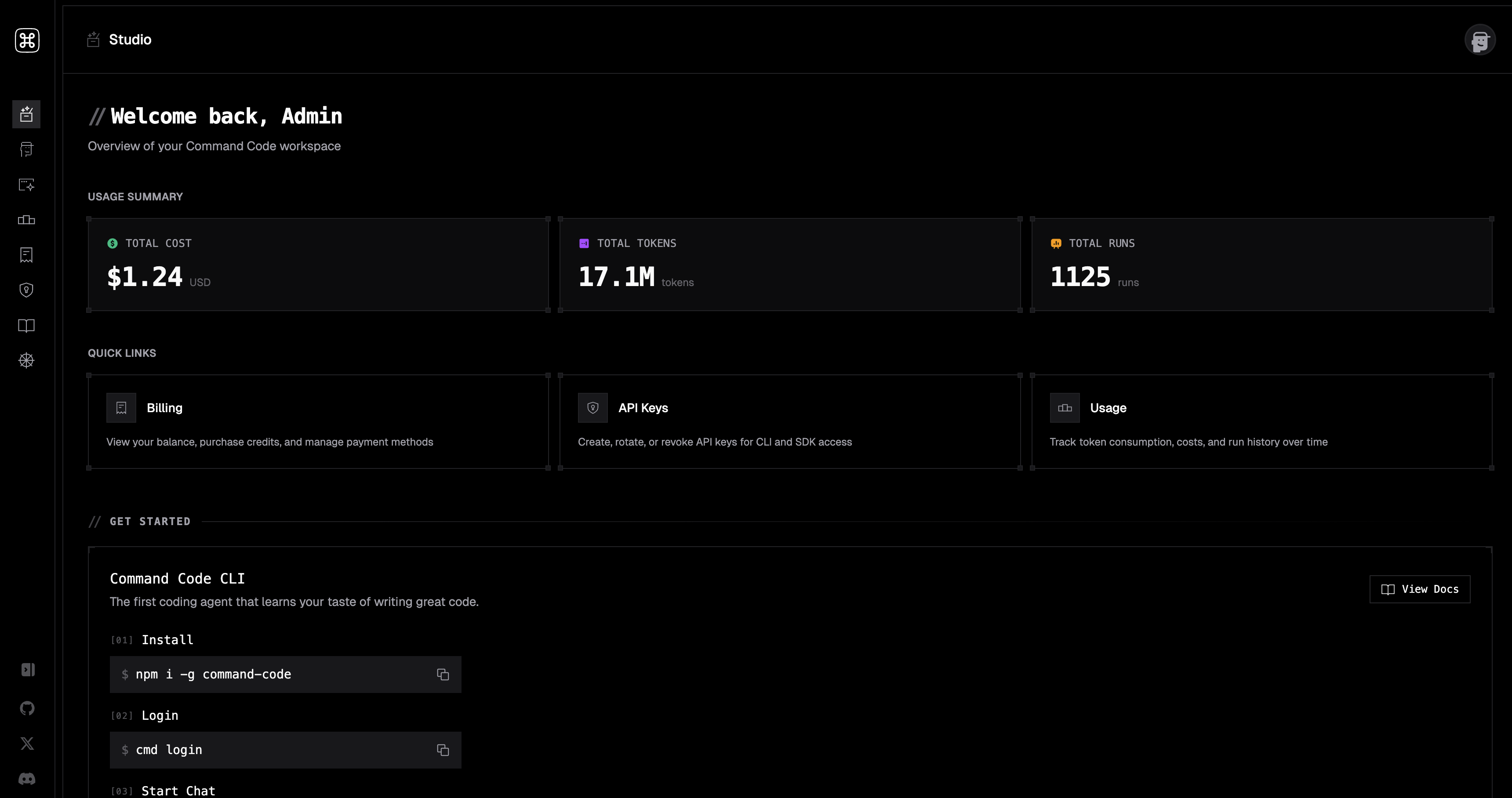
Studio
Manage usage, billing, taste packages, personal and organization settings from the Command Code Studio.
Studio Dashboard
Real-time usage tracking, token consumption breakdown, cost analysis, and historical data, all in one view.
Take Command of your code
Ship 10x faster with the same team, less time, and your coding taste. Install, sign in, and start coding.