

How to prepare your iMac for Apple Trade In
Prepare and send your old device to Apple for Trade in.
If you opted to trade in your iMac when you purchased an Apple product, you'll receive a trade-in kit with everything you need to return your iMac to Apple. If you're in the Asia-Pacific region, a trade-in kit will be brought to you by courier or delivered to you before courier pickup.
Customers in the Asia-Pacific region, only follow steps in the Before you return your iMac and Return your iMac sections.
Before you return your iMac
Back up your data. If you need help transferring data, schedule an appointment at an Apple Store at getsupport.apple.com or an Apple Authorized Service Provider. It is your sole responsibility to back up all existing data, software, and/or programs from your product. Apple is not responsible for loss, recovery, or compromise of data, software, or programs on your trade-in product.
Remove all accessories. If accessories are included in the return, they will be recycled and cannot be returned to you.
Pack your iMac
If you are in the Asia-Pacific region continue to the Return your iMac to Apple section to choose your country or region.
Remove the top cardboard insert and foam insert from the box.
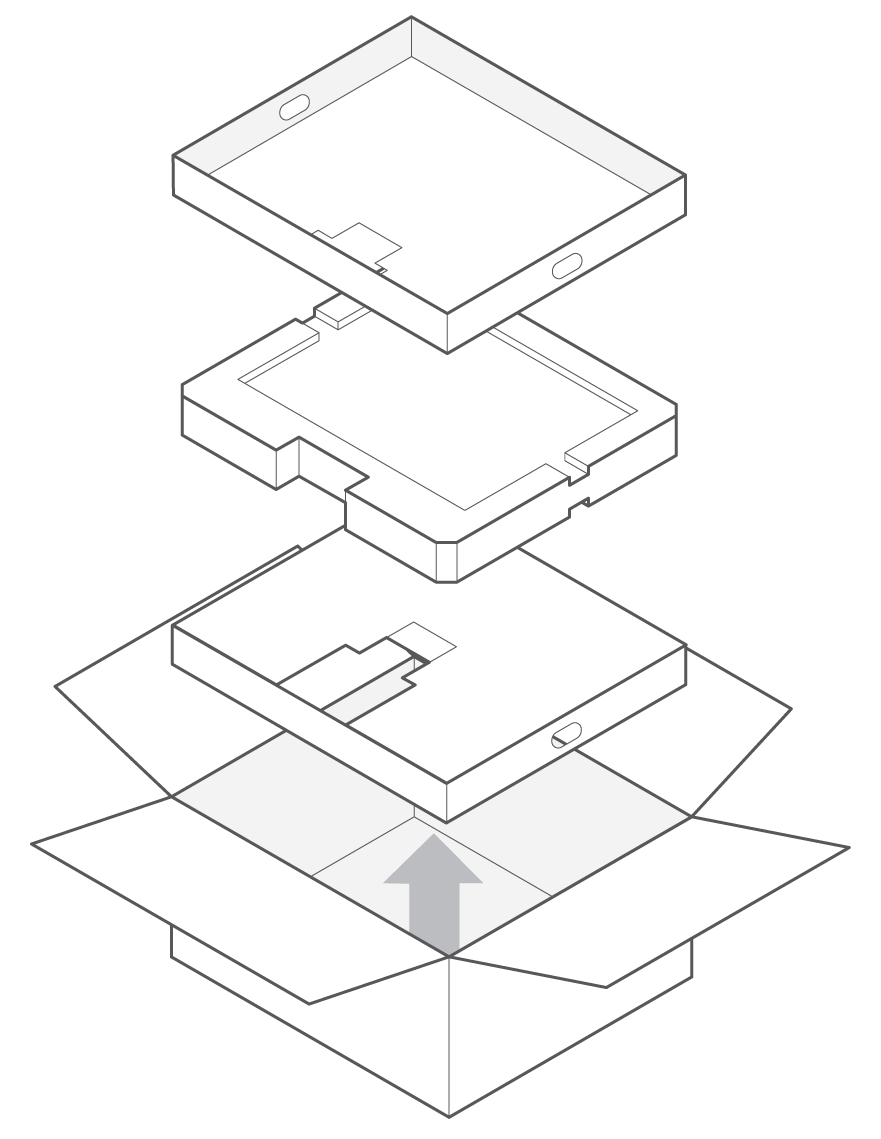
Place the double-sided foam on top of the bottom insert ensuring that the correct size for your iMac is facing upwards.
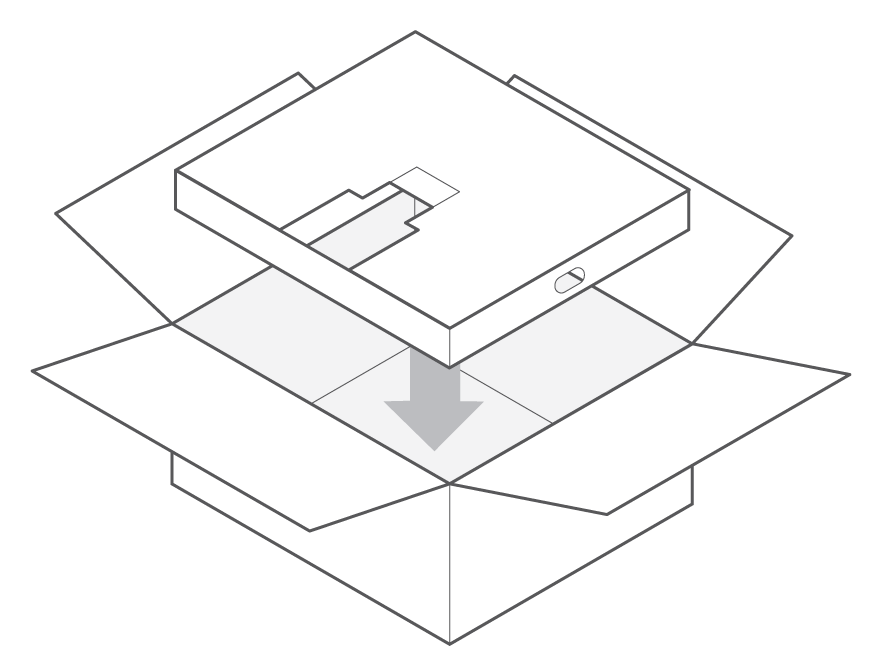
Place your iMac screen-side down on top of the foam. (Do not include extra items or accessories. If you include extra items in the box, we won't be able to return them to you.)
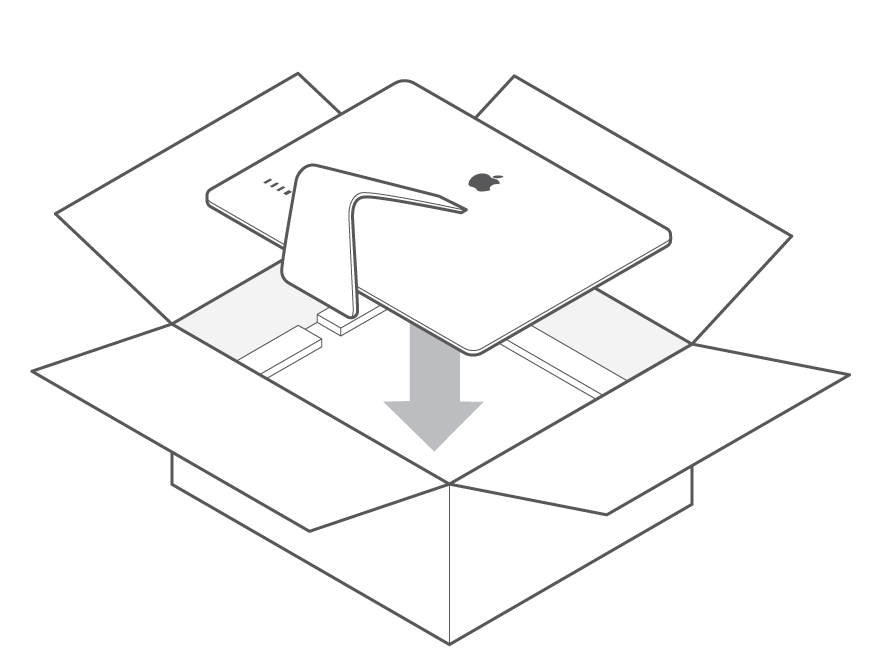
Place the top insert on top of your iMac.
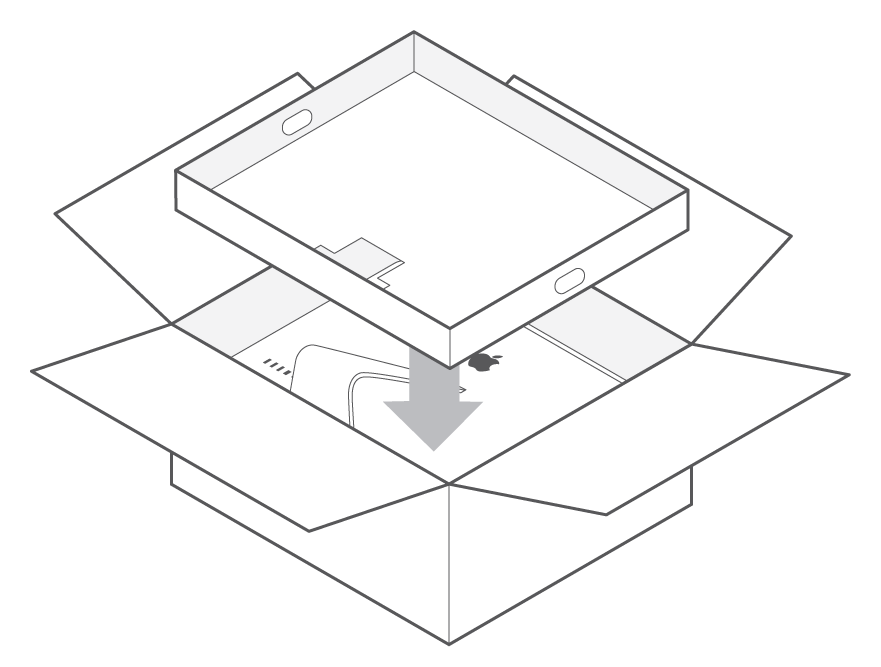
Close the box and seal it with the tape provided.*
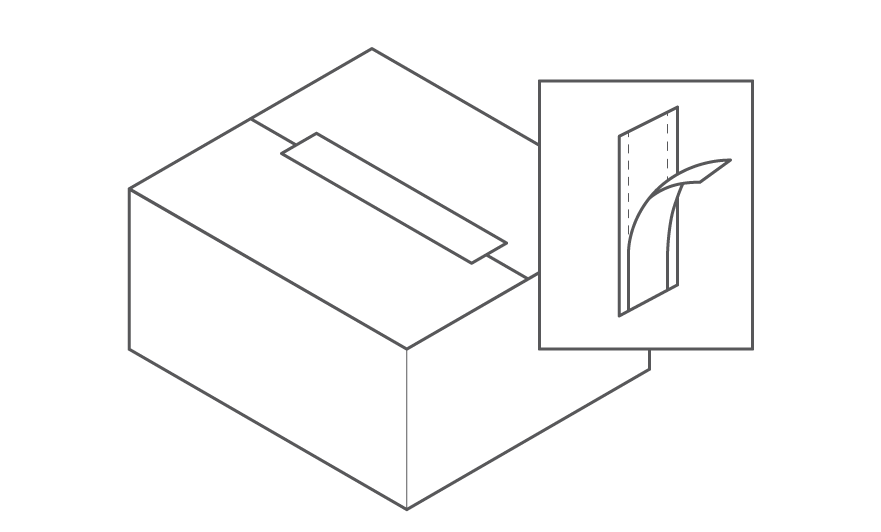
*Apple is not responsible for any damage during shipping.
Return your iMac to Apple
Choose your country or region:
United States and Canada
Find the name of the courier on the return shipping label.
Visit the courier’s website to find a drop-off location.
Get a receipt from the courier.
Check your new device shipment email for a link to check the status of your trade-in device.
China mainland
A trade-in kit will be delivered to you before courier collection
Get a receipt from the courier.
Check your new device shipment email for a link to check the status of your trade-in device.
Hong Kong
Schedule a pickup of your trade-in device.
The courier will bring a trade-in kit to collect your iMac.
Get a receipt from the courier.
Check your new device shipment email for a link to check the status of your trade-in device.
Japan
Schedule a pickup of your trade-in device.
The courier will bring a trade-in kit to collect your iMac.
Get a receipt from the courier.
Check your new device shipment email for a link to check the status of your trade-in device.
Korea
A trade-in kit will be delivered to you before courier collection.
Get a receipt from the courier.
Check your new device shipment email for a link to check the status of your trade-in device.
Taiwan
Schedule a pickup of your trade-in device.
The courier will bring a trade-in kit to collect your iMac.
Get a receipt from the courier.
Check your new device shipment email for a link to check the status of your trade-in device.
Vietnam
Schedule a pickup of your trade-in device.
The courier will bring a trade-in kit to collect your iMac.
Get a receipt from the courier.
Check your new device shipment email for a link to check the status of your trade-in device.
© 2023 Apple Inc. All rights reserved. Apple, the Apple logo, iChat, iTunes, Mac, and macOS are trademarks of Apple Inc., registered in the U.S. and other countries and regions. AppleCare is a service mark of Apple Inc., registered in the U.S. and other countries and regions.