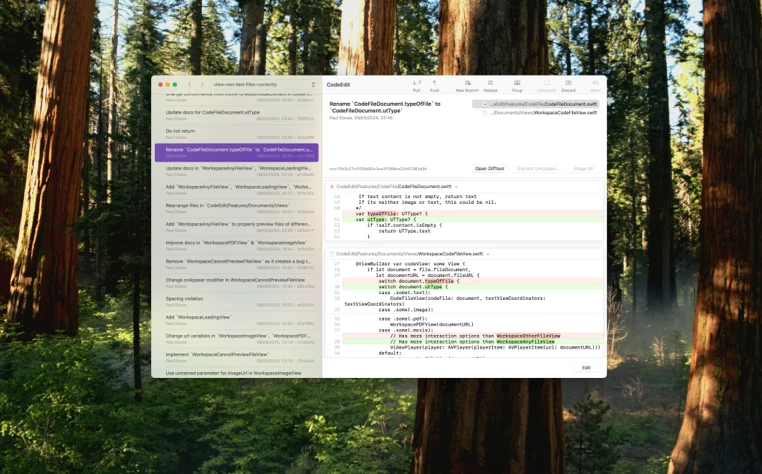
[Retcon] turns rewriting Git history entries from a chore into a breeze.



Drag, drop, done.
Rewrite Git history with a single drag-and-drop. Undo anything with ⌘Z. All speed, no bumps.
Download Retcon 1.614-day trial • Requires macOS 14.3+
The Git history is a communication tool. And with Retcon, your word is clear. What prompted that refactor? How did these design choices come about? What the code can't say, the Git history recounts in great detail.
The trick is, your first draft is never your last. Commits begin their life as a stream of consciousness, created whenever they're needed, worded as best as the moment allows. They hold your code, certainly, but they don't showcase it.
So you rewrite. You take your hard work, and present it for all it's worth. Each decision, tradeoff, insight—now freed from your mind, illuminating your code with meaning and intent.
All of that, with none of the effort.
[Retcon] turns rewriting Git history entries from a chore into a breeze.
Retcon is a new app that applies a massive dose of Mac usability to rewriting Git histories. Bravo!

I always use Retcon when preparing step-by-step git repos for our workshops. It's *so* much more efficient for me than any other client for rewriting history, feels like magic.

It saved me from myself within minutes of installing it

It's incredibly convenient to just try something, get immediate conflict information and then decide to start working on it or back out. I cannot tell you how much time it has saved me for making decisions while working on complex rewrites.

What Git should have always been like

From small refinements to sweeping reworks, you do everything faster in Retcon. Edits take fewer steps, and don't mess with the repo's state.
All done. Your files and stage have been left intact.
All done. Your uncommitted changes are restored, but the stage may have been reset.
git reset, then git stash.git log. The current branch's history is displayed.
git rebase -i COPIED_HASH^ to start an interactive rebase.
r. Save and exit.
git stash pop to restore them.
All done. Your uncommitted changes are restored, but the stage has been reset.
Retcon frees you to quickly experiment by making it easy to undo mistakes. So easy, in fact, that you already know exactly how.
Retcon surfaces crystal-clear context at every step, and gives you the tools to quickly resolve any conflict—or even avoid them entirely.

Retcon doesn’t stop at telling you that a file has conflicts: it actually shows its detailed diff.
Get full context around the pausing commit: see the successfully applied parents, and what commits will be inserted next, including any mutations.
Don’t wait to find out whether your changes cause conflicts. Each manipulation is applied instantly, giving you full visibility at every step.
Made a mistake during a rebase? Just undo one operation at a time—no need to start over from scratch. Go back just enough, fix the mistake, and resume from there.
When in doubt, glance at the contextual guide: a concise, context-aware summary of your next steps to resolution.
You can manipulate the history at any time; even when there’s a conflict waiting. And sometimes, just reordering commits is enough to resolve a conflict.
Subscribe to the newsletter and stay up-to-date with Retcon news. It’s only a few emails a year, and nothing else.
You can’t summarize years of steady R&D in just a few sentences. Here’s more of the countless features that make Retcon an incredible tool.
Jump into the built-in test sandbox, and see what makes Retcon unique.