NPKILL
What is npkill?
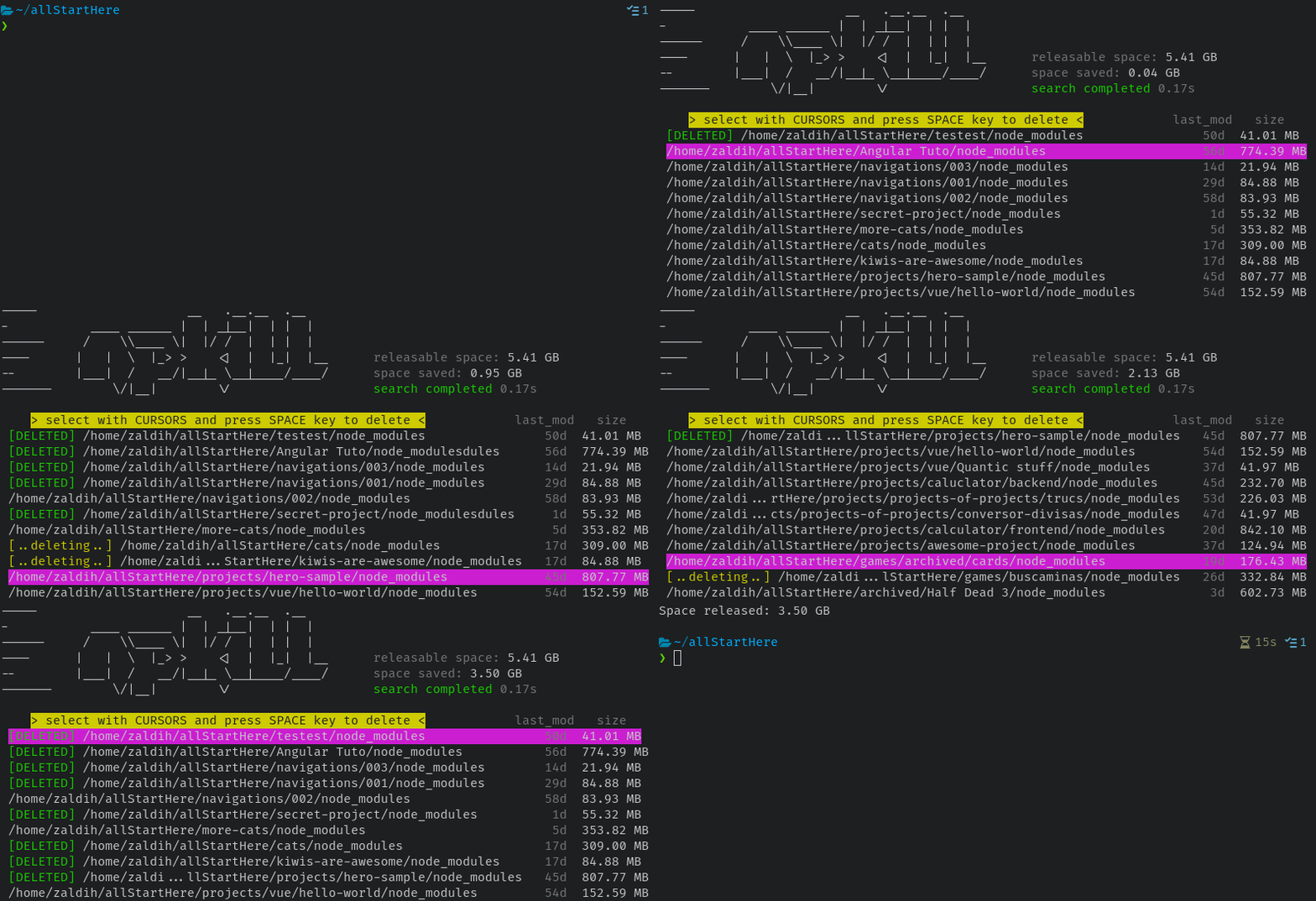
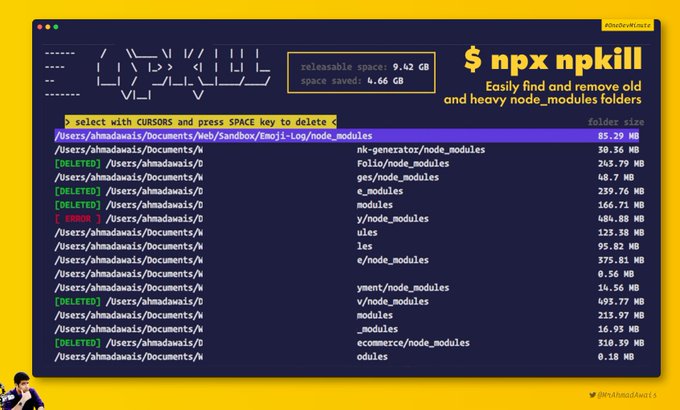
Npkill is a CLI tool that allows you to list all the heavy node_modules that you have scattered around your computer and allows you to delete those you don't need in a very simple and elegant way.
You might be surprised how much space node_modules from old projects are silly taking up.
Super Fast 🚀
Npkill looks for node_modules or any other directory at low level and in a distributed way, so it will make almost full use of disk and CPU capacities.
Super easy 😎
A, B and C. No weird stories. Intuitive to use.
How to use
- Step 1: Run
npx npkillon your terminal. - Step 2: Npkill will start scanning the working directory from where you have executed the command (see below for options to change this). The results will start to be displayed.
- Step 3: Navigate through the results with ▲ or ▼ and press Del to delete.
Some applications installed on the system (like spotify or discord) need their node_modules directory to work and deleting them may break them. Npkill will highlight them by displaying a ⚠️ to be careful.
All controls
- For move up: ▲ or k.
- For move down: ▼ or j.
- For scroll one page up: PgUp, l or Ctrl+u.
- For scroll one page down: PgDown, h or Ctrl+d.
- For go to the first or last result: HOME/END.
- For open result in file explorer or last: o.
Options
The community speaks






The team



Backers
Many thanks to all those who have also supported the project financially!