
Markdownify
A minimal Markdown editor
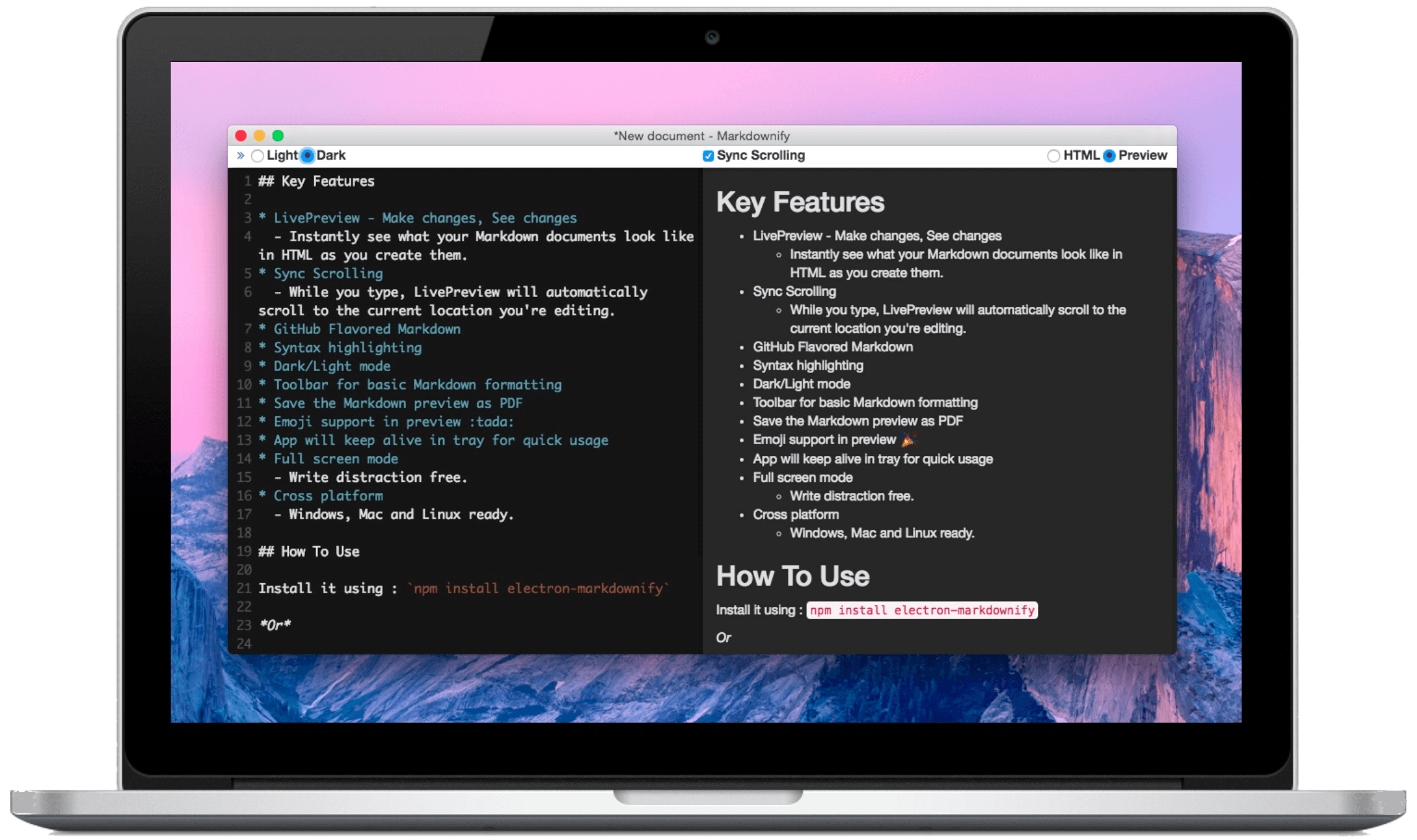
Key Features
📔 LivePreview
Make changes, See changes. Instantly see what your Markdown documents look like in HTML as you create them.
📜 Sync Scrolling
While you type, LivePreview will automatically scroll to the current location you're editing.
🔧 GFM
The good old GitHub Flavored-style Markdown. So, you don't feel out of the place.
🌈 Syntax highlighting
Syntax highlighting in fenced code blocks with language identifiers and Markup languages
☯ Dark/Light mode
Change the color scheme of the editor based on your preferences.
❤️ Emoji support
Supports emojis in the preview mode for when you need to express yourself via one
Other features including...
- Toolbar for basic Markdown formatting
- Save the Markdown preview as PDF
- App will keep alive in tray for quick usage
- Full screen mode
- Supports multiple cursors
- Save the Markdown preview as PDF
- KaTeX Support
- Write distraction free.
- Cross platform
- Windows, Mac and Linux ready.
Develop
To clone and run Markdownify locally, you'll need Git and Node.js (which comes with npm) installed on your computer. From your command line:
# Clone this repository
$ git clone https://github.com/amitmerchant1990/electron-markdownify

# Go into the repository
$ cd electron-markdownify

# Install dependencies
$ npm install

# Run the app
$ npm start
Credits
Markdowinfy is built using Electron, Node.js and some more awesome software packages.