Triage large sets of images and video. Hash and de-duplicate, read metadata, pull video key frames, match known-hash lists, and review it all in a local gallery.
The full suite in one place. Visit the releases page for the latest stable versions of iLEAPP, ALEAPP, RLEAPP, VLEAPP, DLEAPP, GLEAPP, LAVA, and Batch LEAPP.
Common questions about the LEAPPs tools. Can't find what you're looking for? Reach out via the mailing list.
LEAPPs is a family of free digital forensics tools — iLEAPP, ALEAPP, RLEAPP, VLEAPP, DLEAPP, GLEAPP, LAVA, and Batch LEAPP — designed to parse and analyze artifacts from mobile devices, ISP data returns, vehicle systems, and more. They are widely used by law enforcement, examiners, and forensics researchers worldwide.
Use iLEAPP for iOS and iPadOS devices, ALEAPP for Android devices, RLEAPP for ISP returns and social media data, VLEAPP for vehicle infotainment systems, DLEAPP for desktop application artifacts, GLEAPP for triaging images and video, and LAVA to view and navigate the reports generated by any of the other tools.
Yes — iLEAPP, ALEAPP, RLEAPP, VLEAPP, DLEAPP, and GLEAPP are completely free and open source. LAVA is also free to download and use.
All tools run on Windows, macOS, and Linux. The LEAPPs, GLEAPP and LAVA have pre-built downloads for all three, so no Python is needed. The LEAPPs and GLEAPP can also be run from source with Python.
Download the latest release from the releases page. On Windows, unzip the portable download and run the program inside it. On macOS, open the disk image. To run from source, install Python 3 and run pip install -r requirements.txt followed by the main script.
The tools support full file system extractions, logical extractions, and backup formats. For iOS this includes extractions from tools like Cellebrite, Magnet Graykey, and iTunes backups. For Android, extractions from ADB and commercial tools are supported.
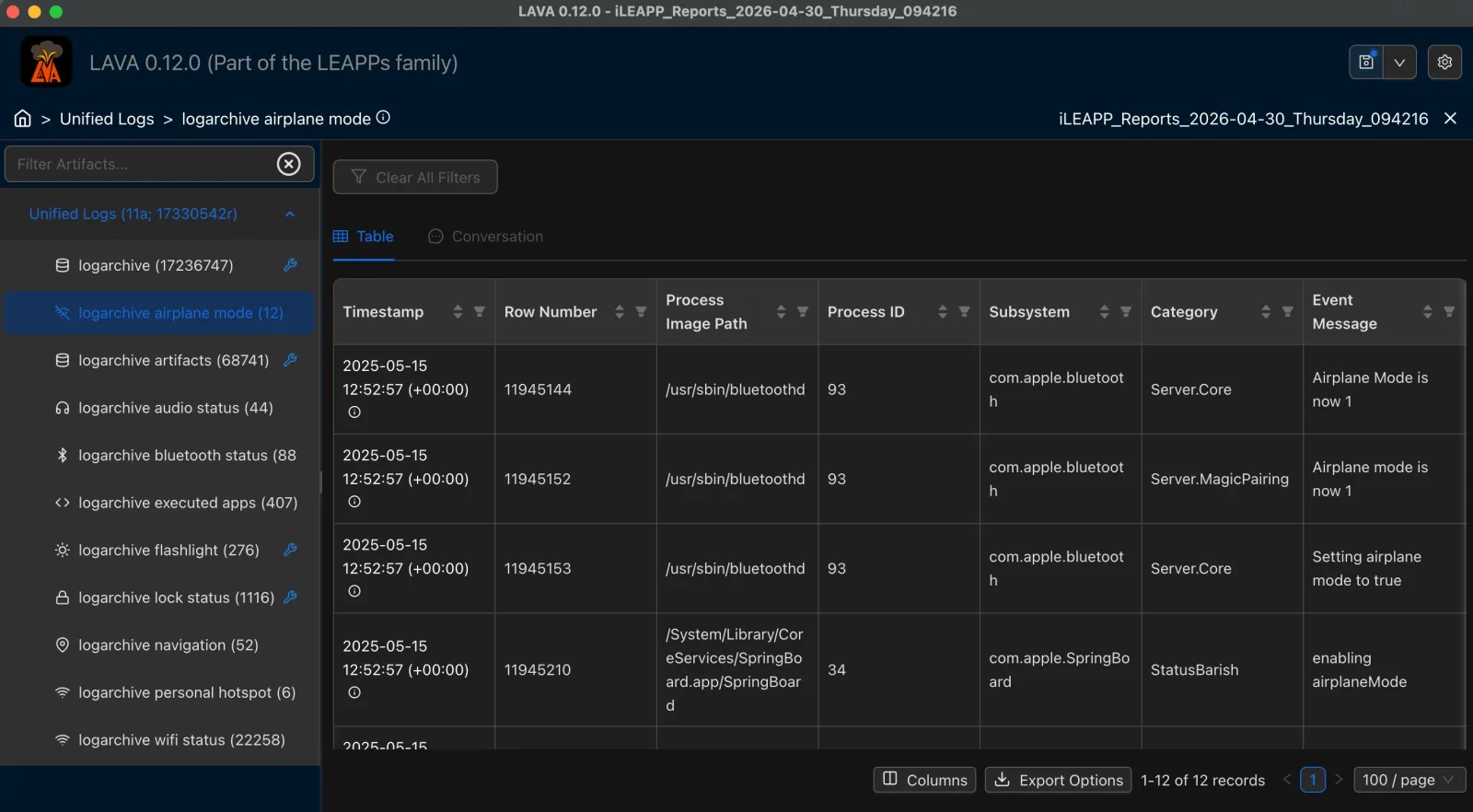
LAVA — LEAPP Artifact Viewer App — takes the report output generated by iLEAPP, ALEAPP, RLEAPP, VLEAPP, DLEAPP, or GLEAPP and presents it in an easy to navigate interface. It allows investigators to browse artifacts and filter data.
Open an issue on the relevant GitHub repository. Include as much detail as possible — the tool version, operating system, and steps to reproduce the bug. For new parsers, describe the artifact and include a sample if possible. Links to each repo are on the releases page.
Fork the relevant repository on GitHub, add your parser following the existing module structure, and submit a pull request. The community reviews and merges contributions regularly. Check the repository README for contribution guidelines.
The tools are actively maintained and updated regularly by the community. New releases are pushed as new parsers are added and bugs are fixed. Subscribe to the mailing list to get notified of new releases.
Yes. iLEAPP, ALEAPP, RLEAPP, VLEAPP, DLEAPP, and GLEAPP are open source and free to use in commercial, law enforcement, and research settings. Check the license in each repository for specific terms.
The best places to get help are the GitHub issue trackers for each tool, and by subscribing to the mailing list for announcements and updates.
Recognition
Featured & Recognized
LEAPPs tools have been featured, taught, and recognized across the digital forensics community worldwide.


 iLEAPP
 ALEAPP
 RLEAPP
 VLEAPP
 DLEAPP
 GLEAPP
 LAVA
LAVA Batch LEAPP