
This sample shows how to use the patching/versioning API to update the code of a Workflow that has executions in progress in production.
temporal server start-devto start Temporal Server.npm installto install dependencies.npm run start.watchto start the Worker.- In another shell,
npm run workflowto run the v1 Workflow. - Now we need to simulate a migration: patch in the new code
- Go into
src/workflows.tsand swapworkflows-v1forworkflows-v2. - Wait for the Worker to rebuild (back in the
npm run start.watchshell). - Start a v2 Workflow with
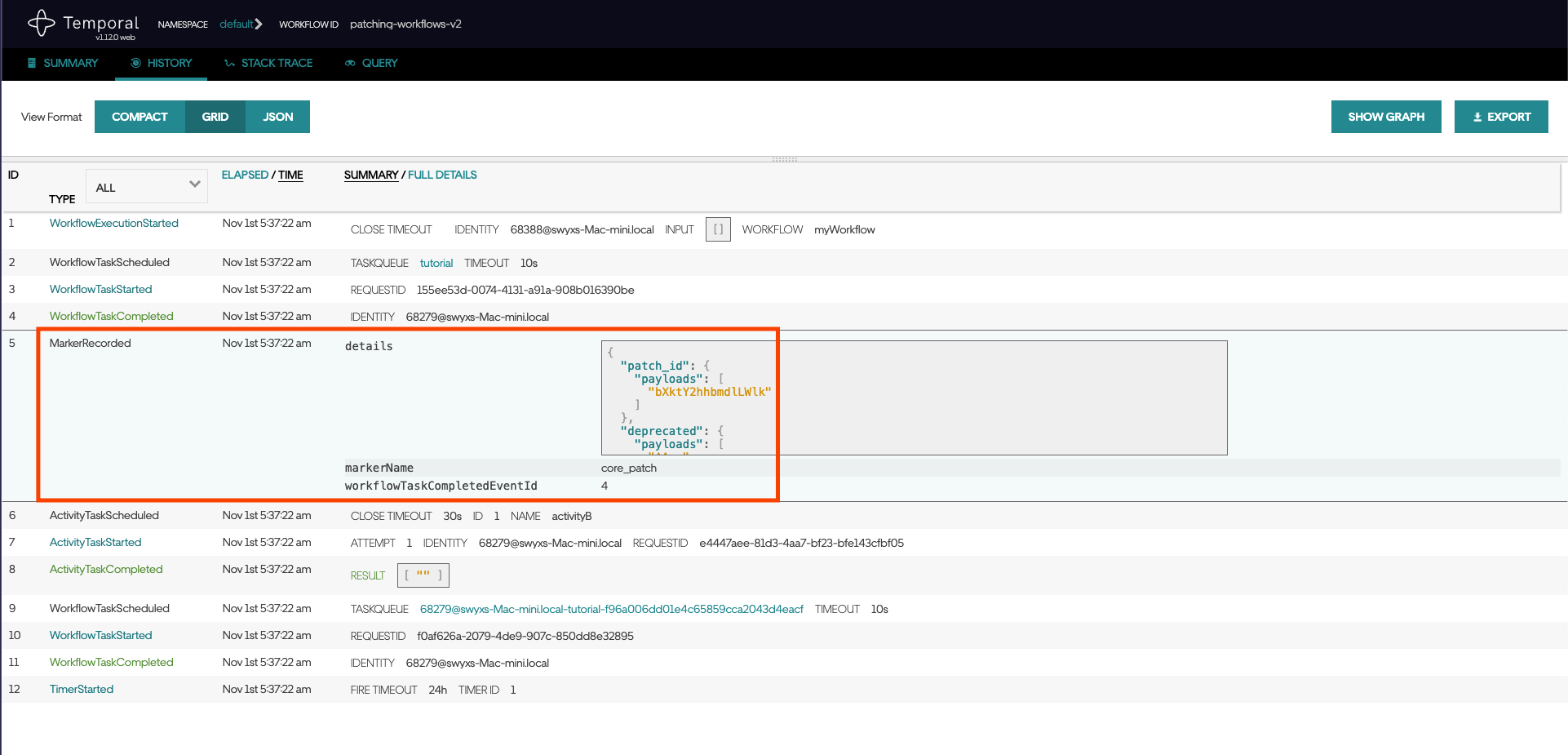
npm run workflow. This will run alongside the v1 Workflow. - You can see the deprecation marker recorded in Temporal Web for the v2 Workflow.

- Step 2 of the migration: deprecate the patch
- Manually terminate the v1 Workflow. We only deprecate the patch when all instances of v1 are no longer running.
- Go into
src/workflows.tsand swapworkflows-v2forworkflows-v3. - Wait for the Worker to rebuild.
- Start a v3 Workflow with
npm run workflow. This will run alongside the v2 Workflow.
- Step 3 of the migration: Solely deploy new code
- Manually terminate the v2 Workflow. We only remove the deprecation when all instances of v2 are no longer running.
- Go into
src/workflows.tsand swapworkflows-v3forworkflows-vFinal. - etc.