
Unleash Nuxt
Developer Experience
The Nuxt DevTools gives you insights and transparency about your Nuxt App. Identify performance gaps and seamlessly manage your app configurations.
Enhance projects with
Advanced DevTools
Developer experience
Enhance your DX even further, and adding an extra layer of enjoyment to the development journey!
Inspection & debug
See the relationships between your components, composables, modules and so much more.
Transparency conventions
Understand your Nuxt app structure to debug and optimize your Nuxt application effectively.
Real-time insights
Get real-time insights into your app's performance. Analyze your data for seamless user experience.
Tailor-made documentation
Get personalized documentation for your Nuxt application, based on your usage patterns and needs.
Extendable & hackable
Provide interactive views for integrations. Making it easy to explore and understand your application's data and performance.
Explore the depths of your
Nuxt project
Pages
Display your current routes with useful information such as what layout or middleware it has, and provides a quick way to navigate between pages. You can also use the textbox to see how each route is matched.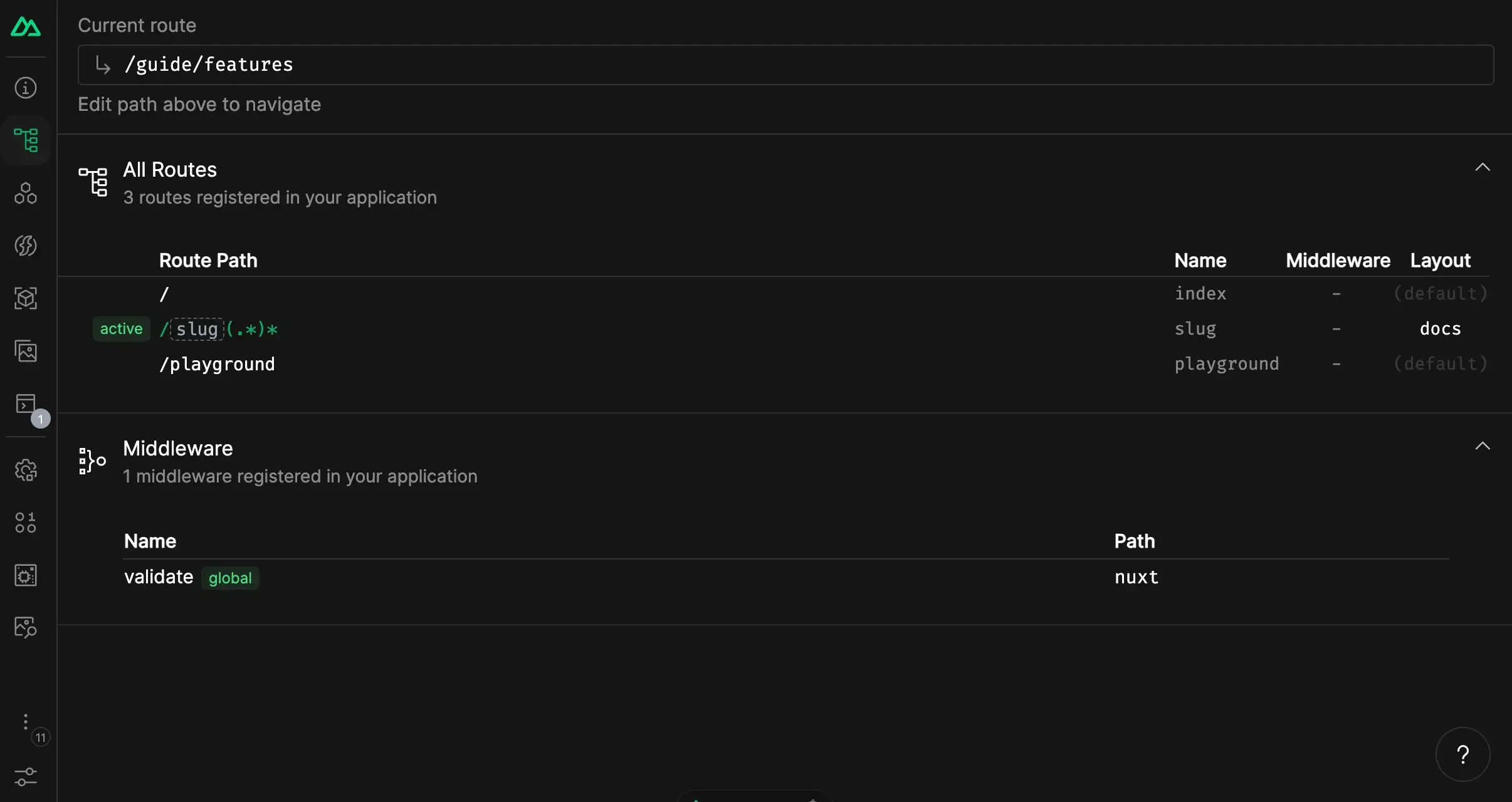
Components
Display all the components you are using in your app and where they are from. You can also search for them and go to the source code.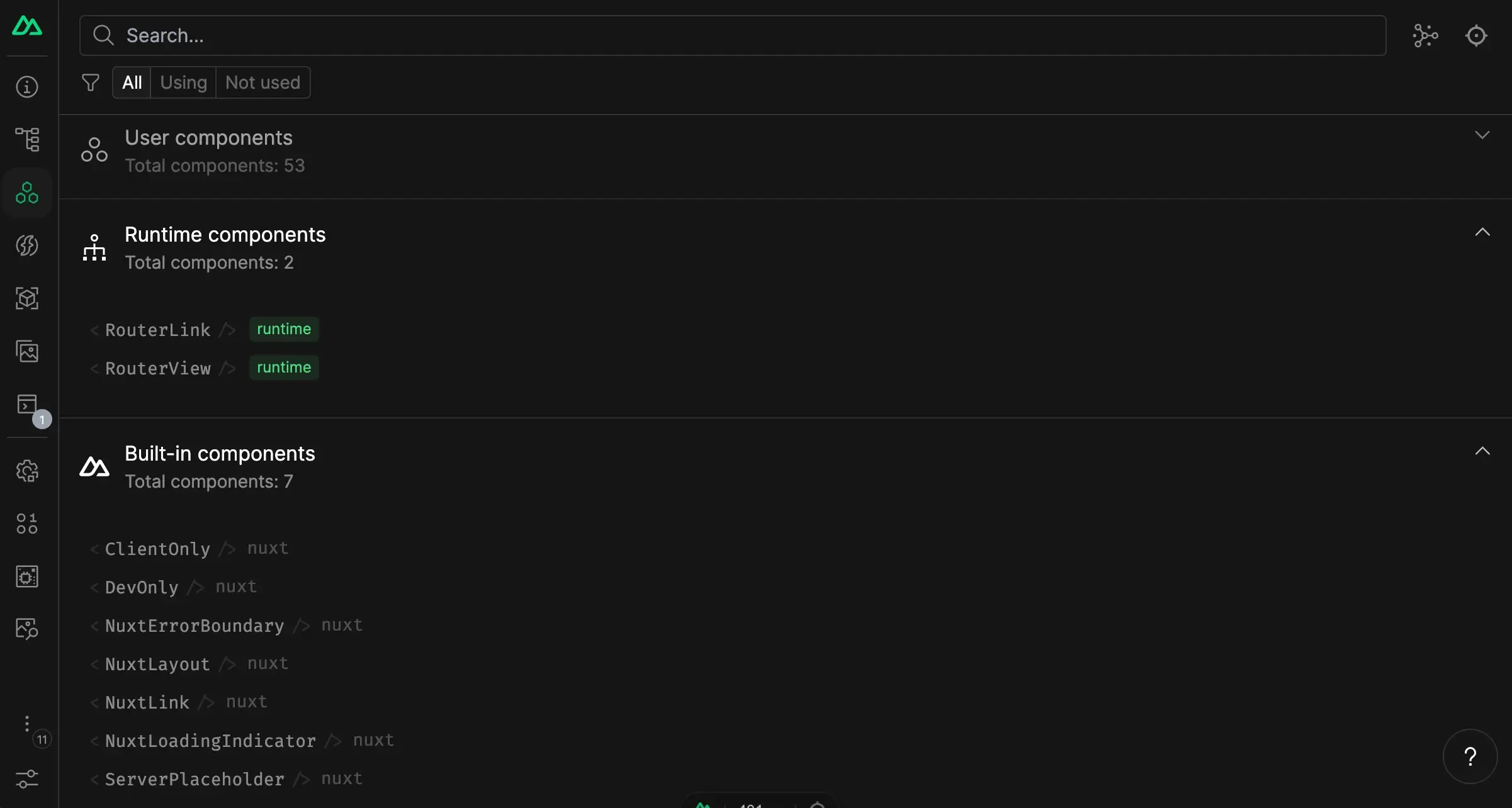
Imports
Discover all the auto-imports composables and utils registered in your app. You can see which files are importing them, and where they are from. Some entries can also provide short descriptions and documentation links.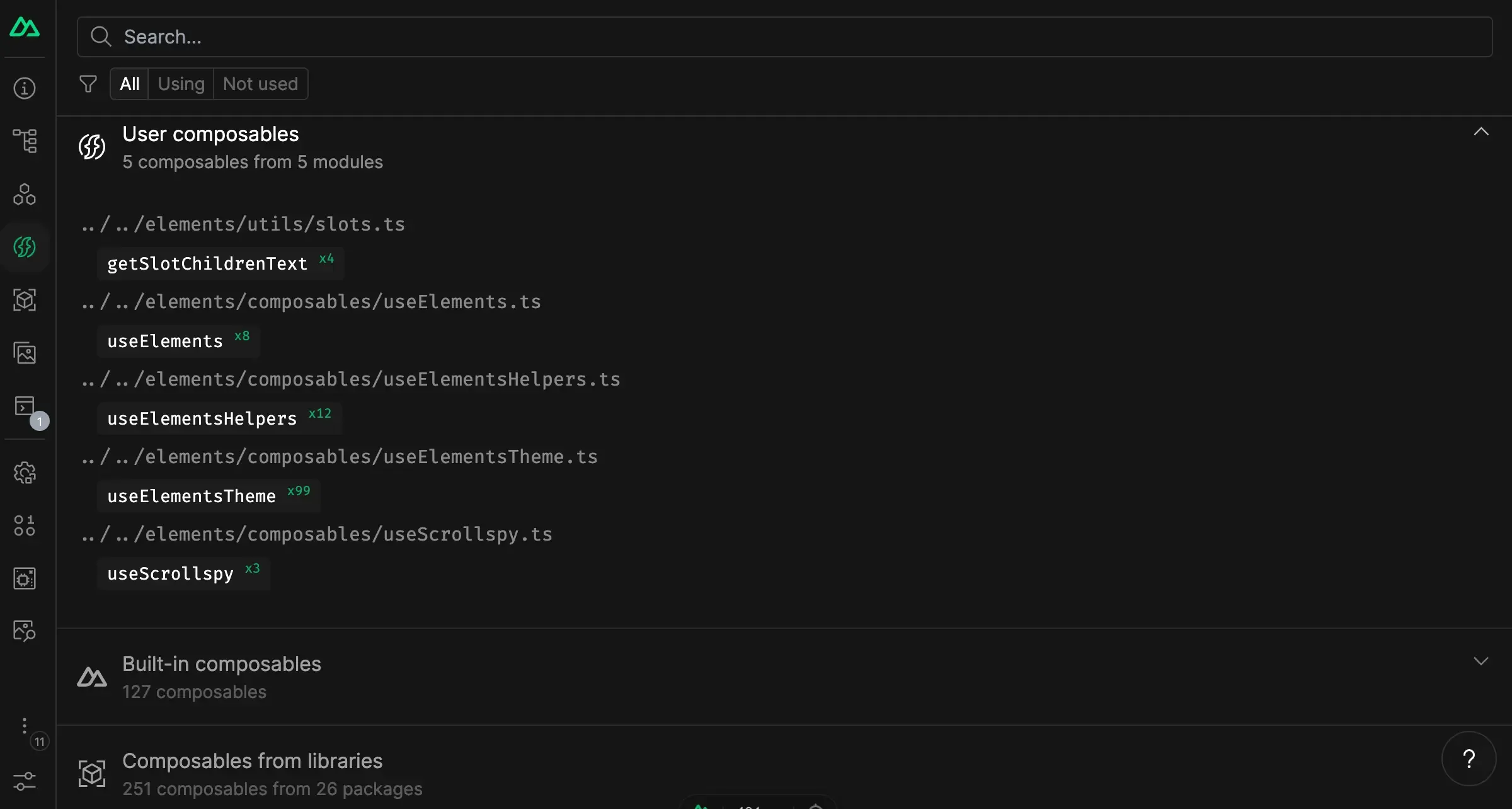
Trusted and supported by our
amazing community
Trusted and supported by our
amazing community
+16











Created and maintained by 50+ contributors
Get started
Now
Start using Nuxt DevTools quickly by installing it in your projects in a few lines!
You just need to go to your nuxt.config file and set devtools to true:
nuxt.config.ts
export default defineNuxtConfig({
  devtools: { enabled: true },
})
Nuxt will automatically install the DevTools module for you.