Largest Contentful Paint
Stay organized with collections
Save and categorize content based on your preferences.
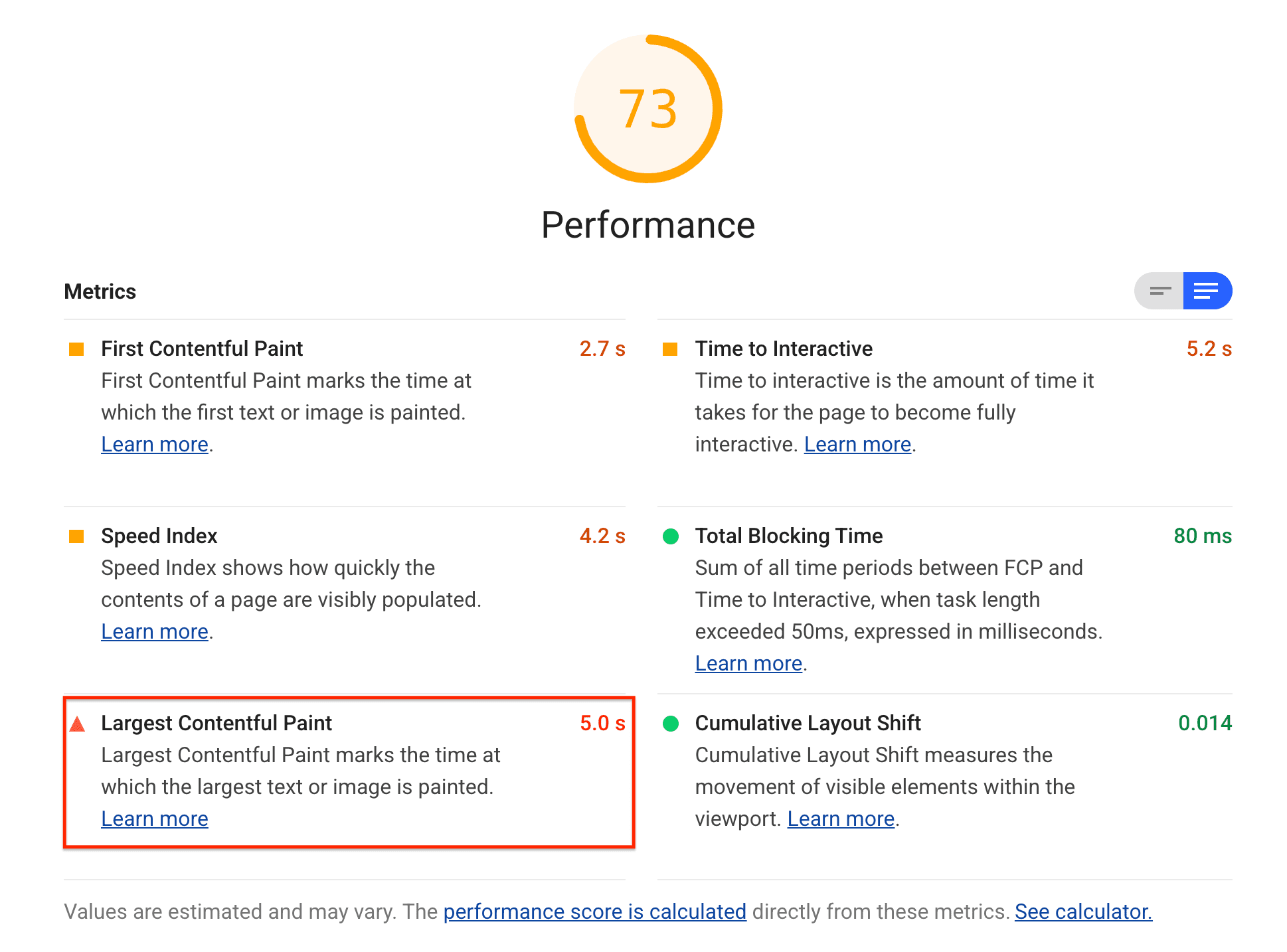
Largest Contentful Paint (LCP) is one of the metrics
tracked in the Performance section of the Lighthouse report.
Each metric captures some aspect of page load speed.
Lighthouse displays LCP in seconds:
The Lighthouse Largest Contentful Paint score
What LCP measures
LCP measures when the largest content element in the viewport is
rendered to the screen. This approximates when the main content of the page is
visible to users. See Largest Contentful Paint defined for more
details on how LCP is determined.
The following table shows how to interpret your LCP score on mobile:
LCP time (in seconds)
Color-coding
0-2.5
Green (fast)
2.5-4
Orange (moderate)
Over 4
Red (slow)
Lighthouse mobile LCP thresholds
The Web Vitals initiative recommends the same thresholds regardless of device for its thresholds, which basically uses the mobile thresholds. However, since Lighthouse is a lab tool, it can be useful to be stricter when testing for faster desktop devices it uses different thresholds.
The following table shows how to interpret your LCP score on desktop:
LCP time (in seconds)
Color-coding
0-1.2
Green (fast)
1.2-2.4
Orange (moderate)
Over 2.4
Red (slow)
Lighthouse desktop LCP thresholds
How to improve your LCP score
If the LCP is an image, the timing can be broken down into four subparts.
Knowing which subparts take the longest can help you optimize your LCP.
Lighthouse will display the LCP element along with the subpart breakdown in the "Largest Contentful Paint element" diagnostic.
LCP subpart
Description
Time to first byte (TTFB)
The time from when the user initiates loading the page until when the browser receives the first byte of the HTML document response. Learn more about TTFB.
Load delay
The delta between TTFB and when the browser starts loading the LCP resource.
Load time
The time it takes to load the LCP resource itself.
Render delay
The delta between when the LCP resource finishes loading until the LCP element is fully rendered.
[[["Easy to understand","easyToUnderstand","thumb-up"],["Solved my problem","solvedMyProblem","thumb-up"],["Other","otherUp","thumb-up"]],[["Missing the information I need","missingTheInformationINeed","thumb-down"],["Too complicated / too many steps","tooComplicatedTooManySteps","thumb-down"],["Out of date","outOfDate","thumb-down"],["Samples / code issue","samplesCodeIssue","thumb-down"],["Other","otherDown","thumb-down"]],["Last updated 2020-01-10 UTC."],[],[]]