
 Harshil@harshil1712
This is an incredible idea!
Oct 14, 2026, the post on XDeveloper Relations, Cloudflare

Appflare is one Worker in your account. Pick from 139 apps built for Workers, install one in a click, and keep it updated, with a rollback when you need one.
Or use Cloudflare's Deploy button.
Runs on the Workers free plan. Read the docs
On X
Including a few people who work at Cloudflare.
Harshil@harshil1712This is an incredible idea!
How it works
Nothing runs anywhere but your own account, on your plan, under your limits.
Sign in to Cloudflare at appflare.dev/deploy and choose an address. The page puts the manager into your account, and afterwards Appflare updates itself.
Pick an app from the catalog. Appflare creates what it needs (databases, storage, queues, secrets, cron triggers) and records each one.






New versions show up on Home. Update in one click, or let Appflare update apps on its own; roll back to the version you had, or uninstall and remove everything it created.
The catalog
Short links, analytics, email, password vaults, notes, file sharing and more, each built from a pinned upstream commit and signed.
OpenSEOMarketingEmDashWebsites and blogsCloudflare OSAIFoliaMediaAgentic InboxEmailSinkUtilities CloudFlare ImgBedFiles
 MailflareEmail
 microfeedWebsites and blogs
 NodeWardenSecurity
 NeriPlayer Listen TogetherMedia
 Token Monitor HubAI
 EdgeEverNotes
 Screendrop CloudSharing
 CounterscaleAnalytics
 FreemailEmail
 blobatar APIDeveloper tools
 TalorysAI
What you get
Appflare owns each install, so it can do what a copied repository cannot.
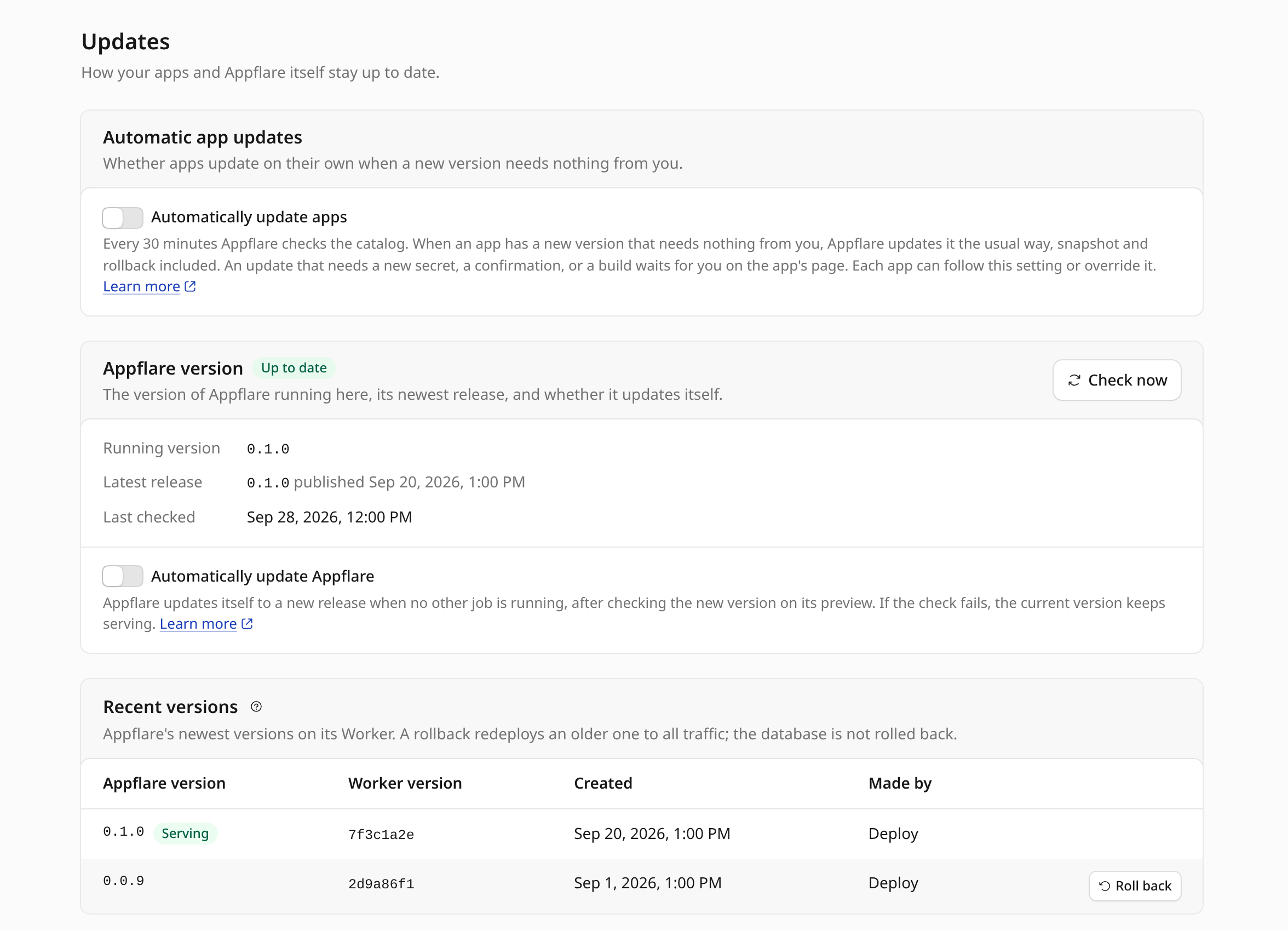
Turn on automatic updates for every app, or app by app. Every 30 minutes Appflare checks the catalog and updates an app on its own when the new version needs nothing from you, with the same snapshot and checks as an update you start. One that needs a new secret or a confirmation waits for you on the app's page.
Appflare can update itself the same way, when no other job is running.
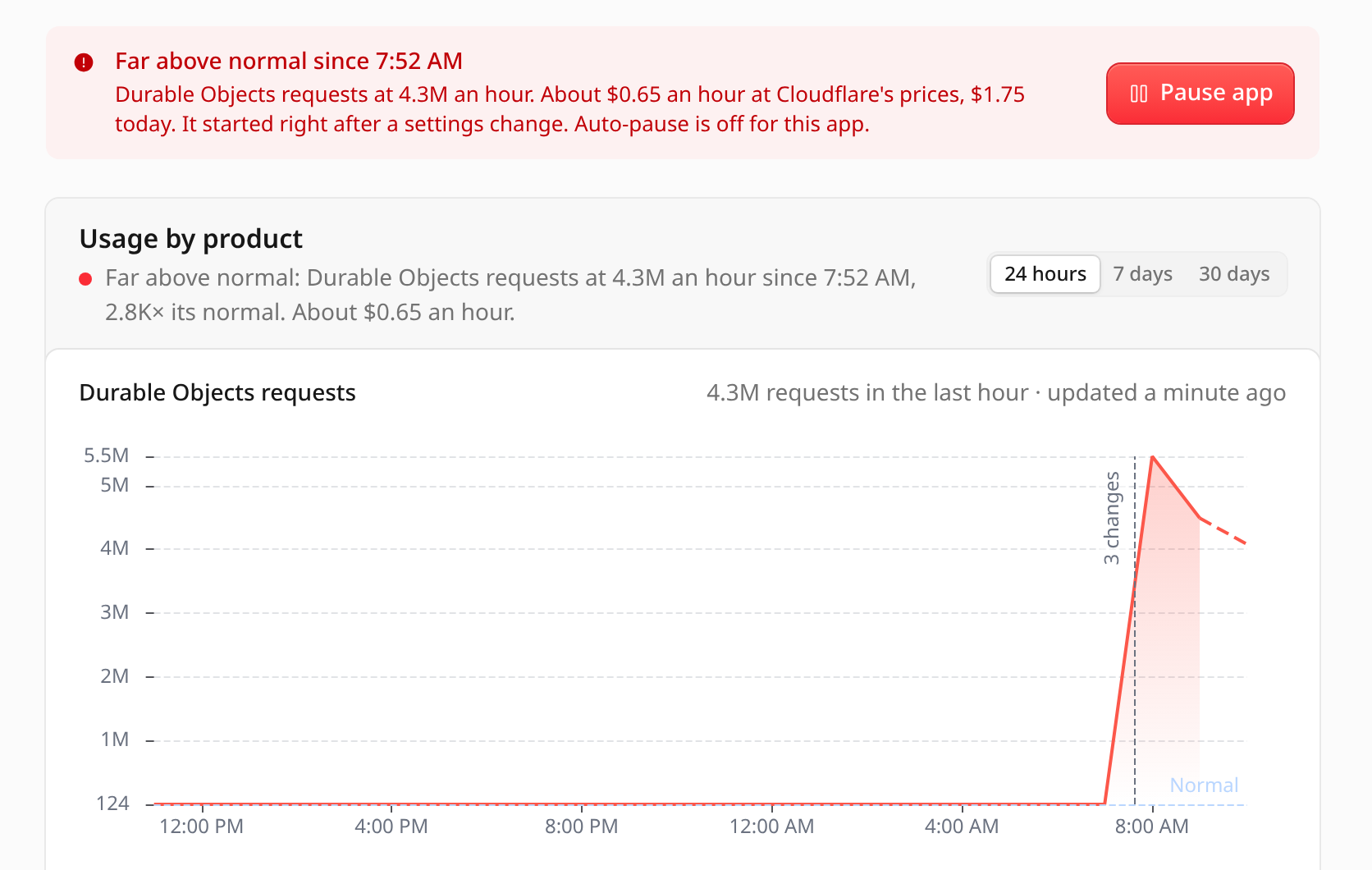
An app with a bug can loop and run up your bill. Every 5 minutes Appflare reads each app's usage from Cloudflare's analytics, and tells you on Telegram, Slack, Discord or a webhook when an hour reaches 5, 20 or 100 times the app's normal, or when a usage alert you wrote comes true.
Automatic pausing is off by default. Turn it on and Appflare pauses an app that loops. On Workers Paid it also pauses an app past its spending cap for the day, week or month, and a monthly budget pauses the biggest spender. A pause keeps the app's data, bindings and secrets, and Resume puts back the exact versions.
On Workers Free, Appflare warns before a free daily limit runs out. Dollar amounts are estimates at Cloudflare's list prices.
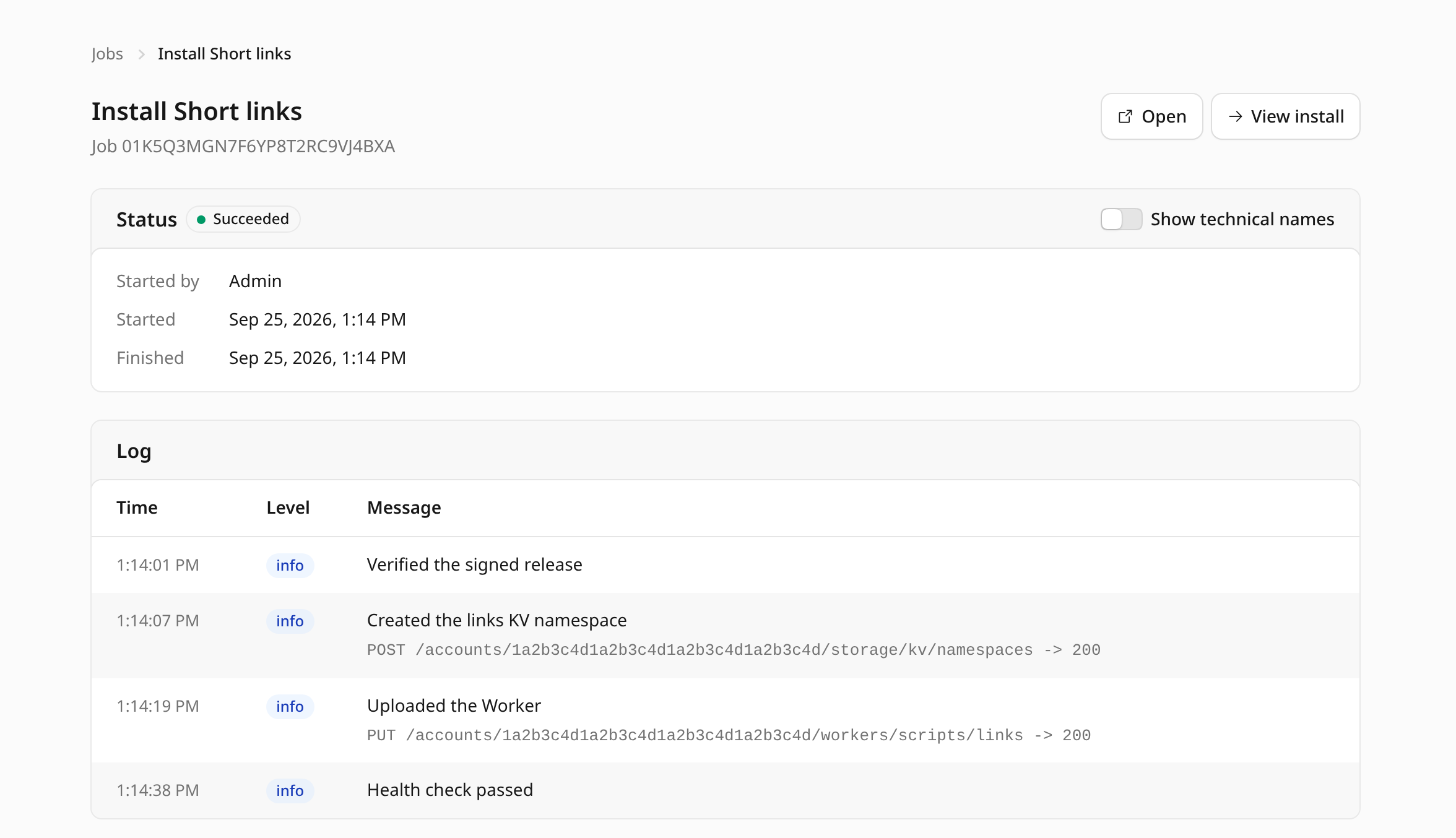
Installs, updates and rollbacks run as durable Workflow jobs. The log shows each step and ends with a health check.
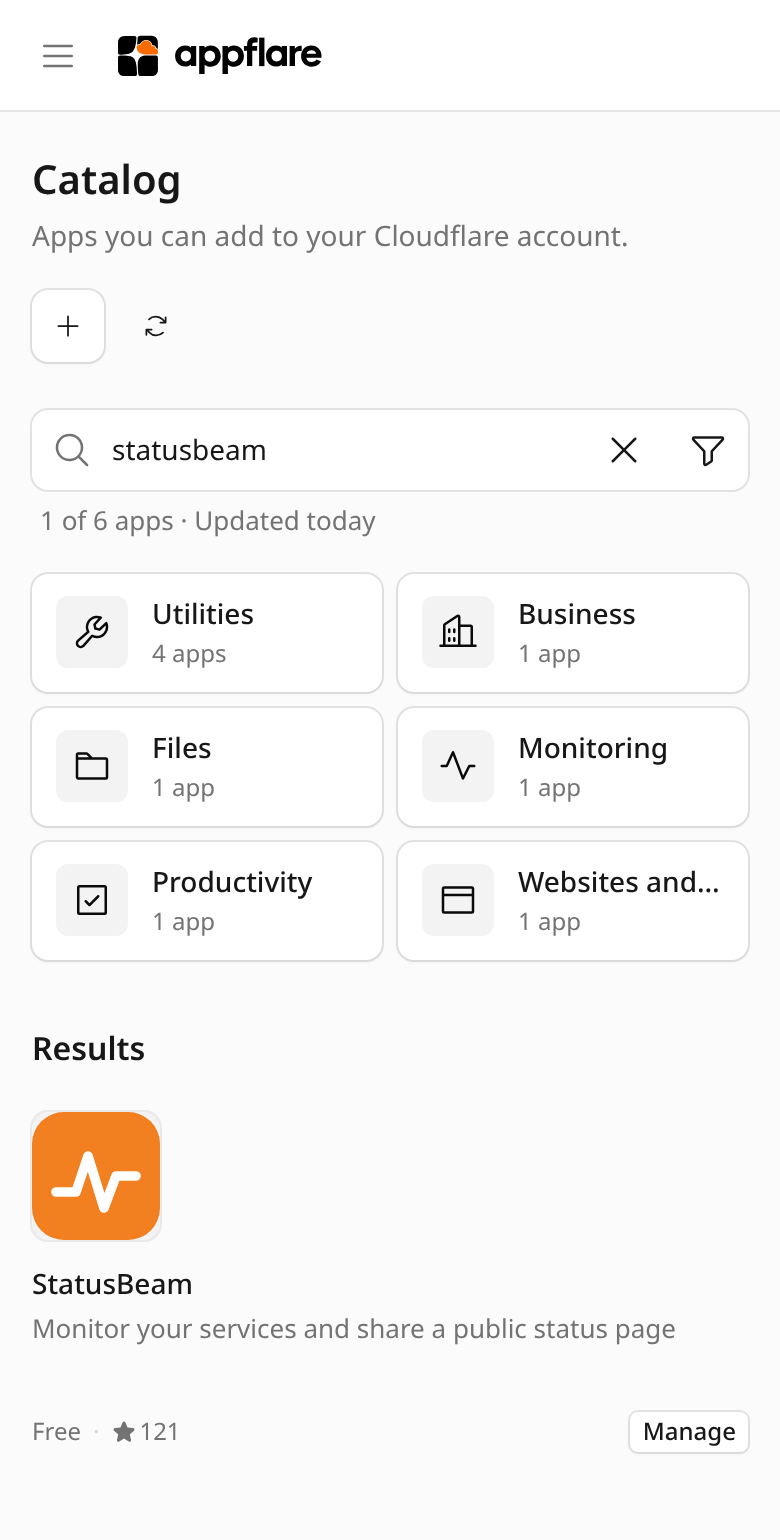
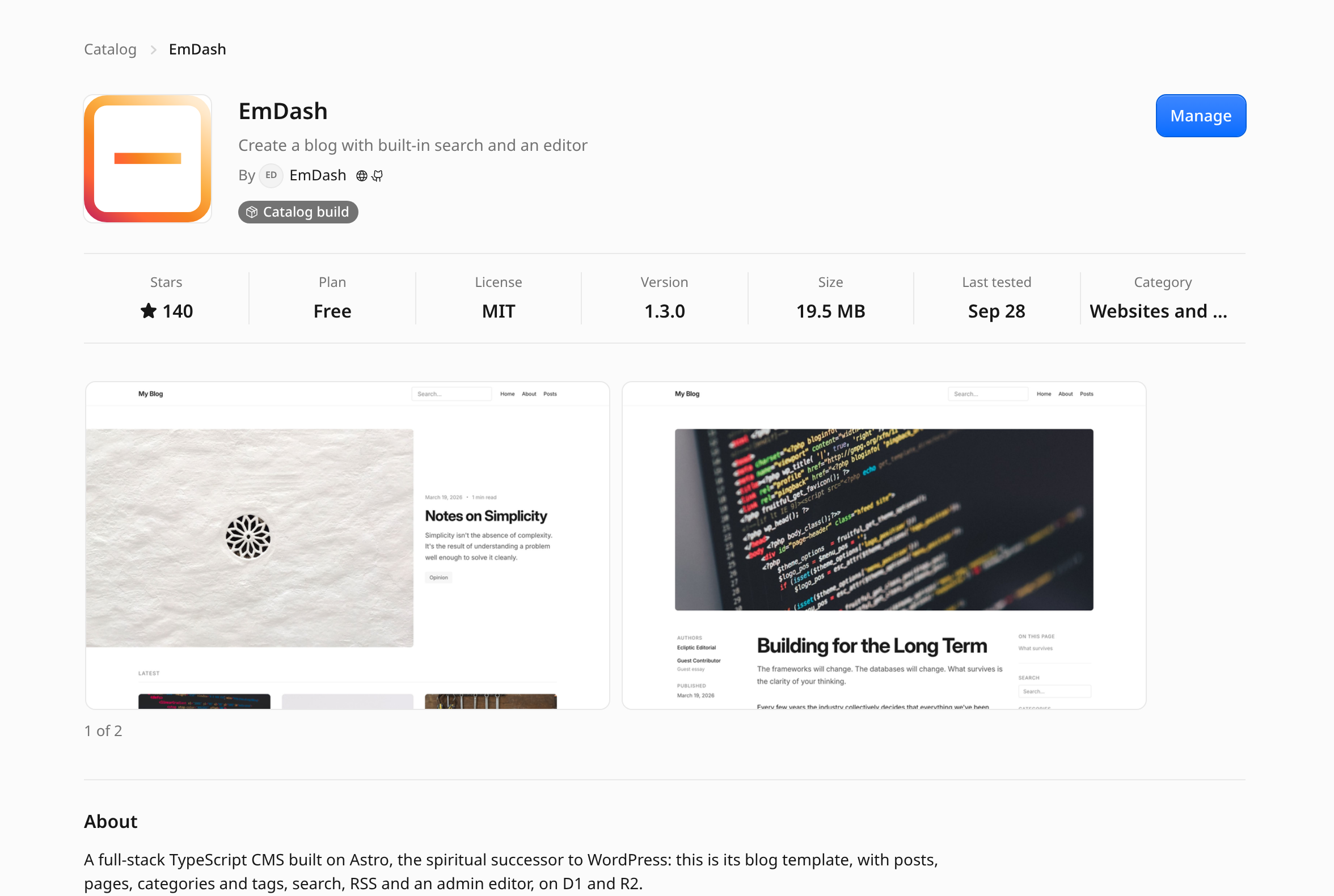
Stars, plan, license, size, screenshots and what the app needs from your account, before you install it.
Catalog CI builds every version from a pinned commit and signs it. Nothing installs unless the signature verifies.
A snapshot of the Worker version and each D1 database comes first, so you can go back.
Serve an app on a hostname in your own zone. Cloudflare creates the DNS record and the certificate.
One owner, admins who change things, members who can only look. Sign in with a passkey.
Updates, finished jobs, failing health checks, unusual usage and paused apps, sent to Telegram, Slack, Discord or a signed webhook.
Installed apps are ordinary Workers. They keep running if the manager breaks or is removed.
Sign in to Cloudflare, choose where Appflare goes, and the page deploys a prebuilt, signed Appflare there. It takes a few minutes and no API token.
Or use Cloudflare's Deploy button.


